Portfolio
hillbrook.cafe
by Vikram Devaru and Kevin Wang (co-developers), and Bill Selak (technology director @ HB)
01
How it started
Lunch at Hillbrook Lower and Middle school was exceptional. Freshly made at epicurean, the food was always warm and delicious. However, this did not carry over to the Upper School. Food was transported from the lower school, and by the time the meals go to the upper school, they were cold and hard. As a result, I vowed in my StuCo campaign to fix the school lunch system. Even though I didn’t win, I still tried to make the lunch better!
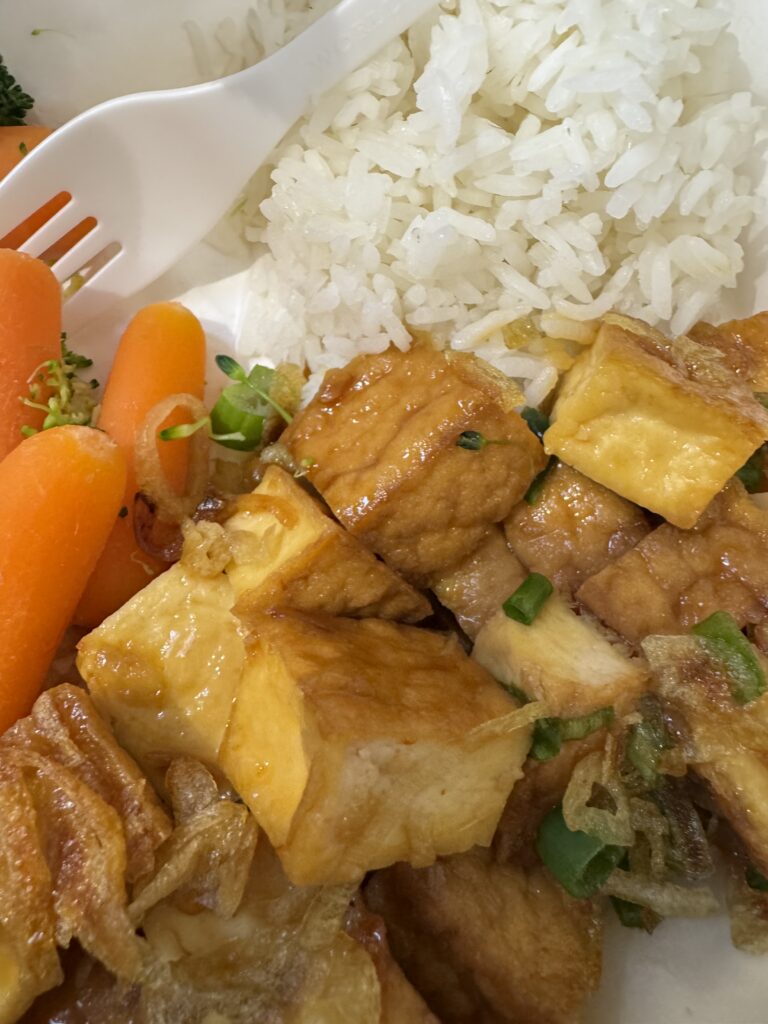
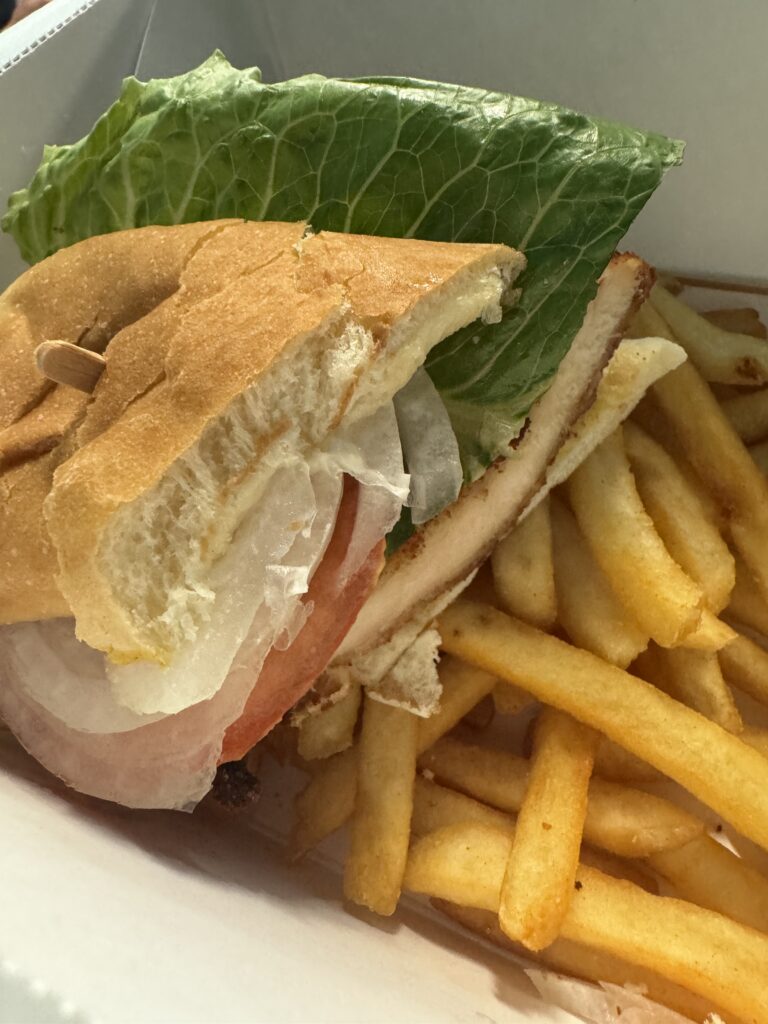
During my first year, I managed to connect with vegetarian house, a local vegan restaurant. We organized a trial service during 9th grade and everyone loved the meals! Things were looking good, and we were planning on continuing service into the next year =)
02
Buuuuut…
Adding vegetarian house was more difficult than I originally anticipated. The school had made partnerships with two local restaurants (Cajeta and Hobees), and were concerned that adding another restaurant would complicate things: we were juggling two different ordering systems for the two restaurants.
So, still with my eyes on the target of connecting a restaurant to Hillbrook, I began researching methods to unify multiple restaurants into one system!
03
Criteria
Admin set some major criteria and constraints for our project!
01
Cost
Final cost of the system must be less than the current cost! (~3% processing fee + $500 monthly school cost)
02
No School Intervention
The money should go directly from the customers to the restaurant. That Hillbrook was not liable for payments
03
Separate Accounts
Each restaurant needed their own account where they could manage their own meals (and only their meals)
04
Sponsored Lunch
Restaurants needed to be able to invoice the school for students and faculty with free lunch. We had to have this system fit in with the original system.
04
Ordering systems we found but weren’t sufficient
we research many more ordering systems, but these were the most comprehensive of them all.
School bitez
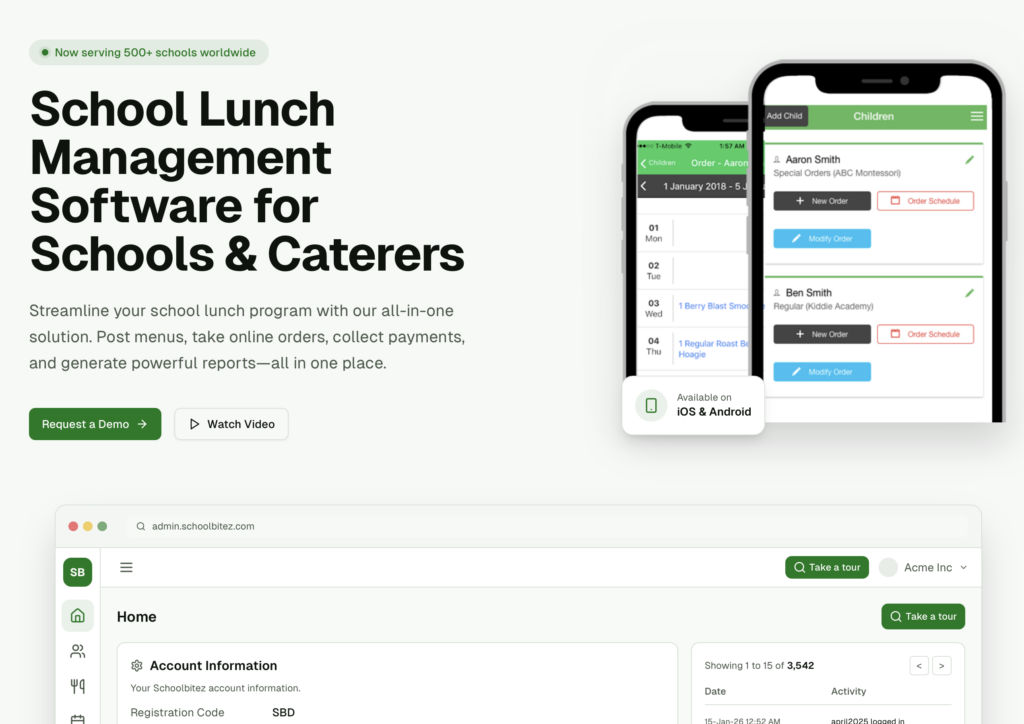
School Bitez had everything we wanted, except for the fact that the user interface looked extremely old, and the fact that restaurants couldn’t manage their own meals. Only the admin dashboard could do so.
Boonli
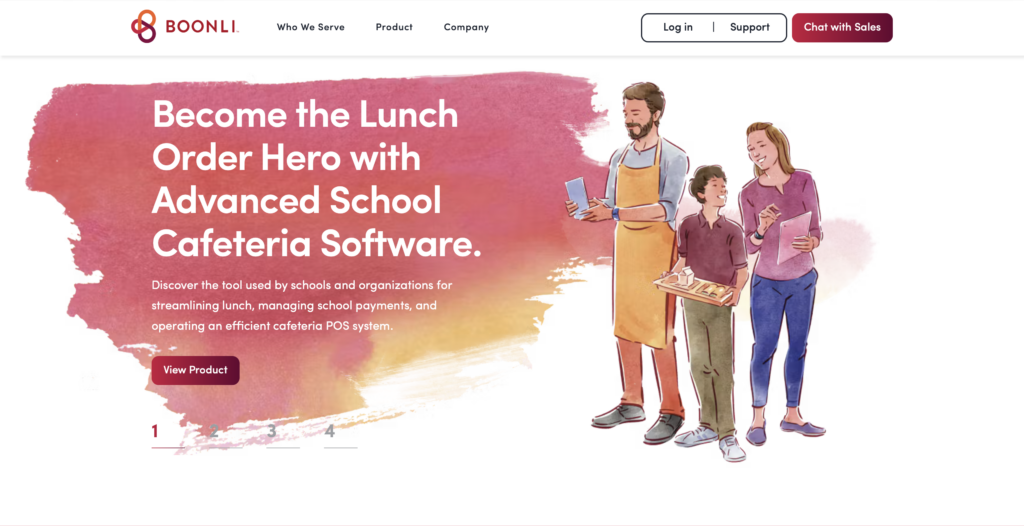
Wonderful! Had everything that we needed. However, the processing fee was 6% on all orders!!! This was waay too much and a compromise we weren’t able to make.
stripe
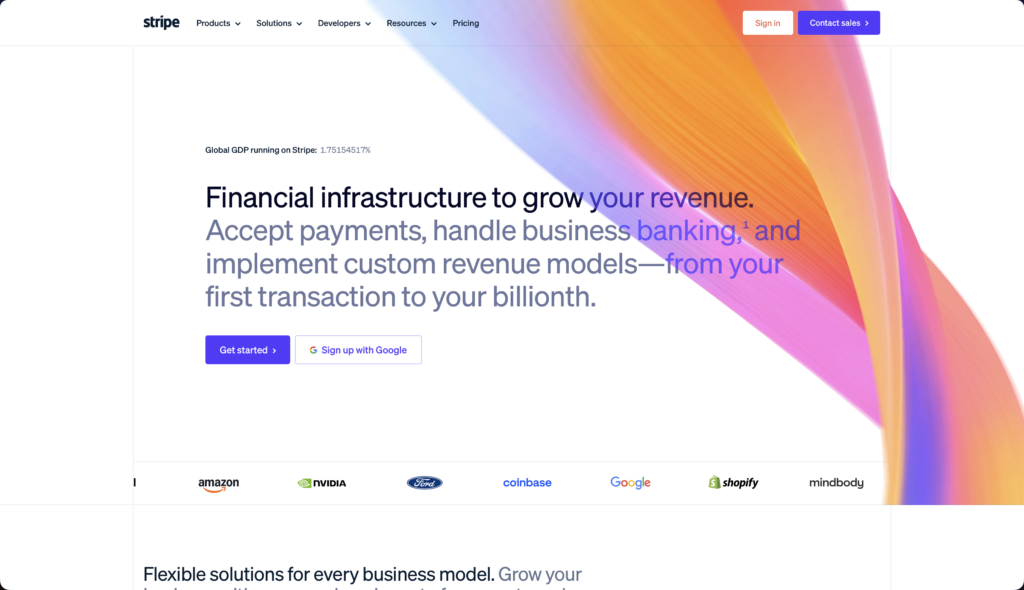
Stripe had many of the features we wanted! We could use Stripe Connect to onboard restaurants. It had the low fee of 2.9% + 30¢. The only downside? There wasn’t a solid interface for ordering lunch, or for restaurants to view analytics. We would have to build that interface ourselves.
05
Timetable of building hillbrook.cafe
[From the first couple of prototypes to later prototypes]
Apr 20, 2026
The first edition!
At first, restaurants just signed in with their Stripe restaurant ID, and a pin code stored in their restaurant metadata.
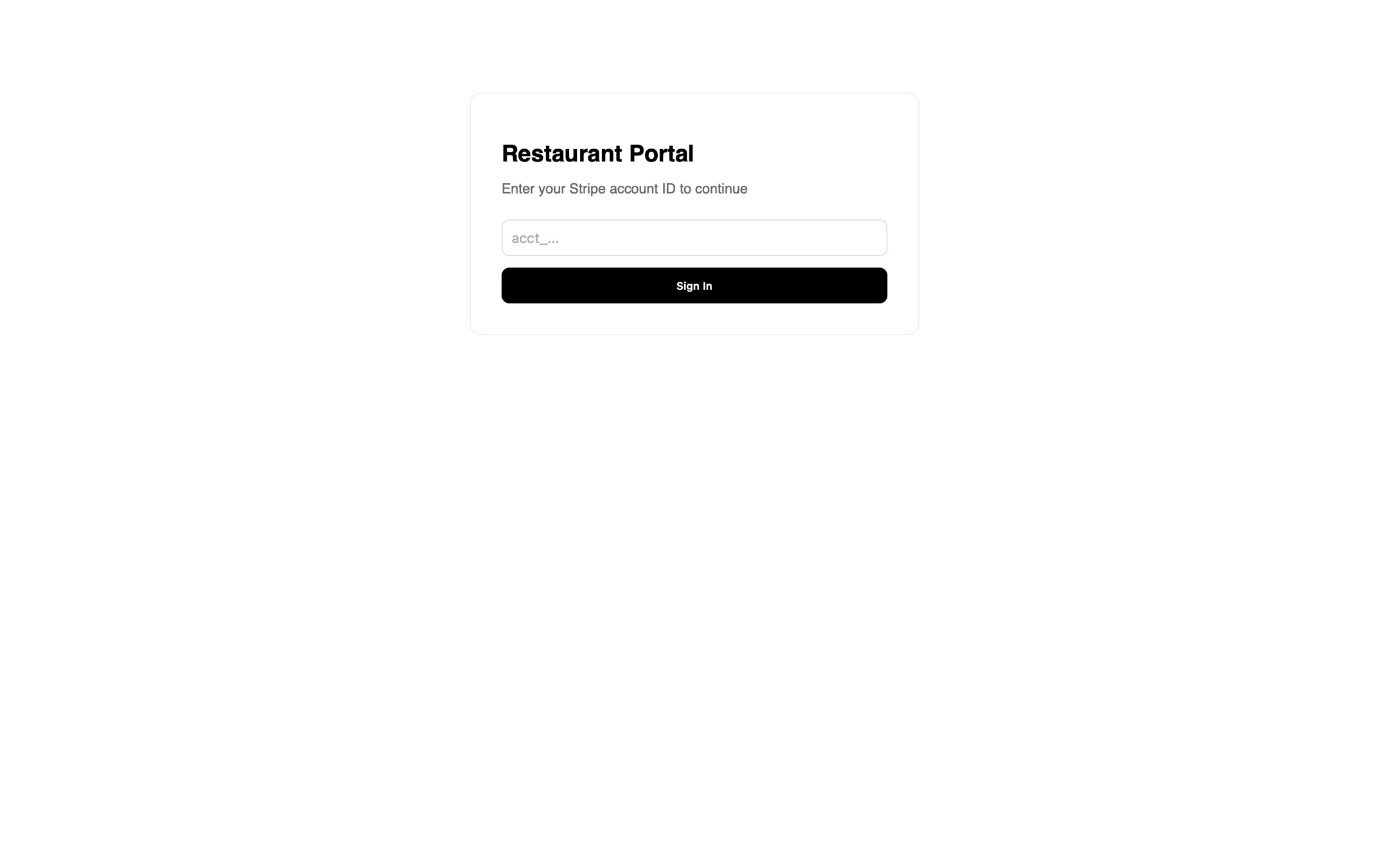
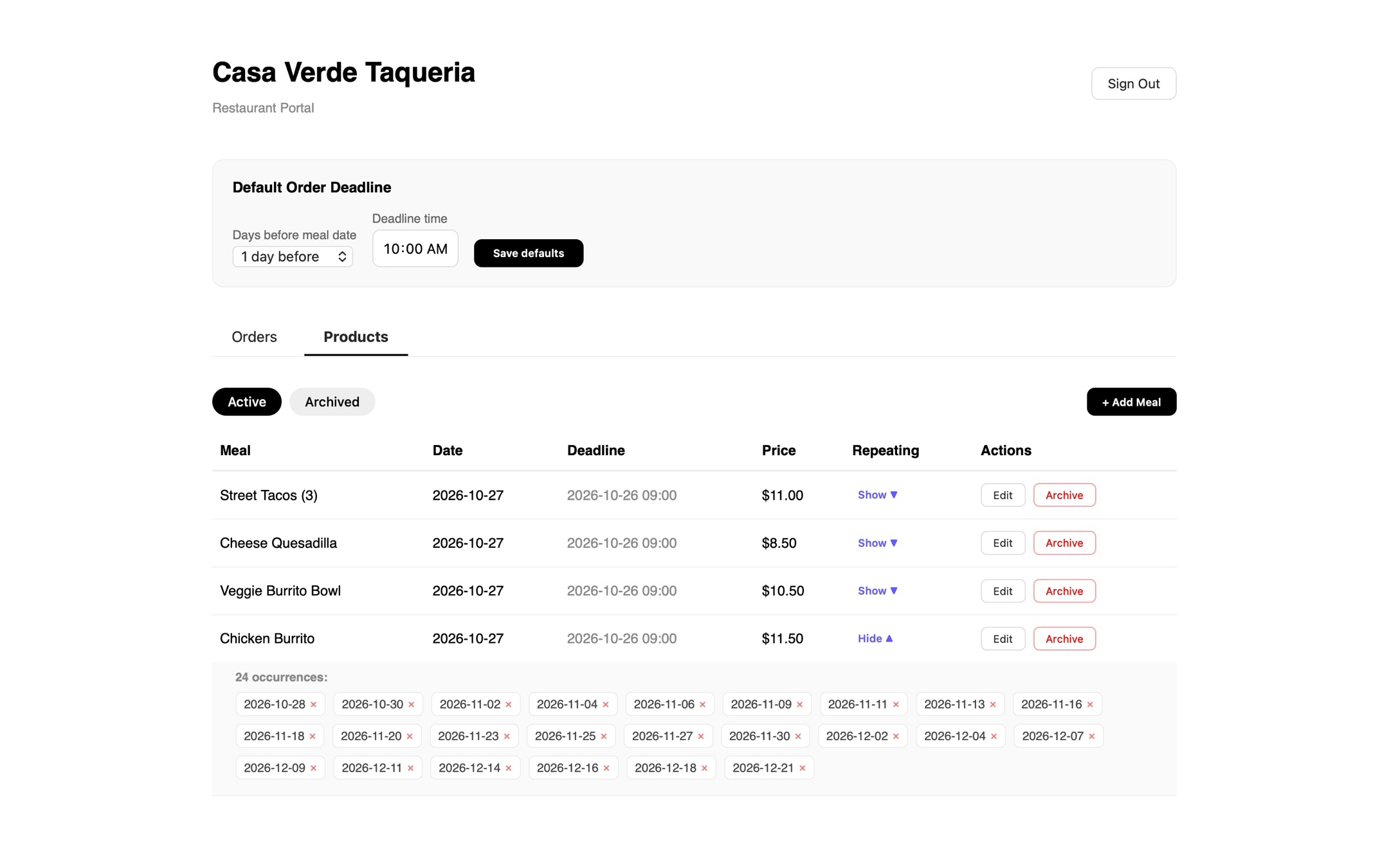
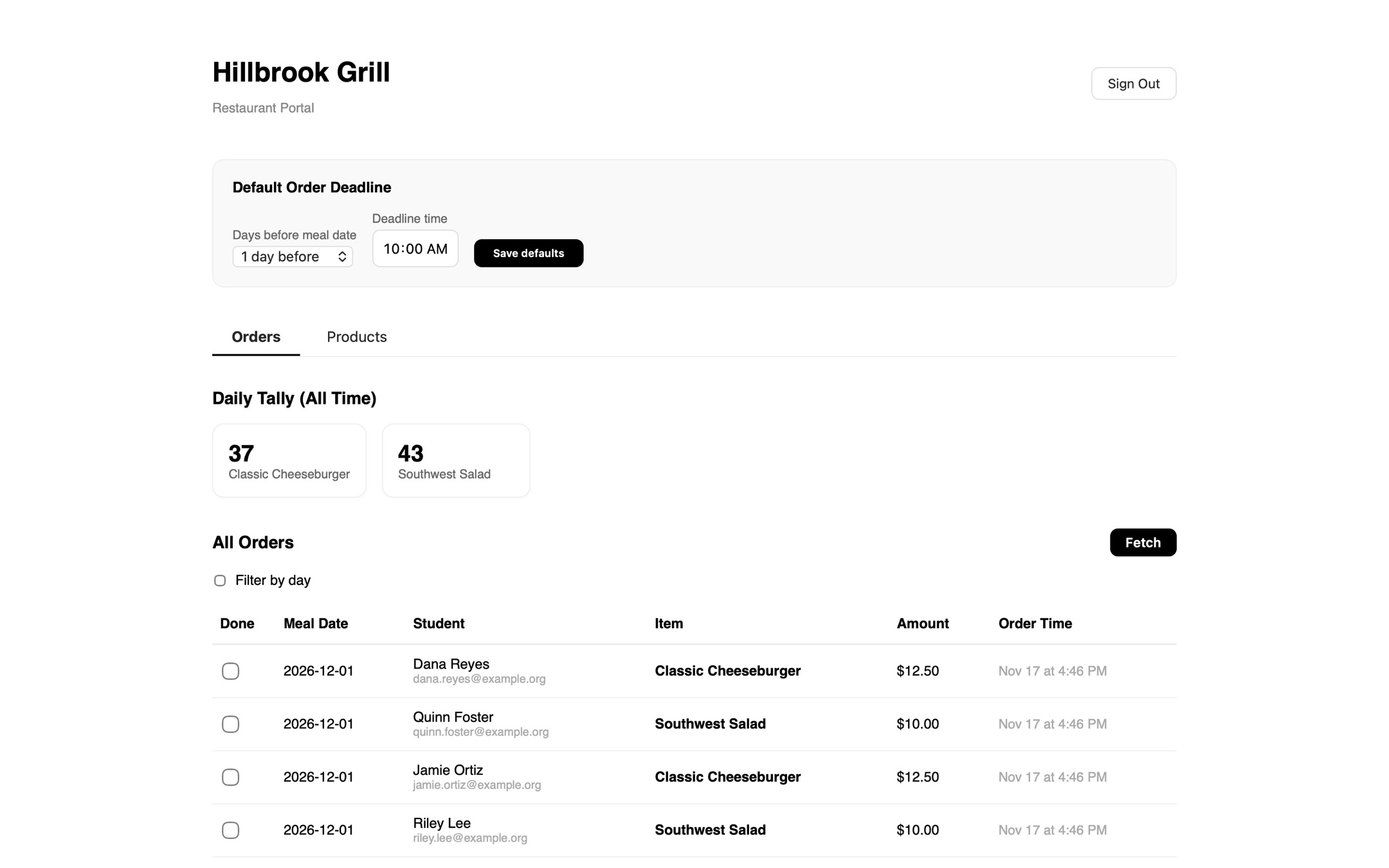
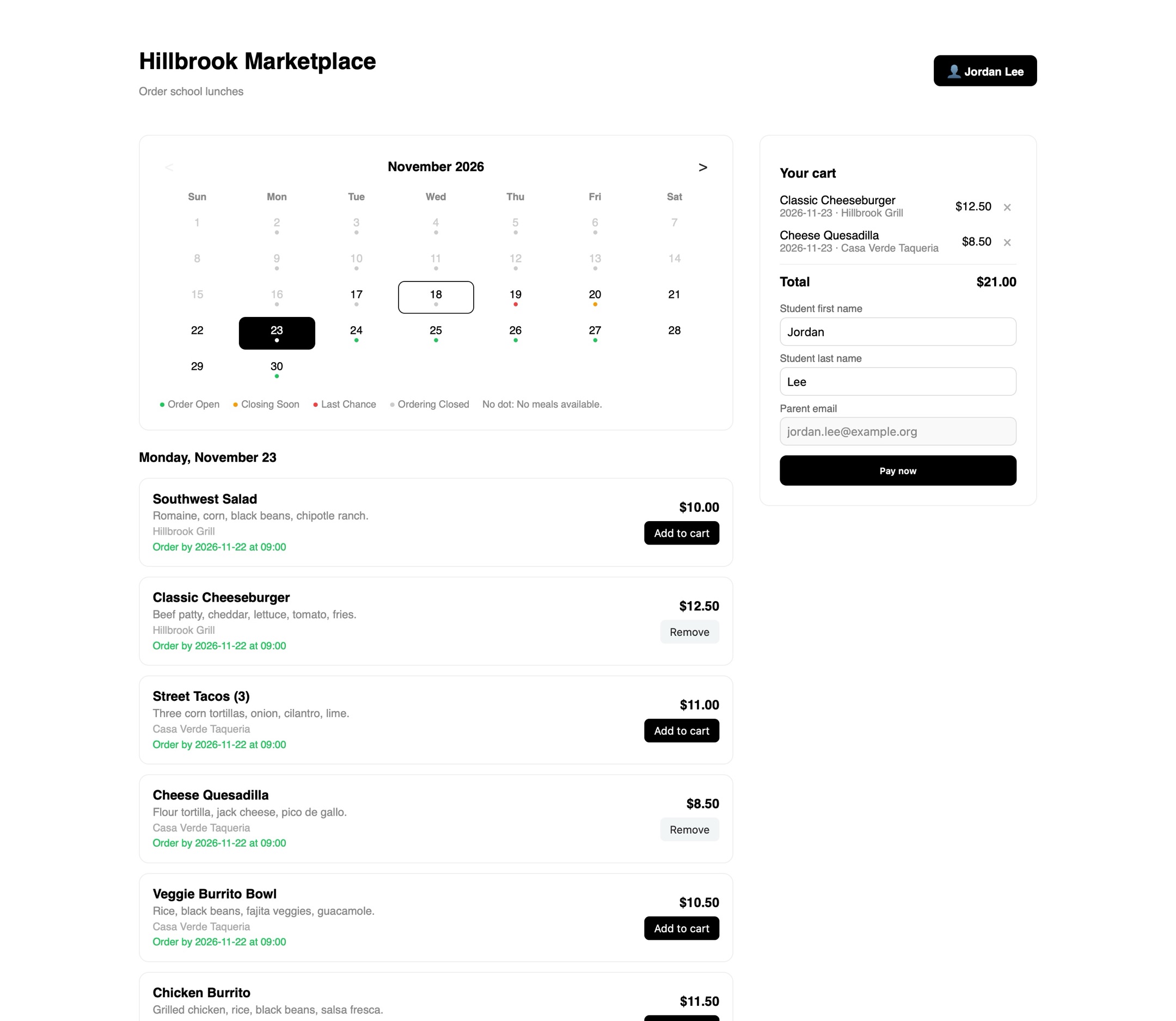
You can definitely see some resemblance between these photos and our design as of 11/17/2026. In fact, many students using our platform when it first launched likely encountered that exact order confirmed page!
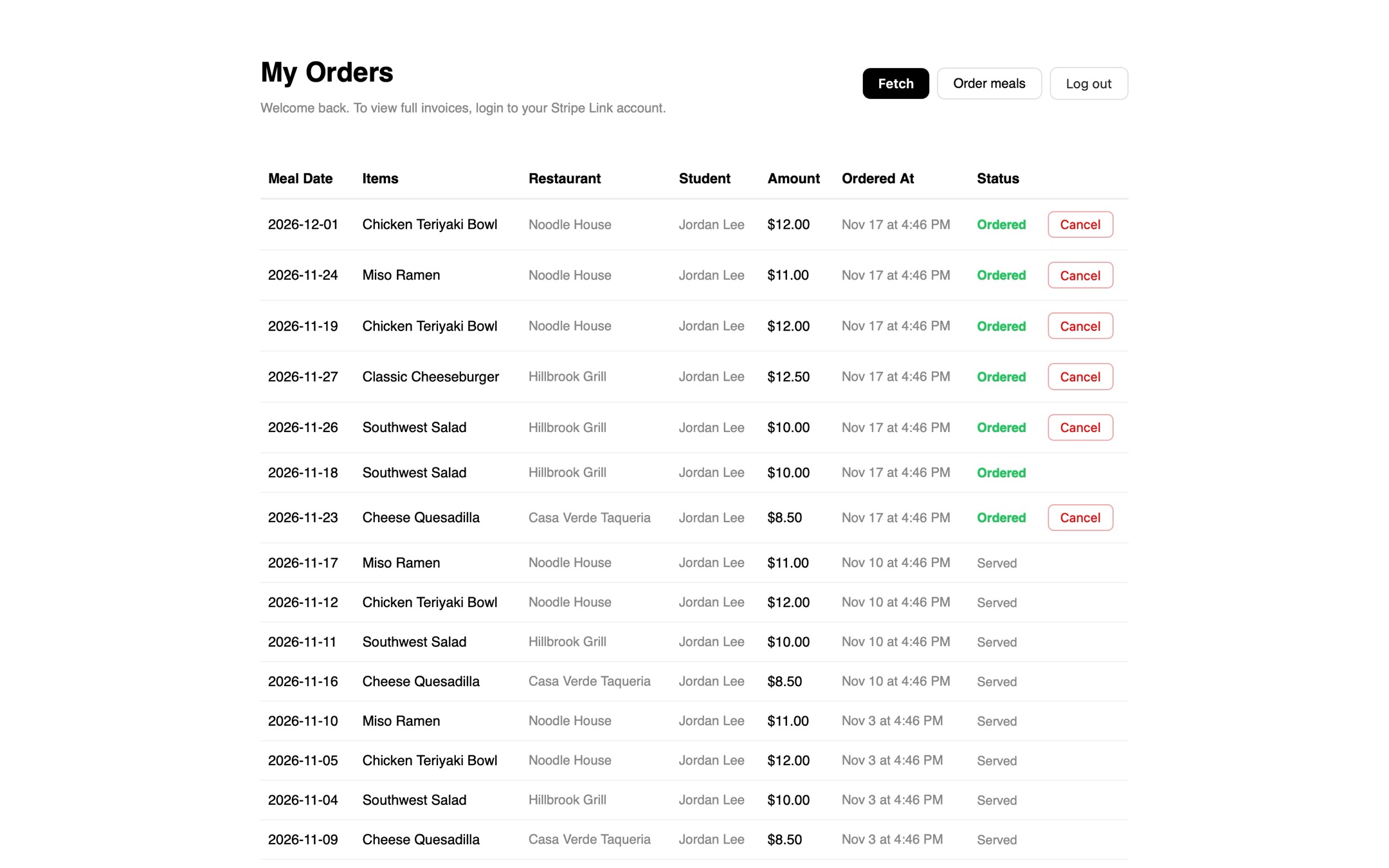
You can definitely see some resemblance between these photos and our design as of 11/17/2026. In fact, many students using our platform when it first launched likely encountered that exact order confirmed page!
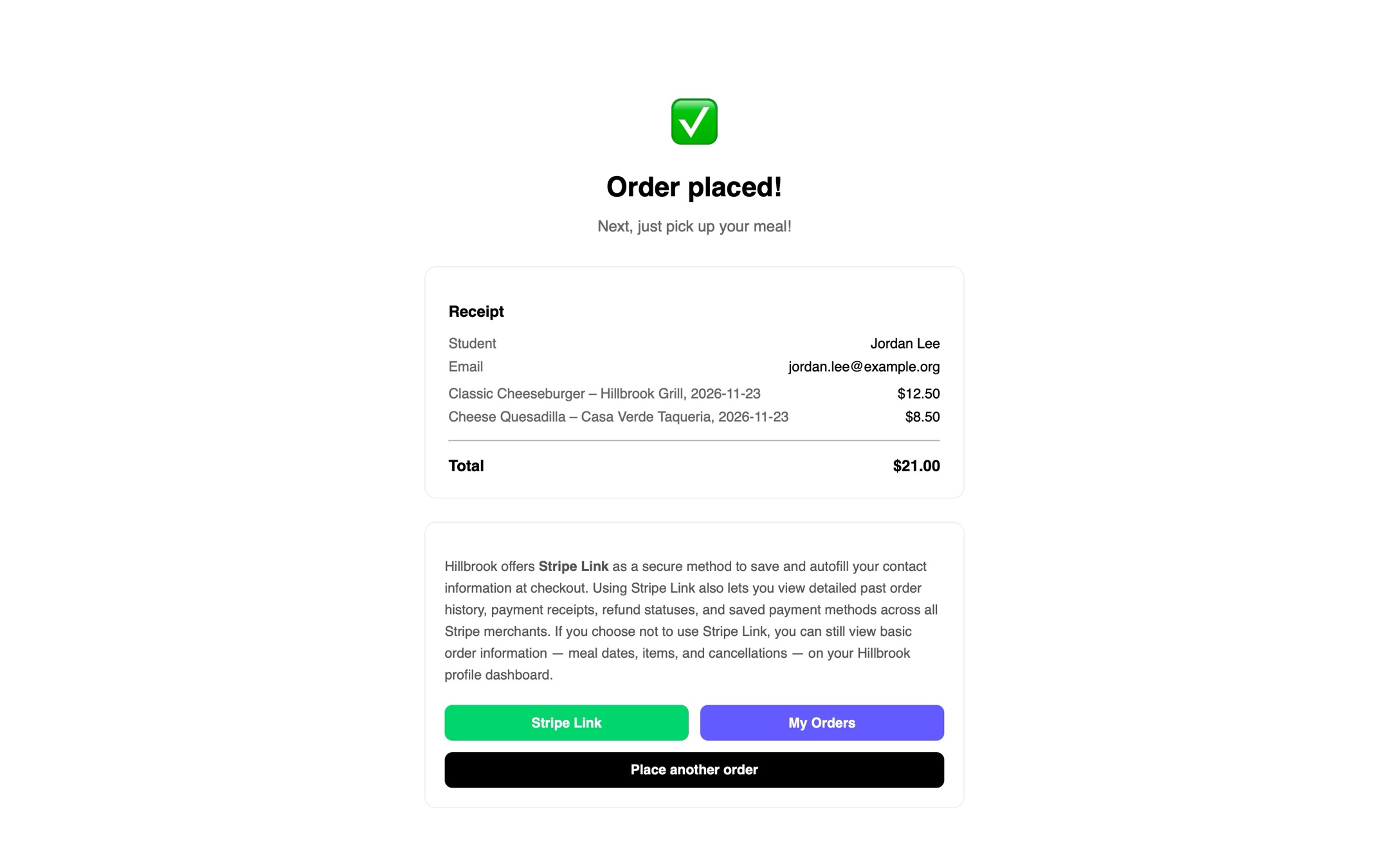
You can definitely see some resemblance between these photos and our design as of 11/17/2026. In fact, many students using our platform when it first launched likely encountered that exact order confirmed page!
Apr 22, 2026
Major Restaurant Portal Structure Change!
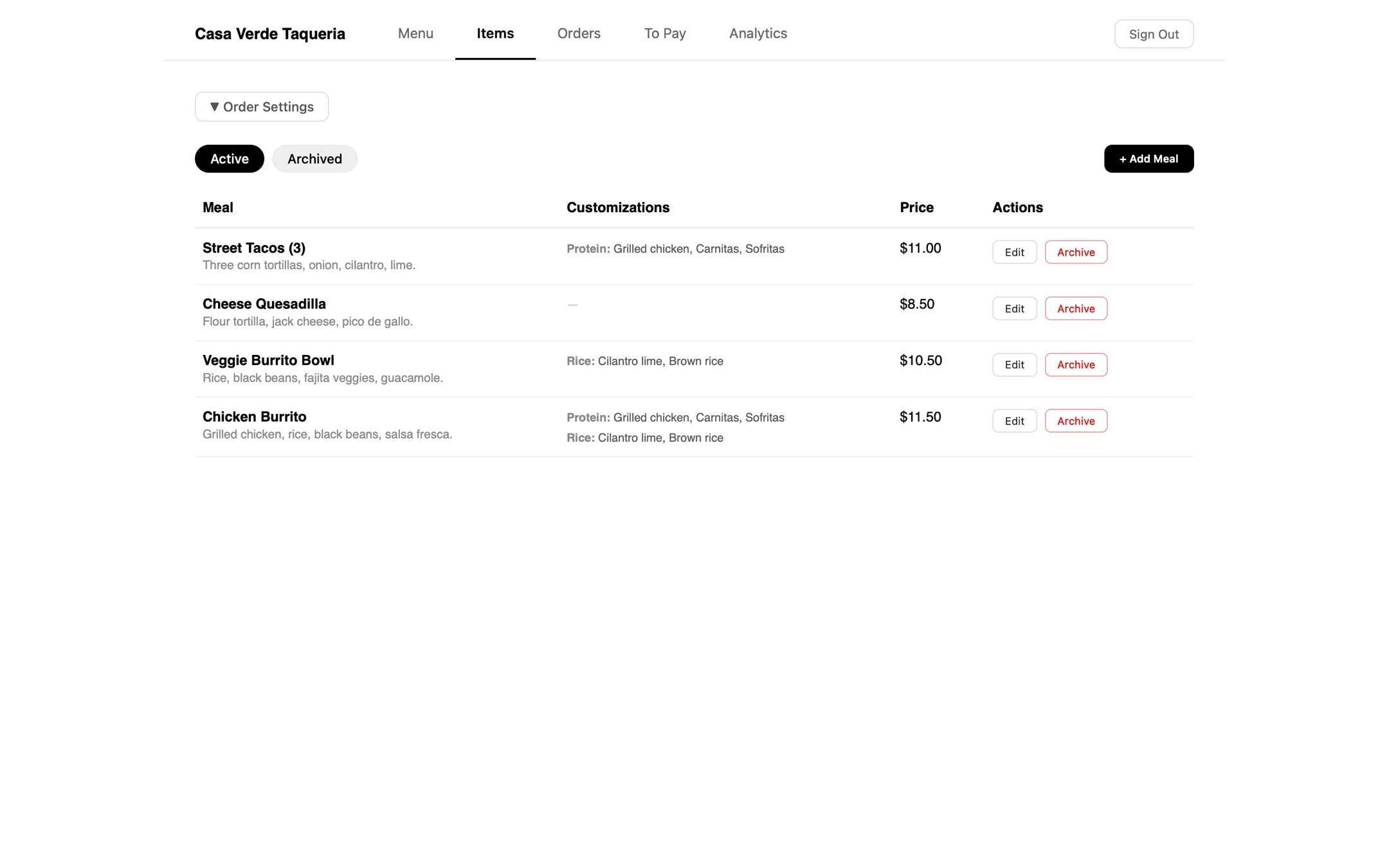
Here we split item adding and menu adding into two separate steps!
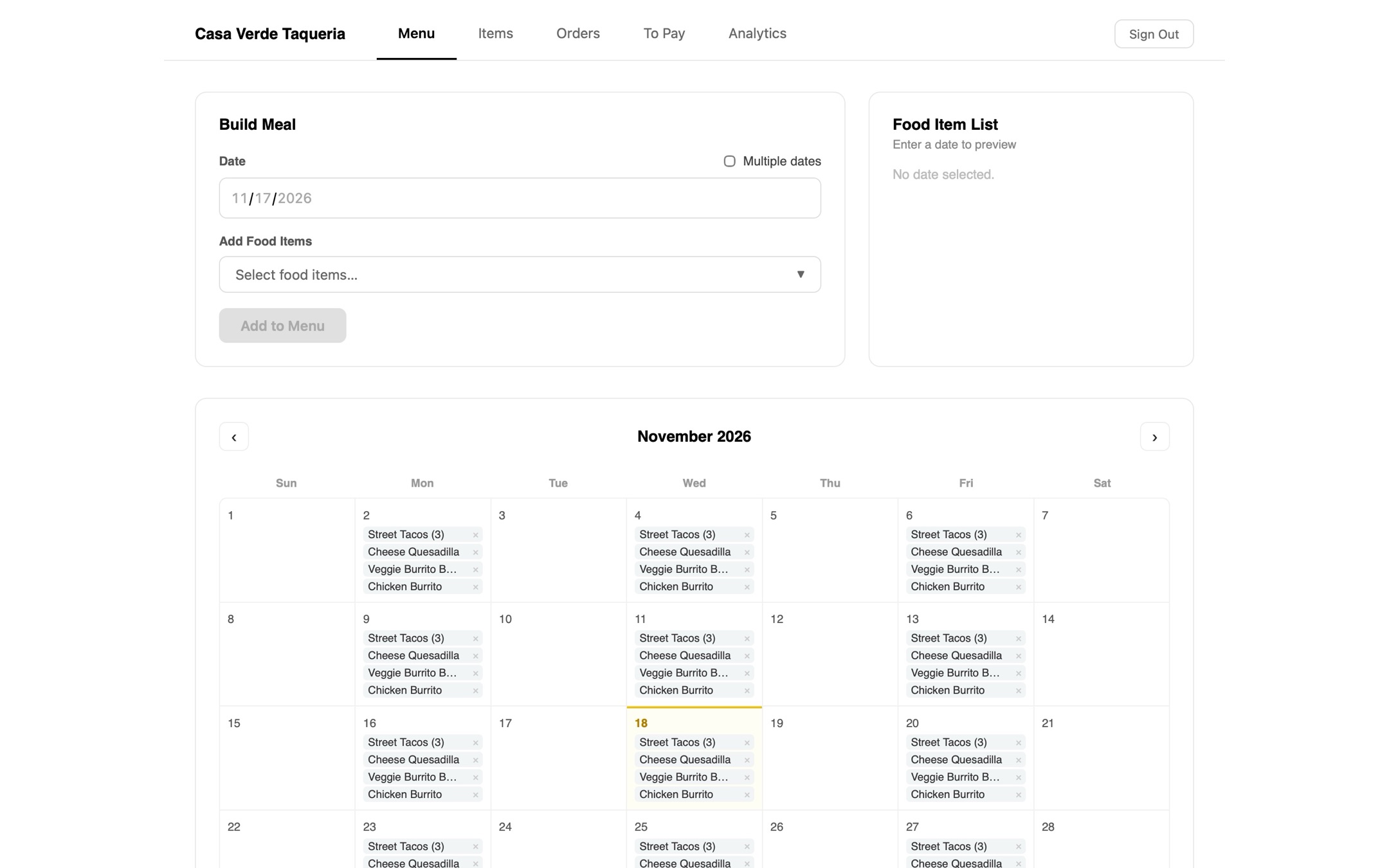
In the top left they could select meals to add to the calendar. They could also click on a specific day and view it in greater detail on the box in the top right.
In the top left they could select meals to add to the calendar. They could also click on a specific day and view it in greater detail on the box in the top right.
Apr 24, 2026
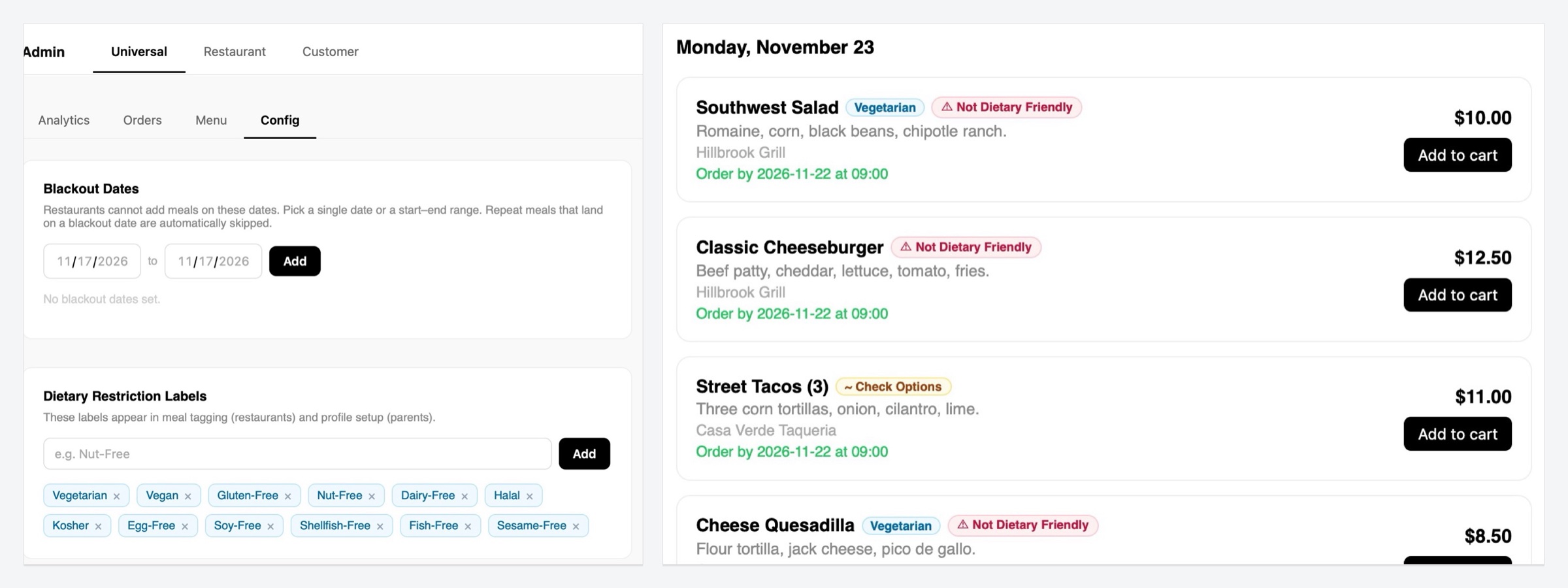
Dietary tags
This version is where we added dietary tags!
Apr 24, 2026
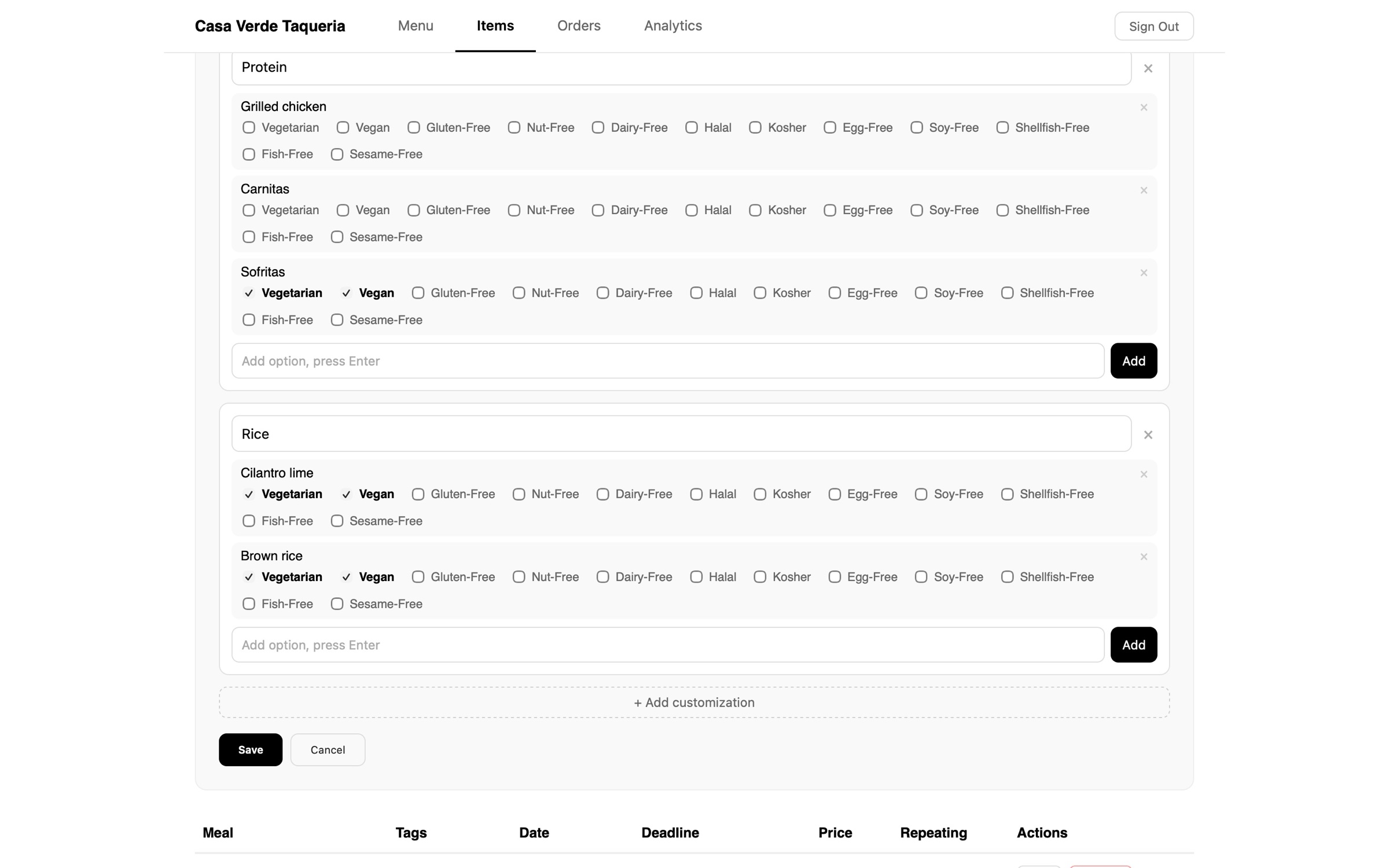
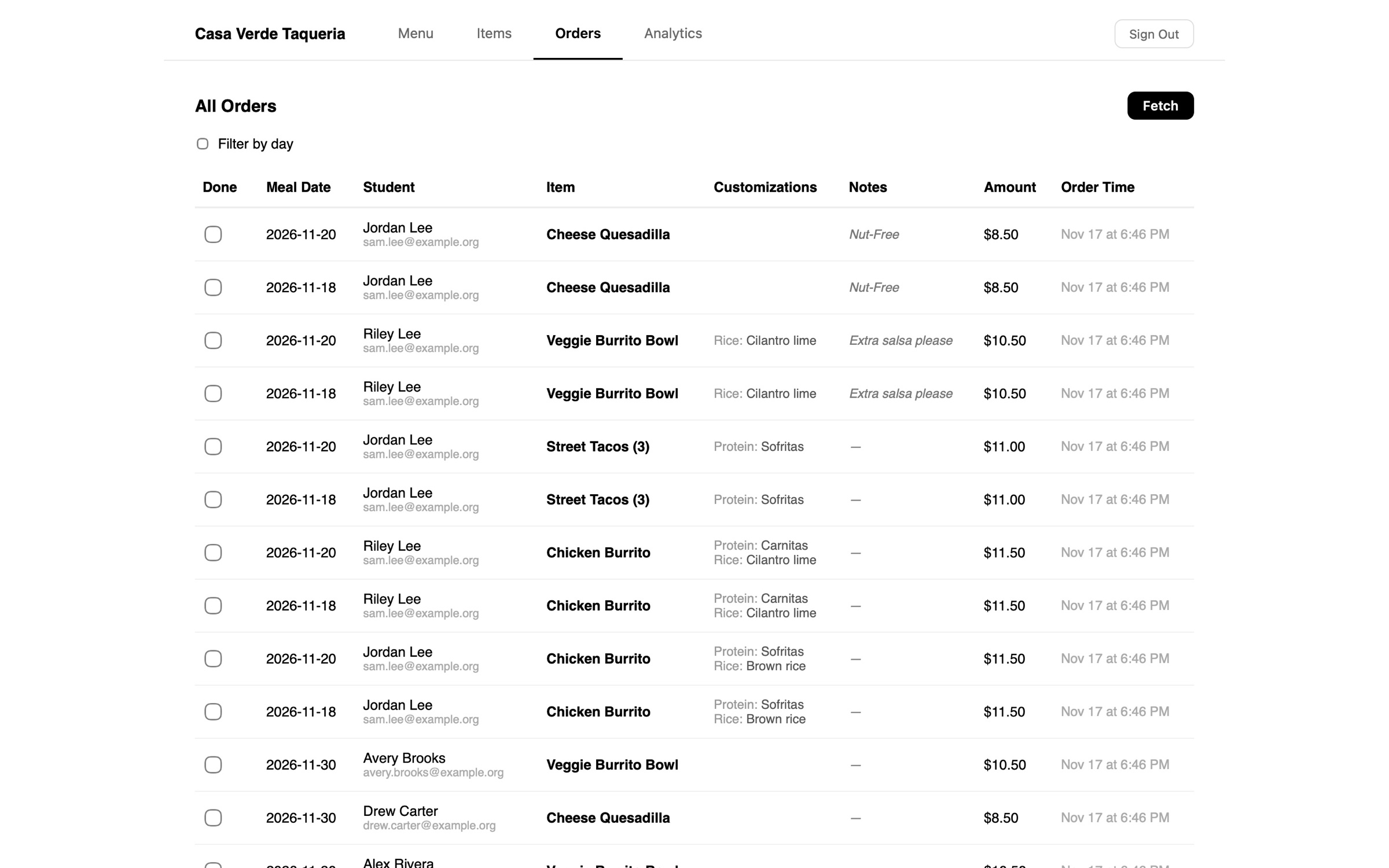
Customizations
We also added customizations!
Apr 24, 2026
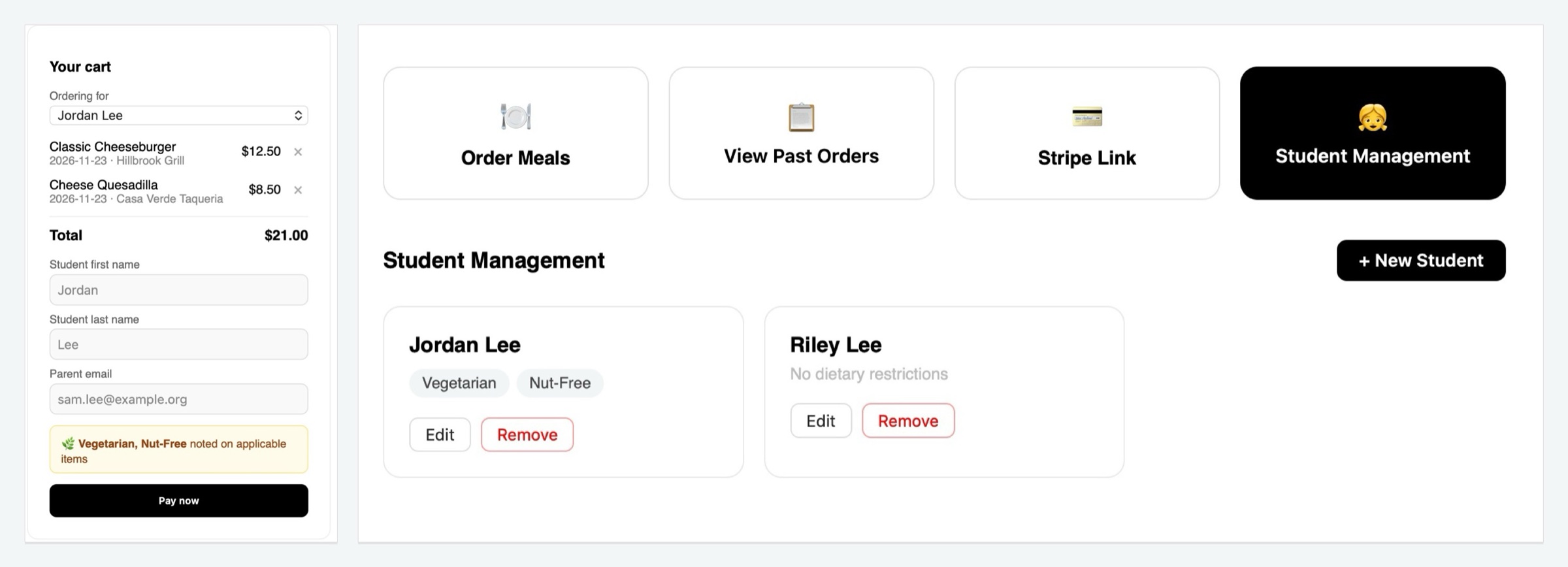
Ordering for
We also added a little toggle so that parents could order for different children.
Apr 26, 2026
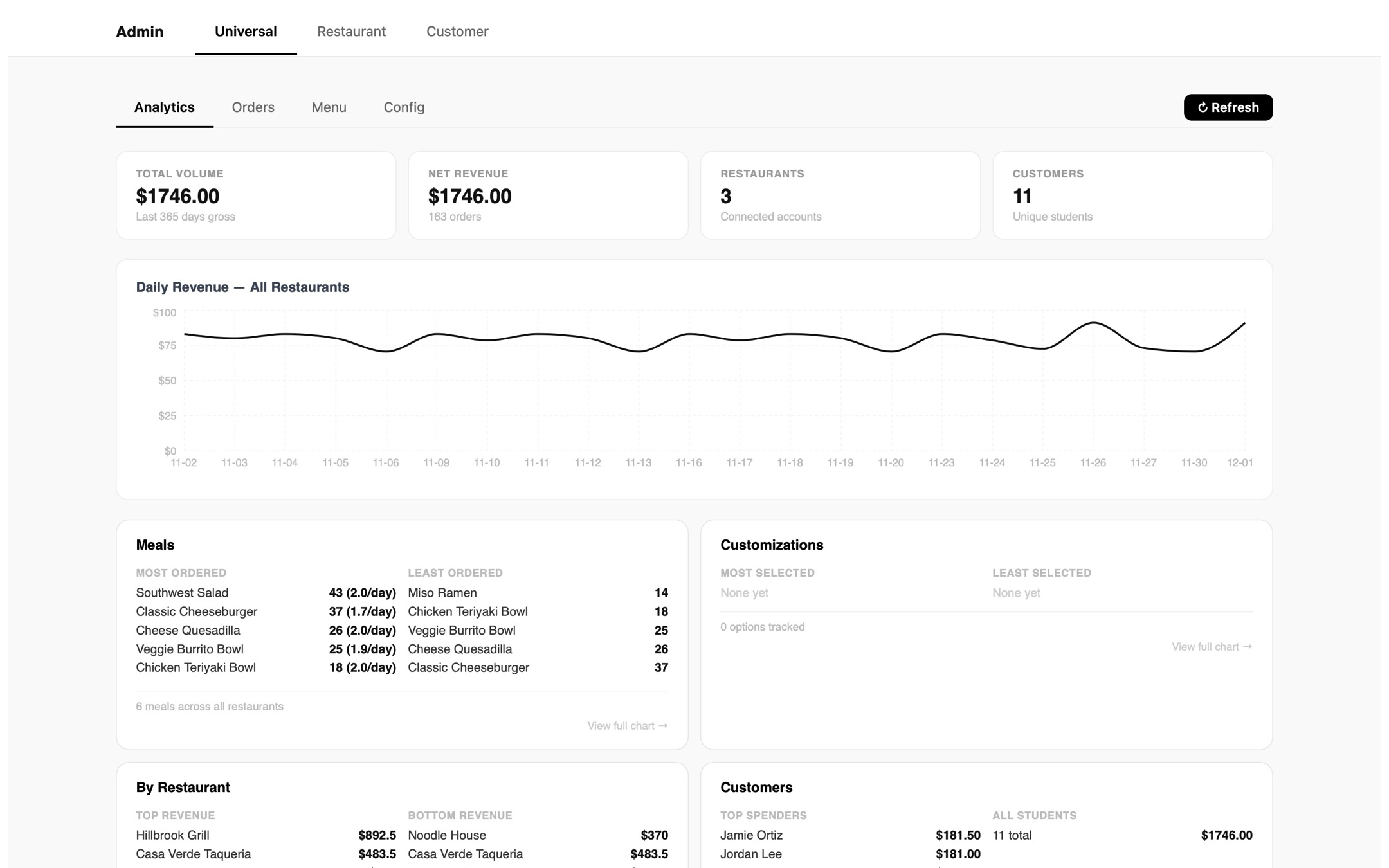
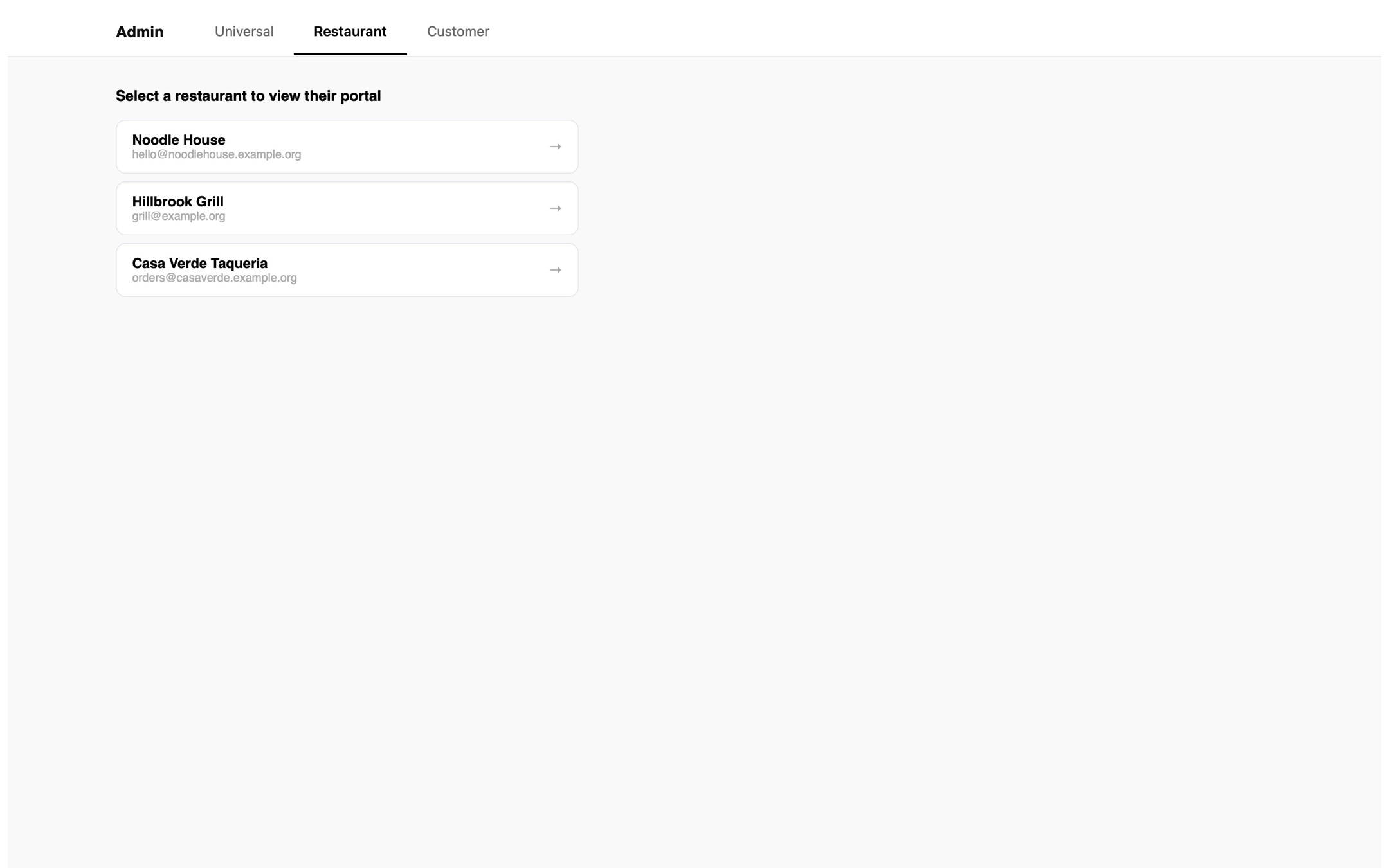
Admin panel
We added an admin panel to configure settings such as customizations, as well as to view all orders and menu items across all restaurants!
May 5, 2026
Fade animation
We added this neat fade through animation!!!
May 6, 2026
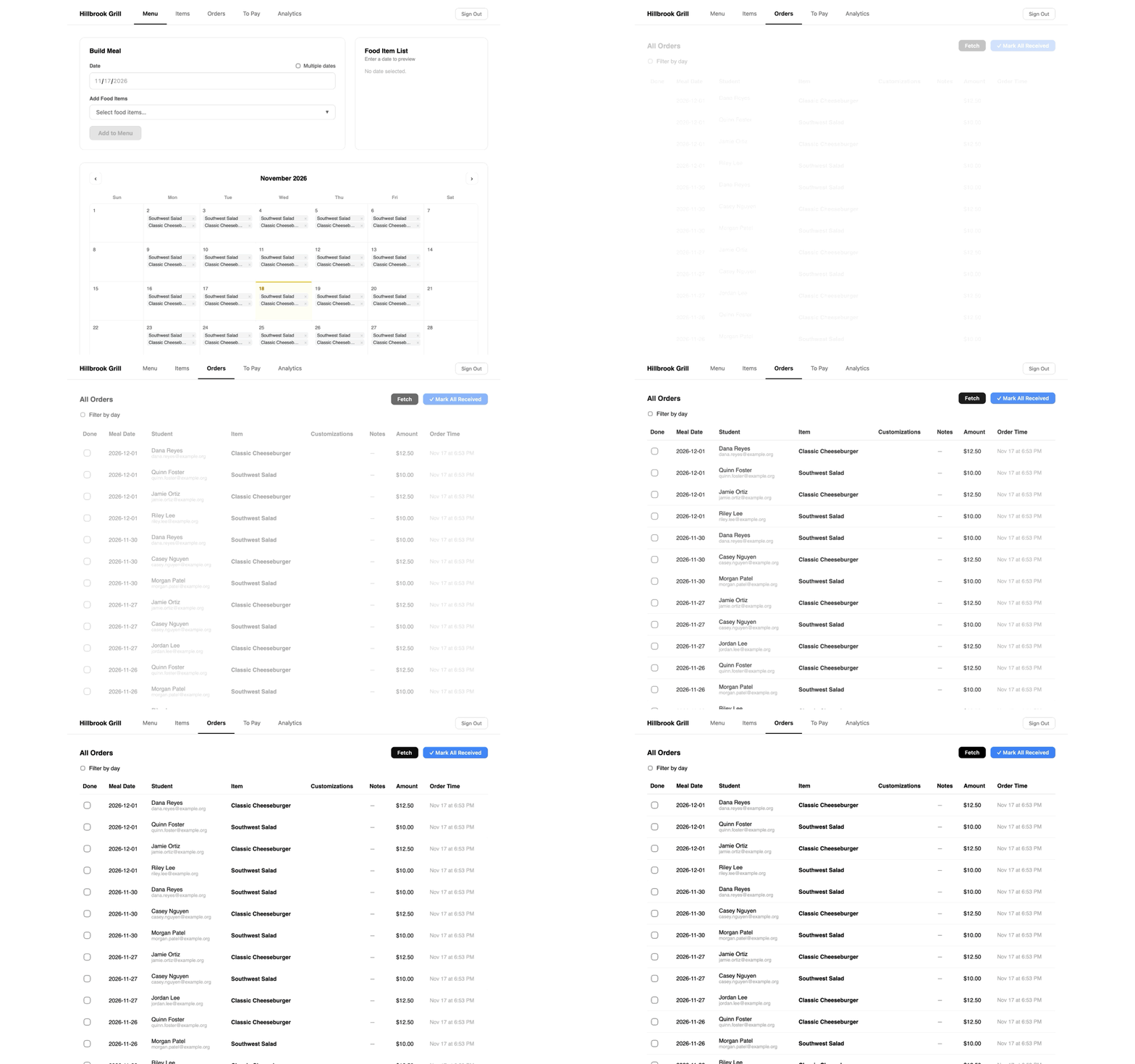
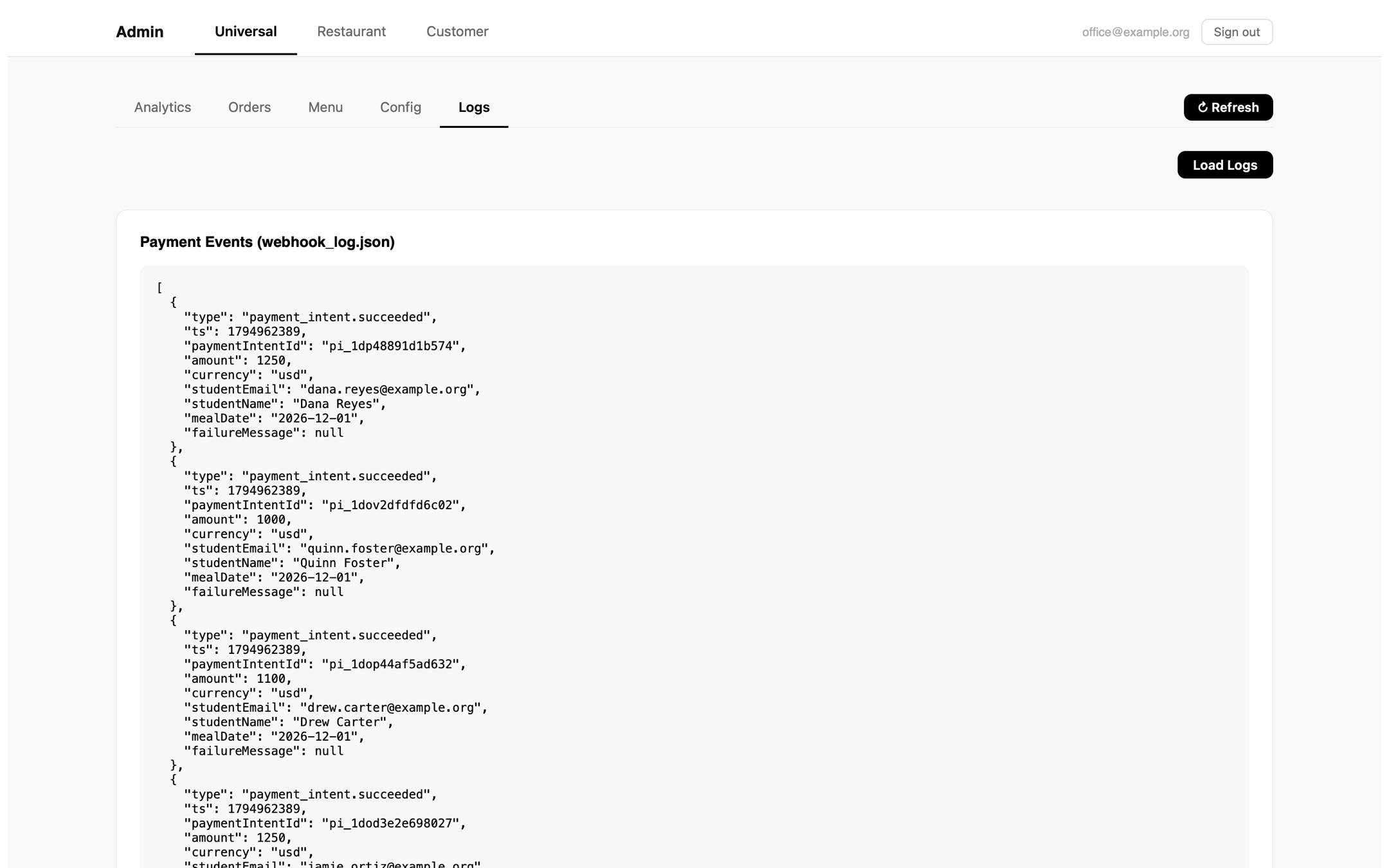
Logs panel
We also added a logs panel that showed a list of all the meals ordered.
May 6, 2026
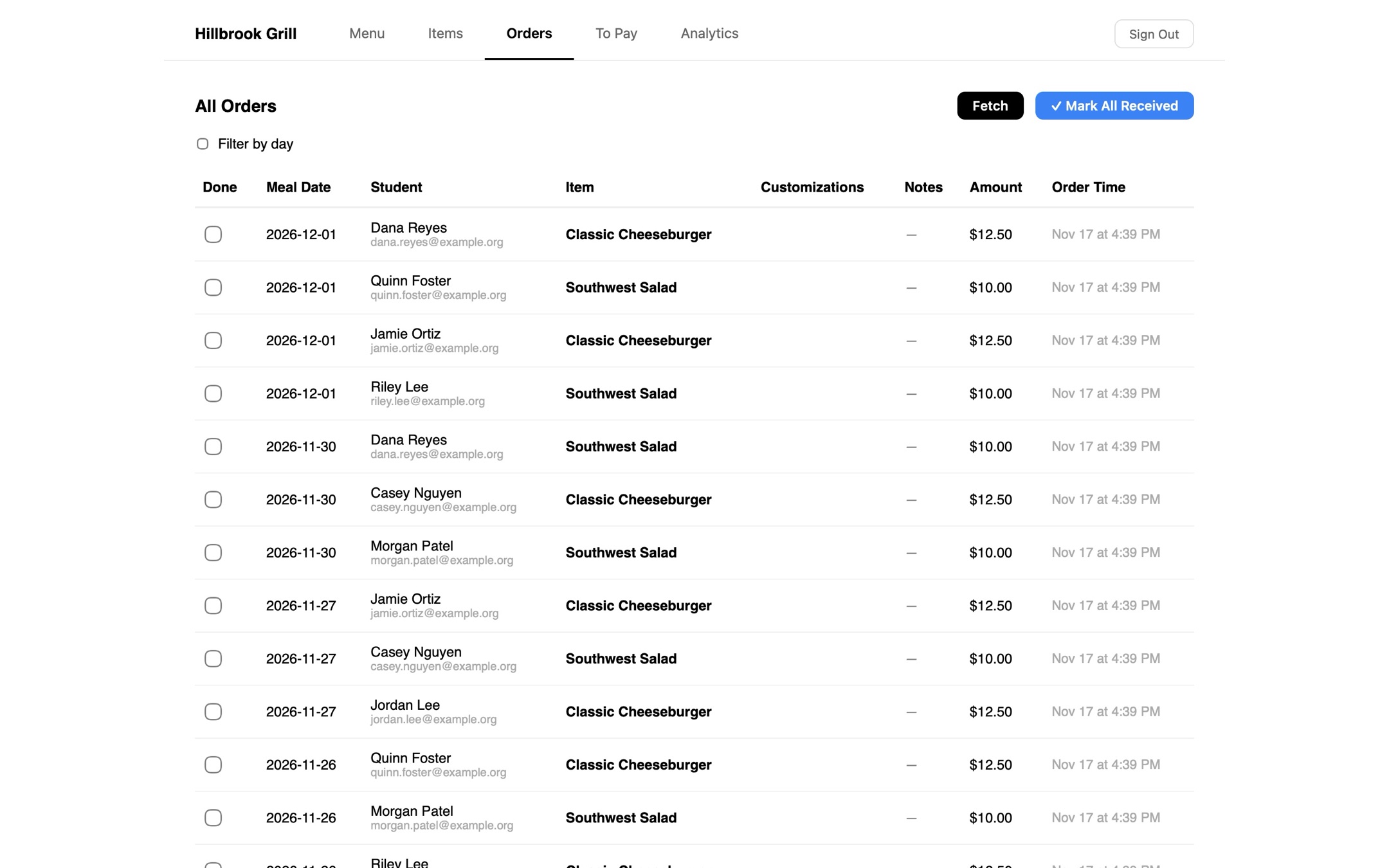
Received button
We also added a button so that the restaurants could let the admin know that they received the order and started making the meals.
May 12, 2026
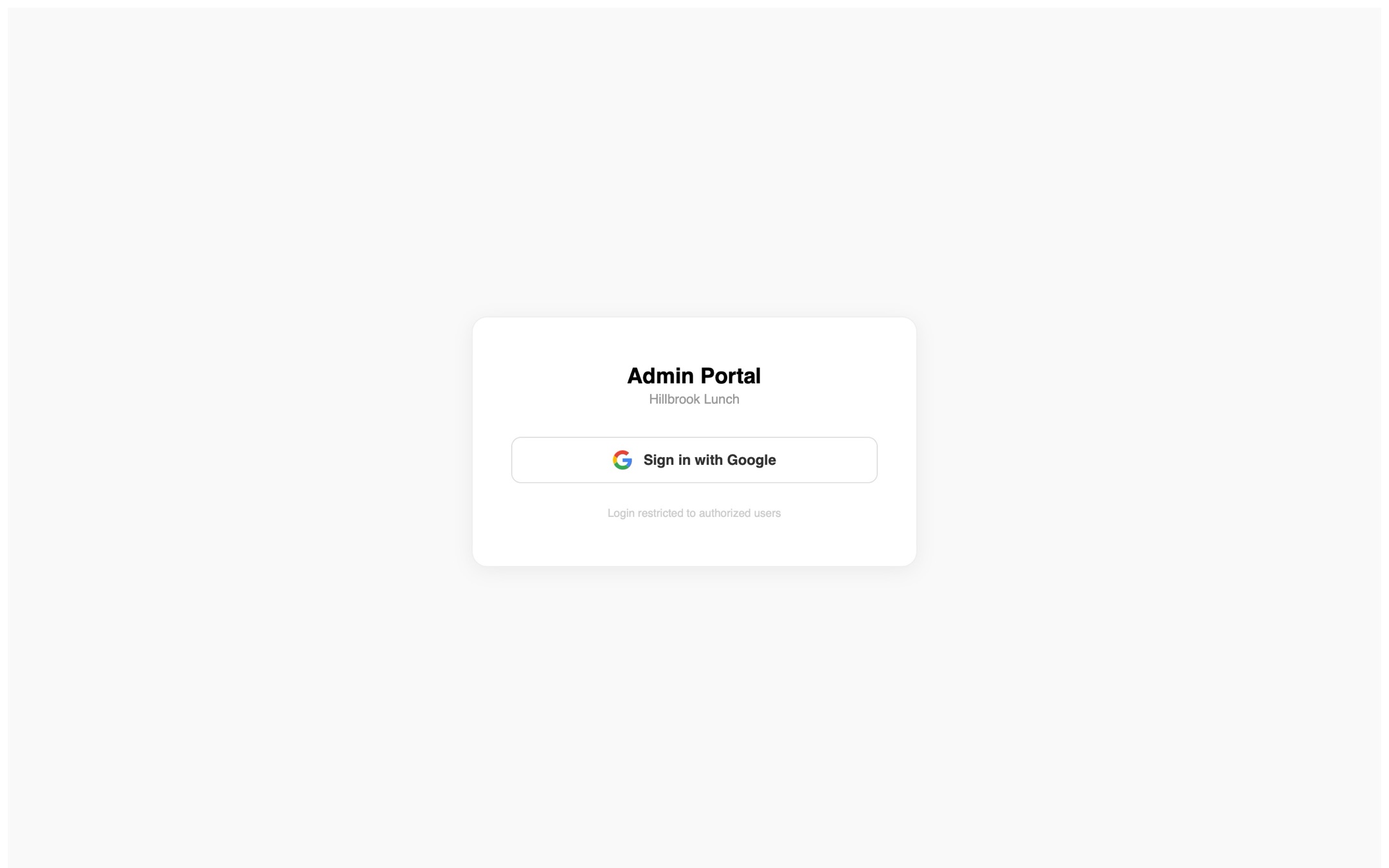
Google sign in
We locked the admin page behind a Google sign in!
May 27, 2026
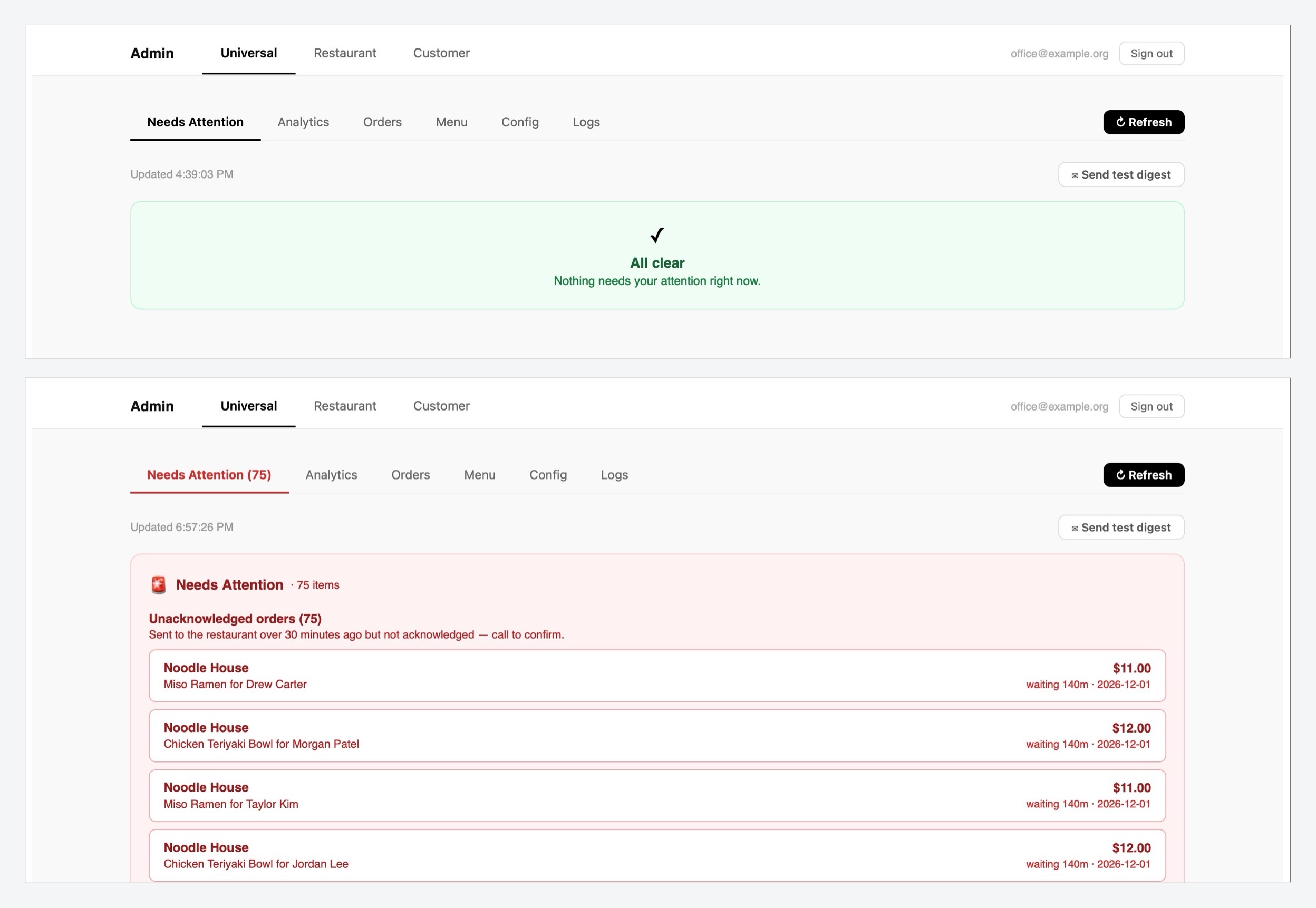
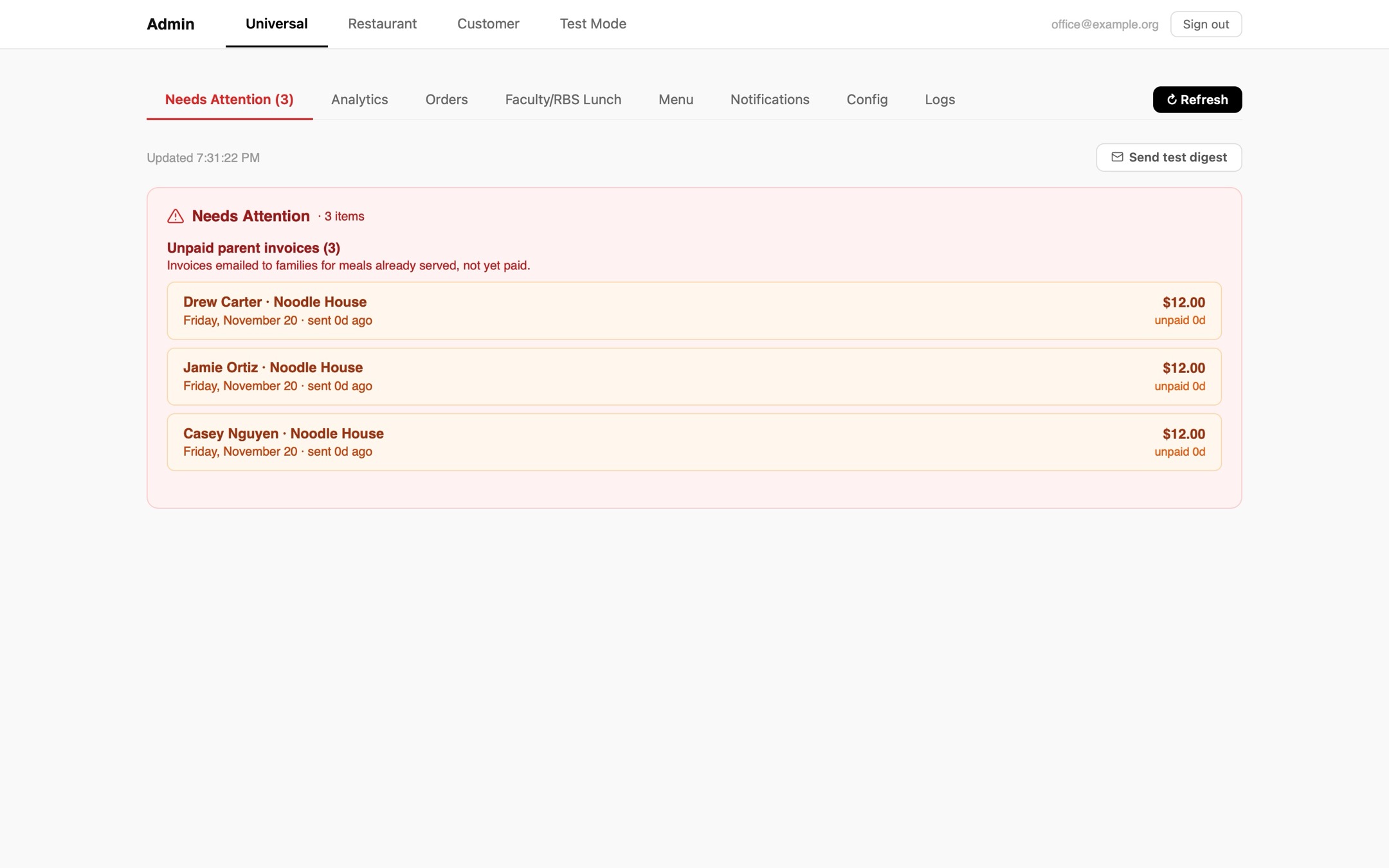
Needs Attention
We added a section on the admin panel to track whether or not restaurants marked their orders as received or not within a specified time!
Jun 3, 2026
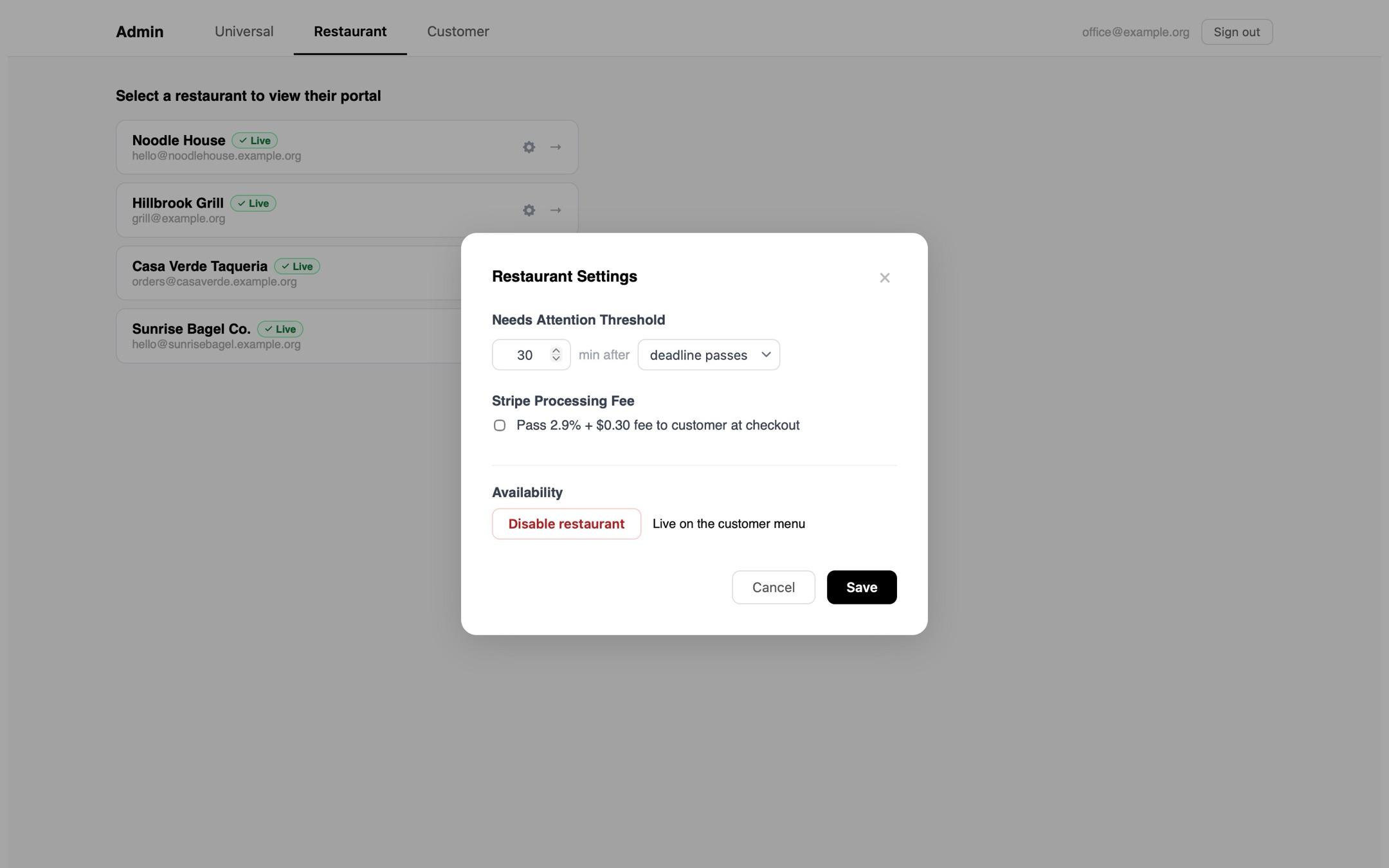
Restaurant settings
We also added additional restaurant settings.
Jul 16, 2026
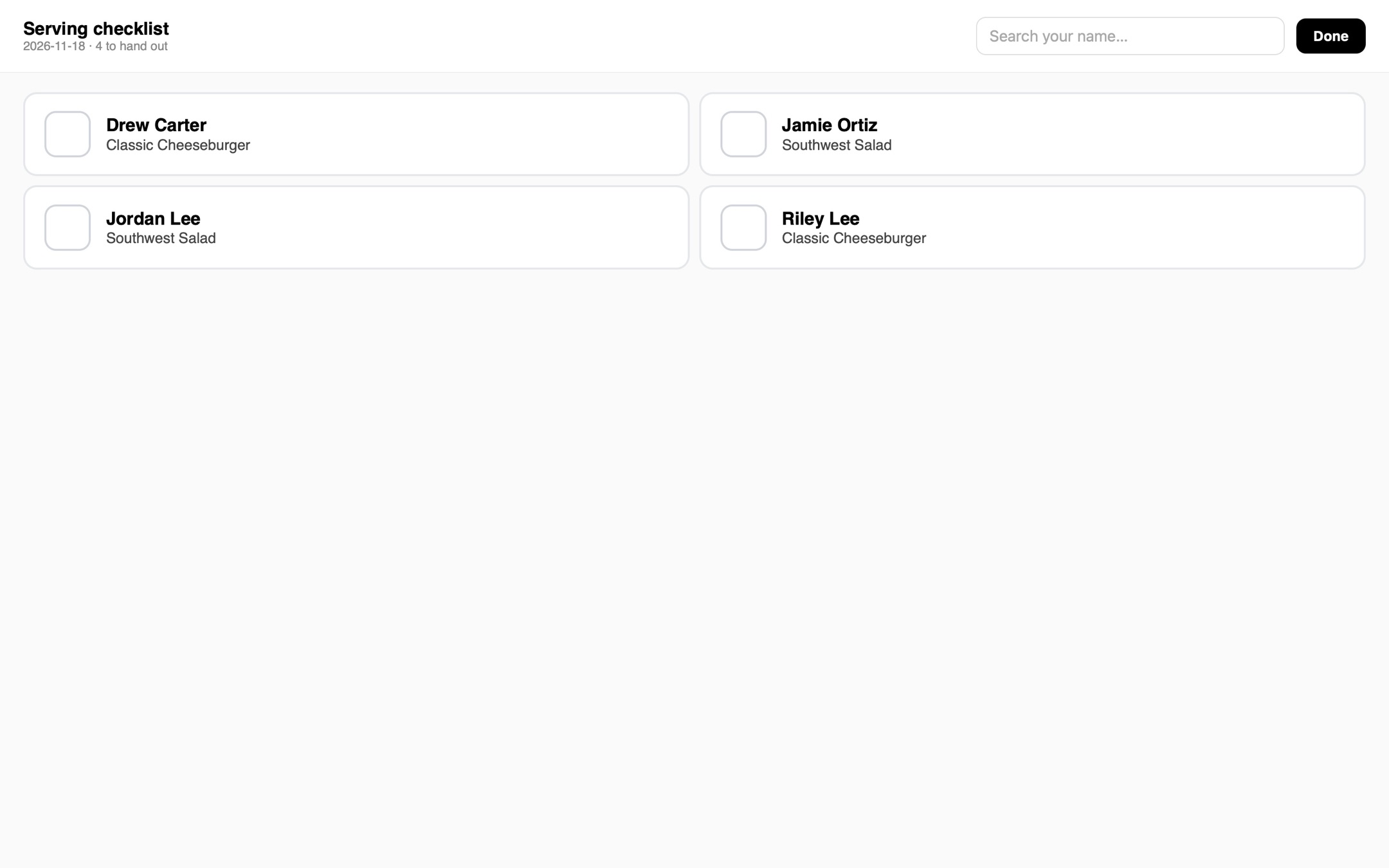
Big screen checklist
We added a big screen checklist that restaurants could open on an iPad.
Jul 17, 2026
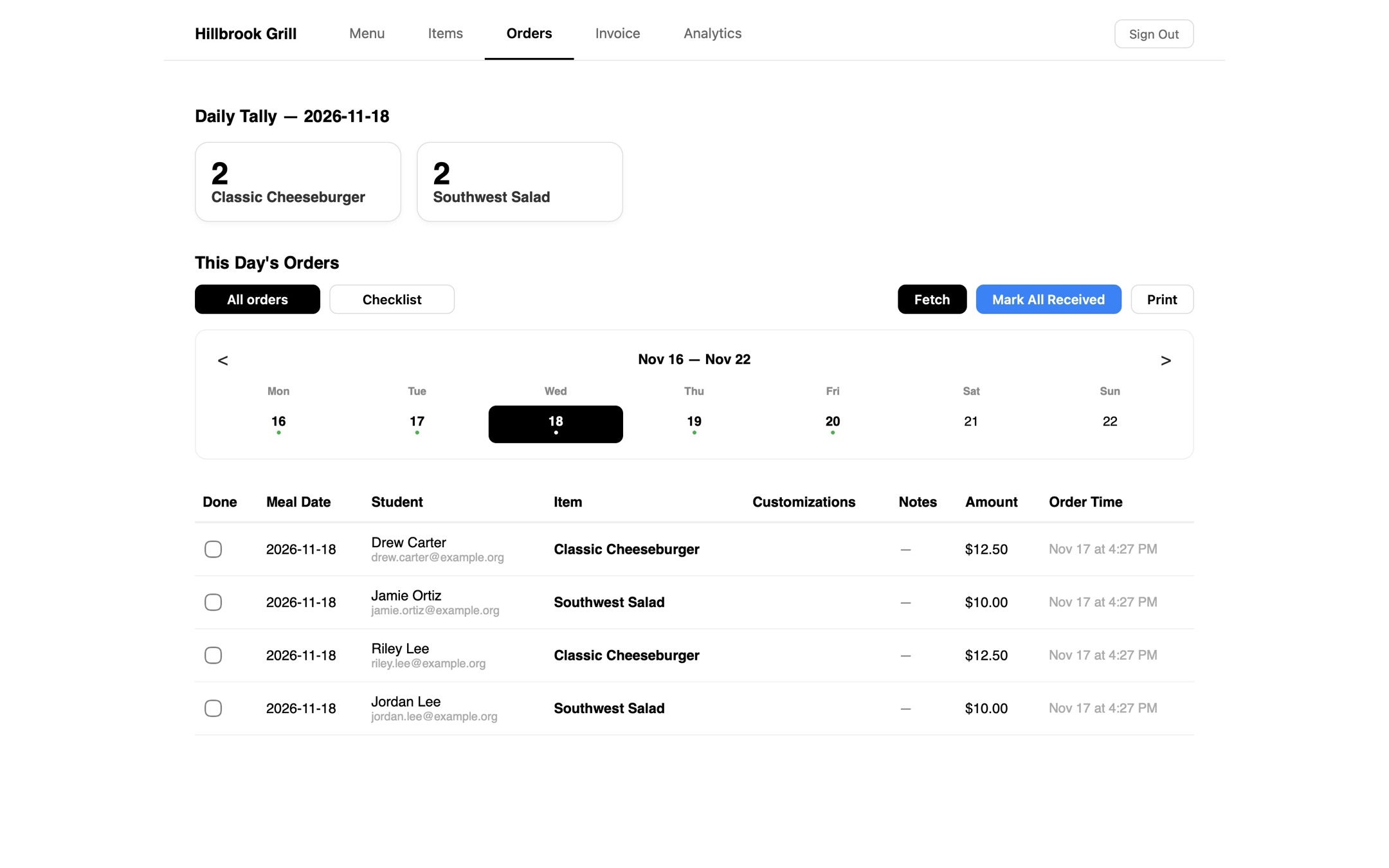
Orders by day
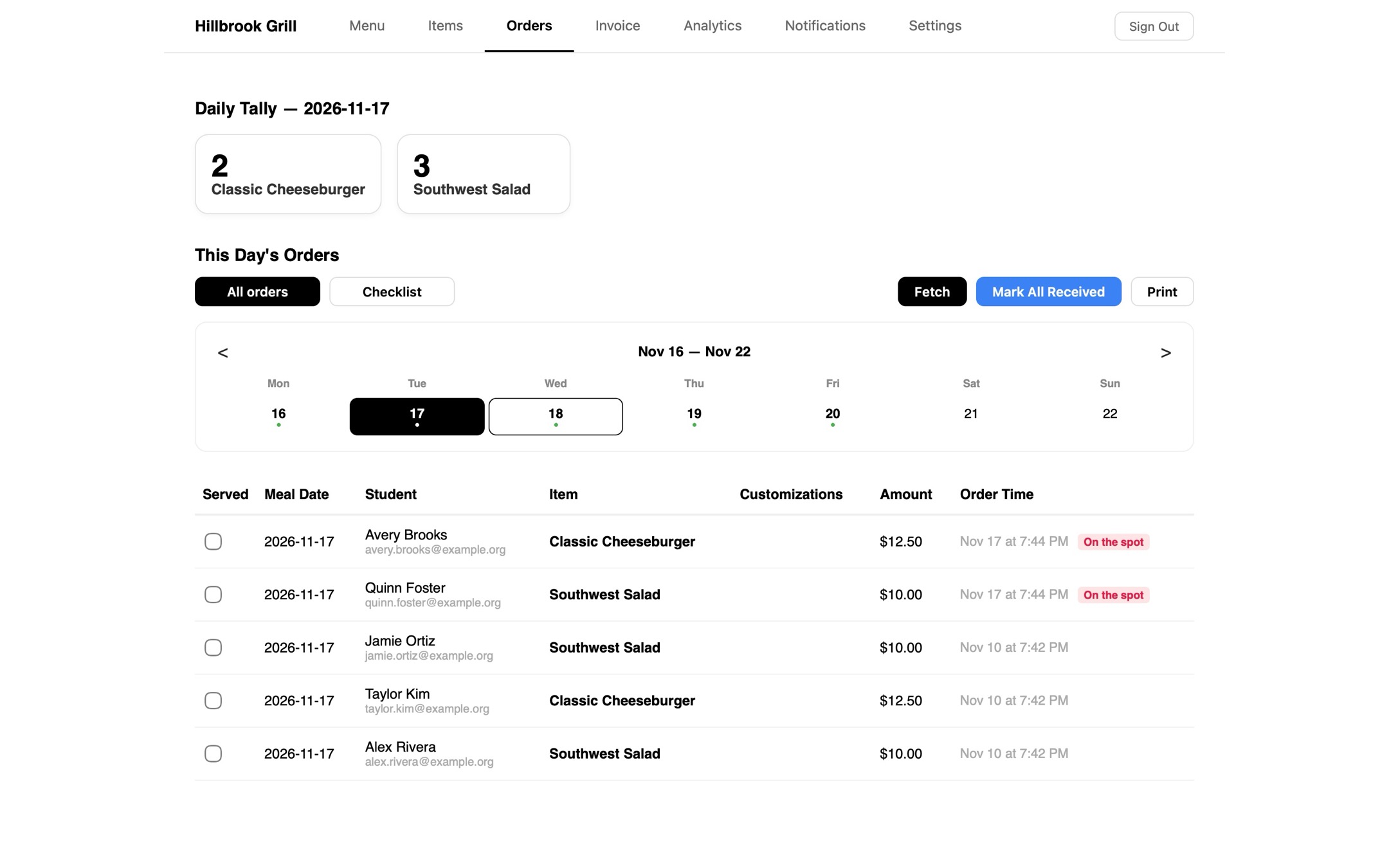
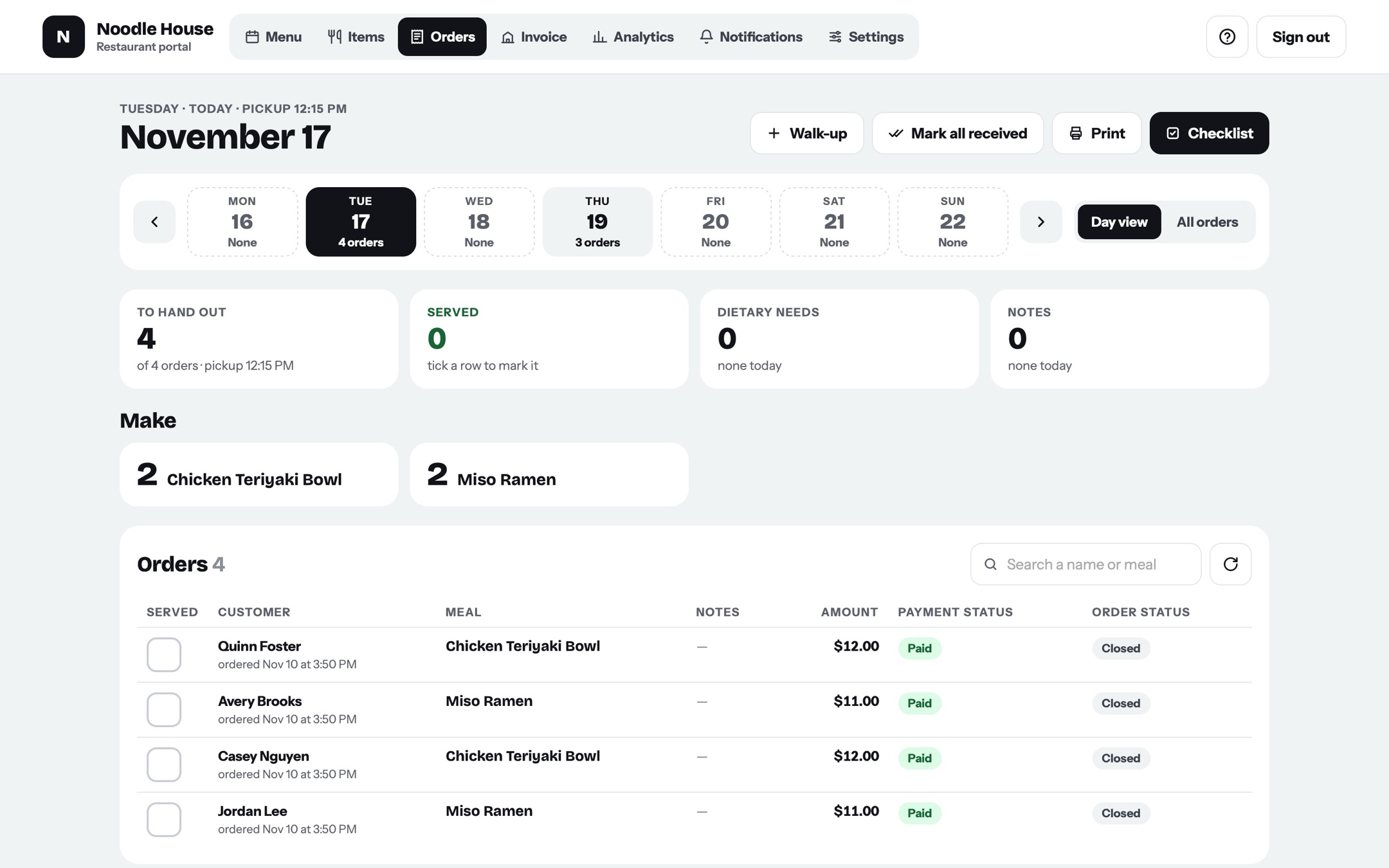
We redesigned the orders page to have it so that restaurants could filter orders by day =)
Jul 19, 2026
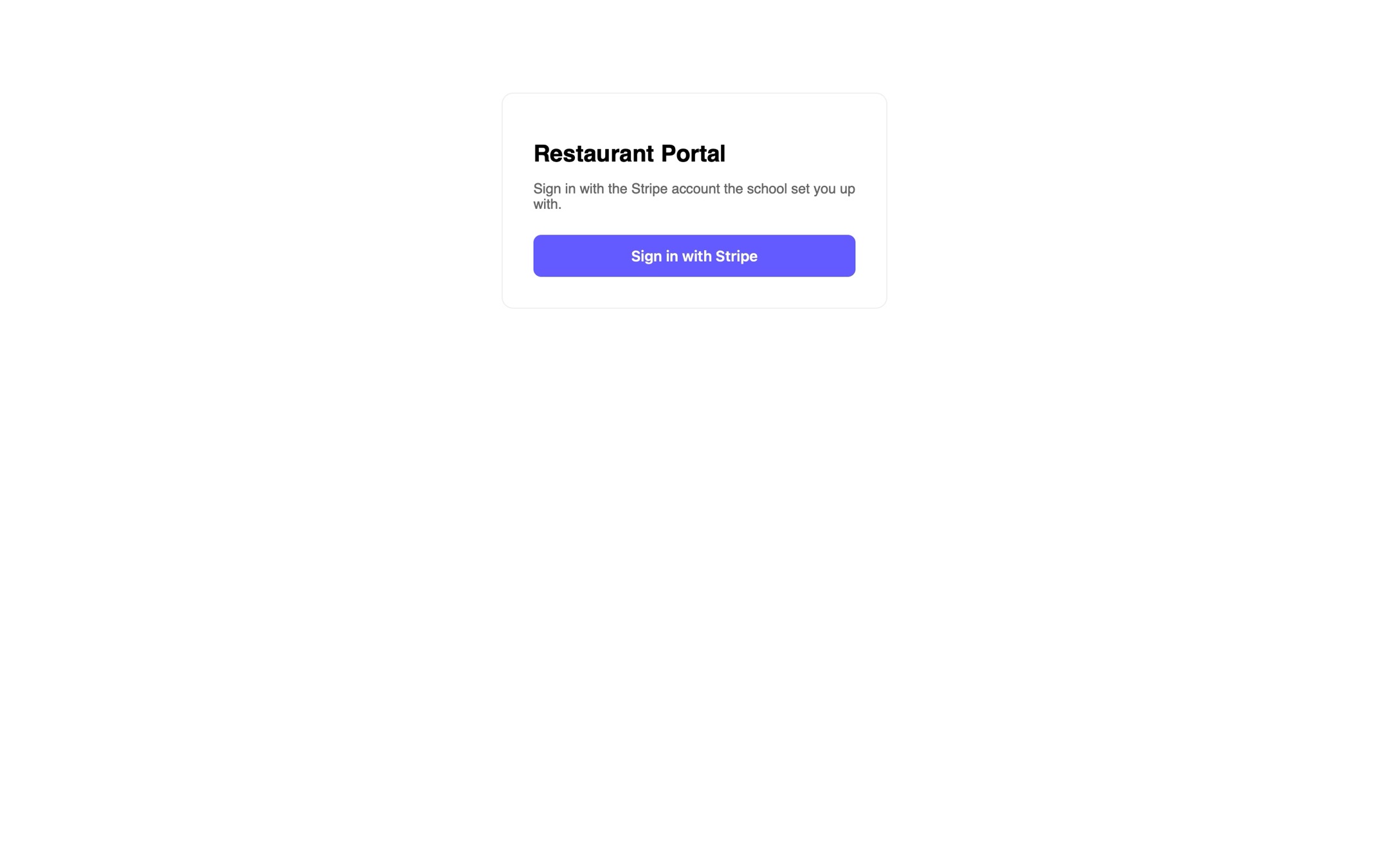
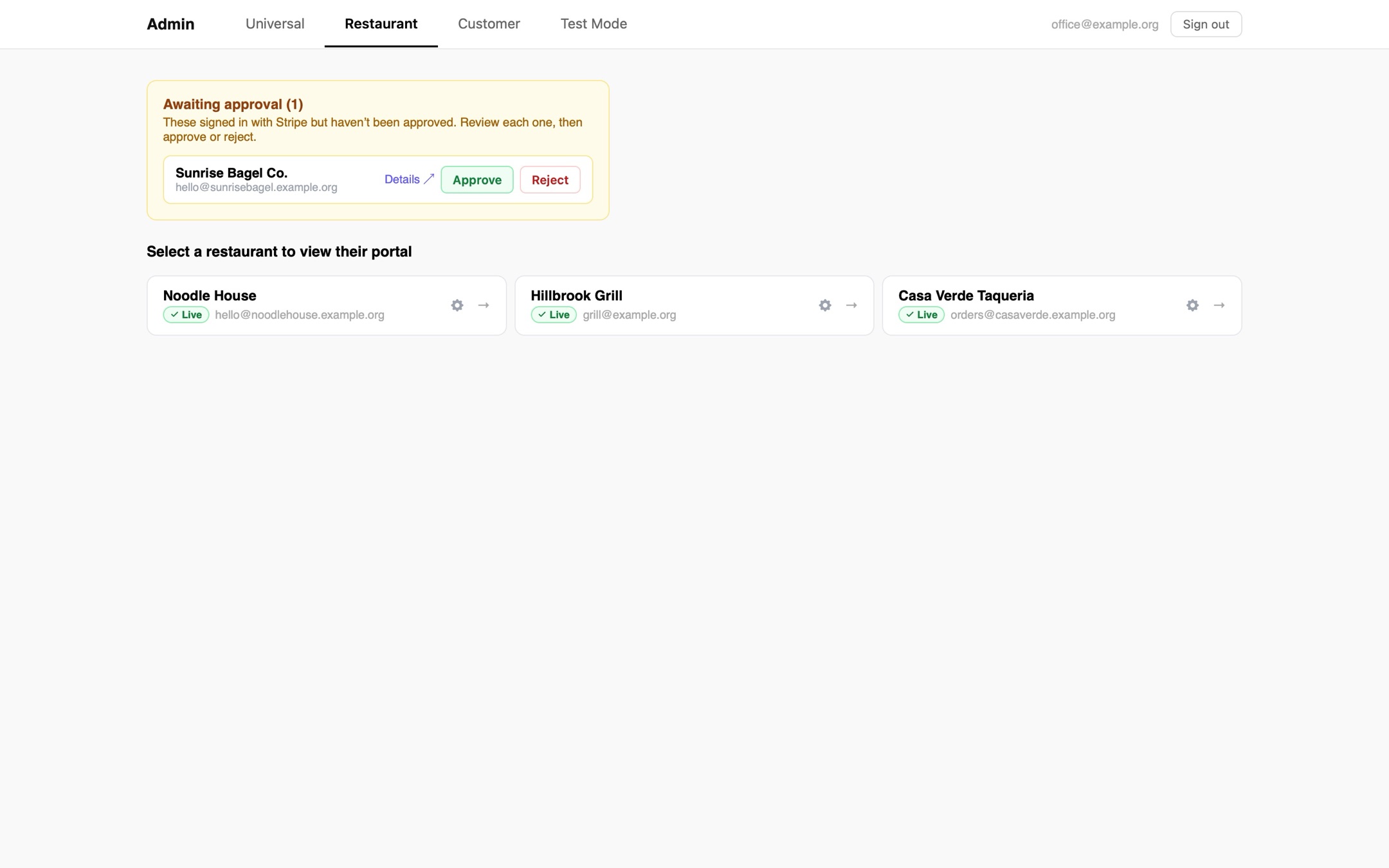
Sign in with Stripe
We replaced the old admin log in portal with a Stripe log in!
Jul 19, 2026
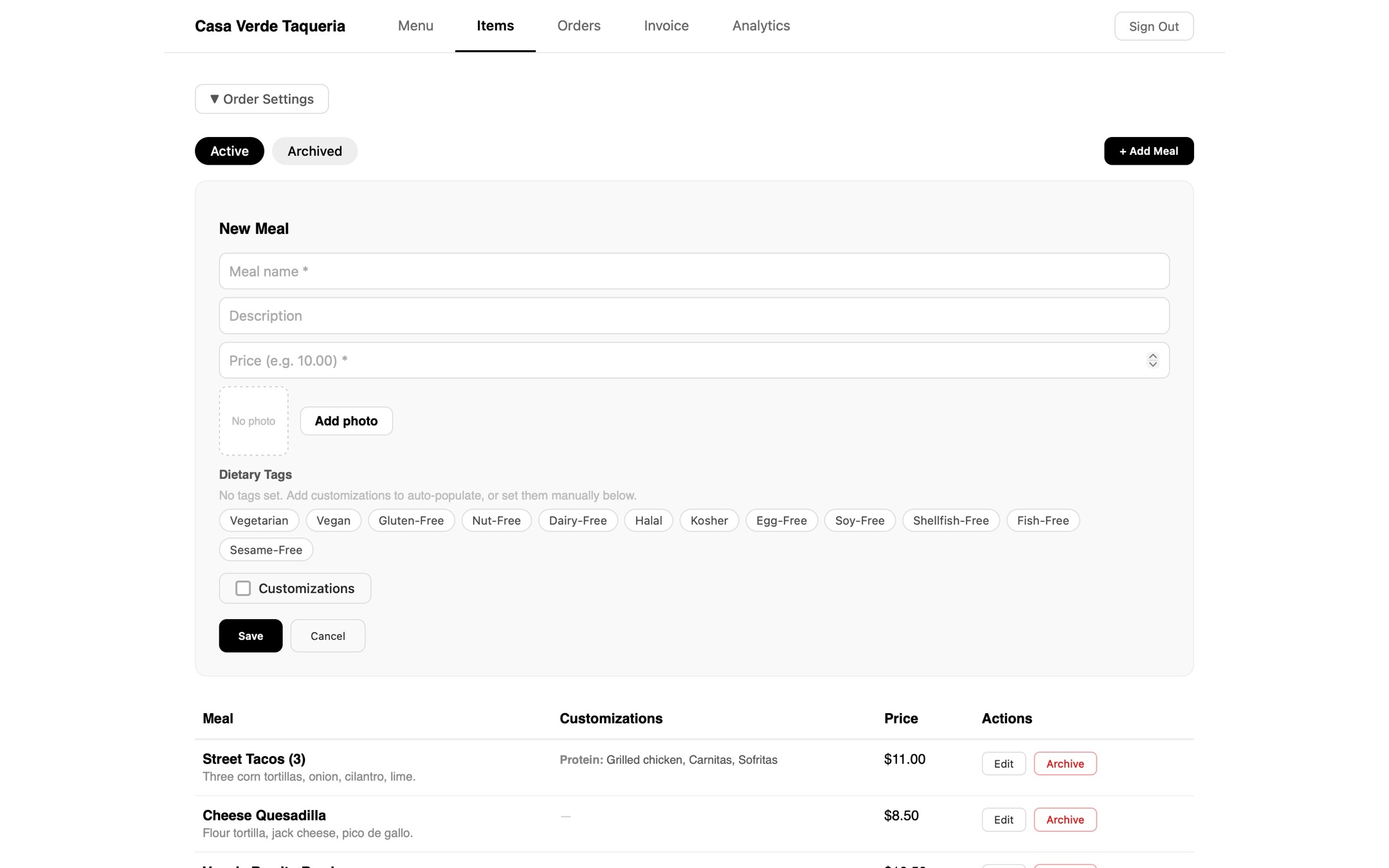
Meal photos
We restructured these cards a bit for clarity and made it so that restaurants could add a photo!
Jul 19, 2026
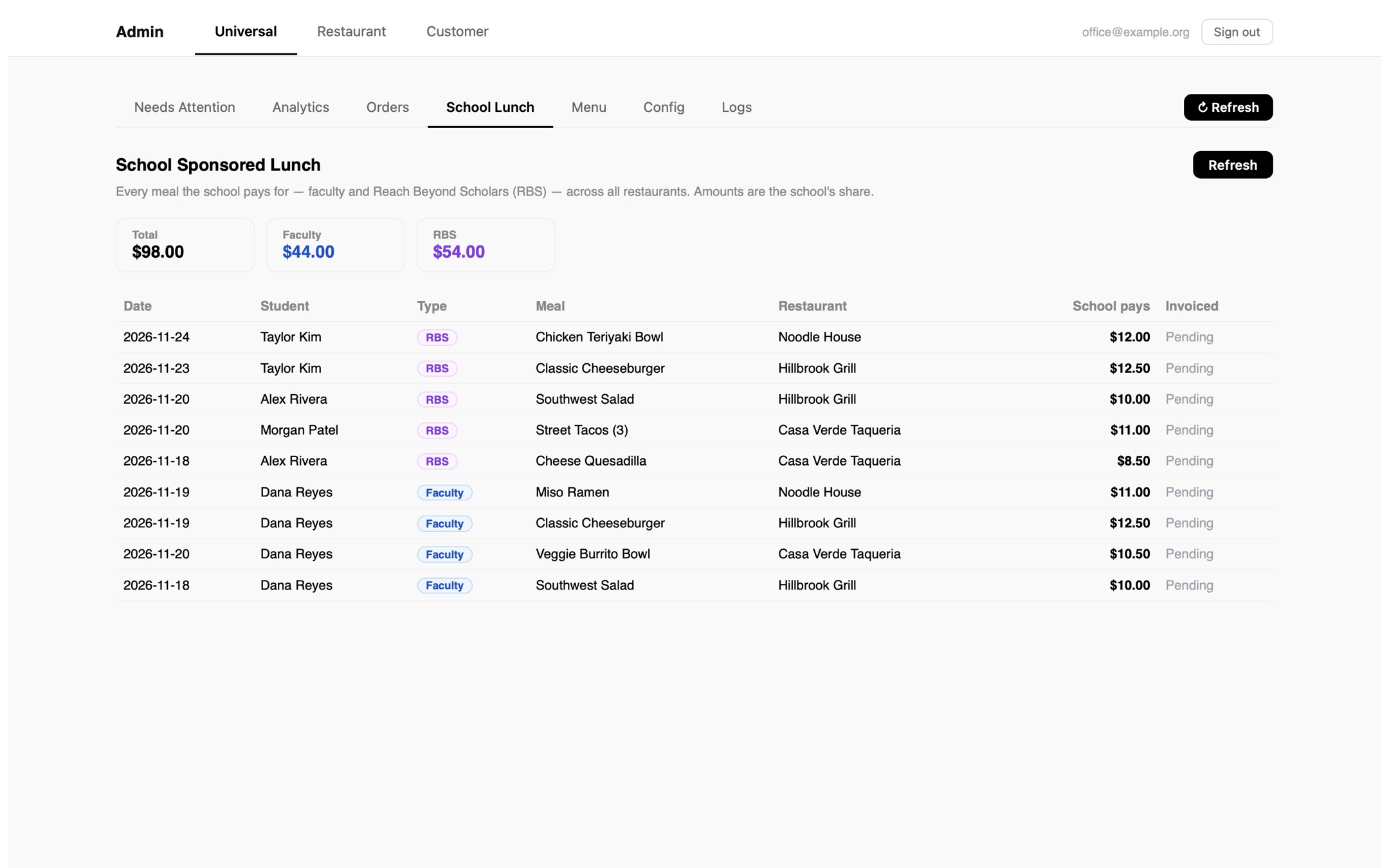
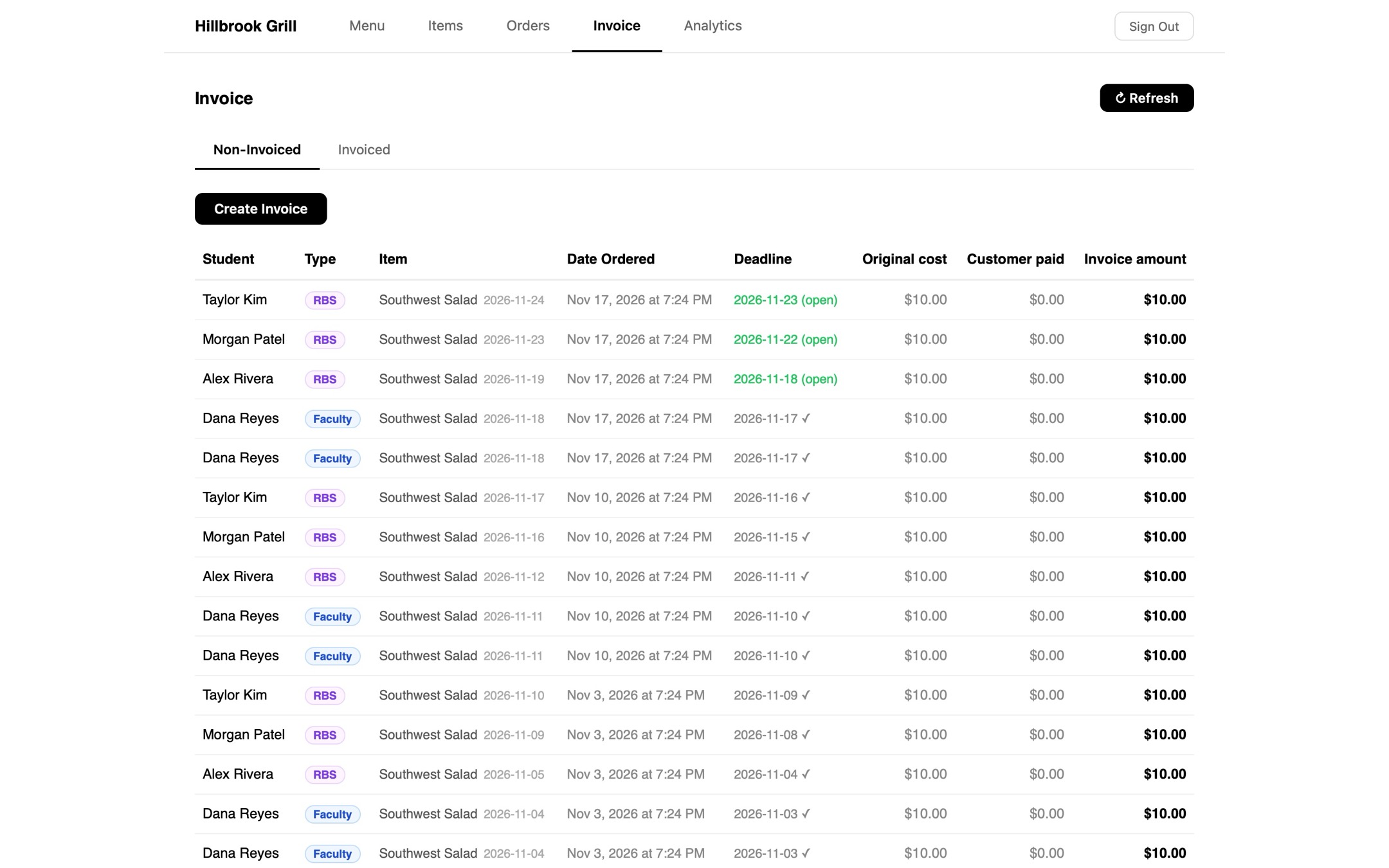
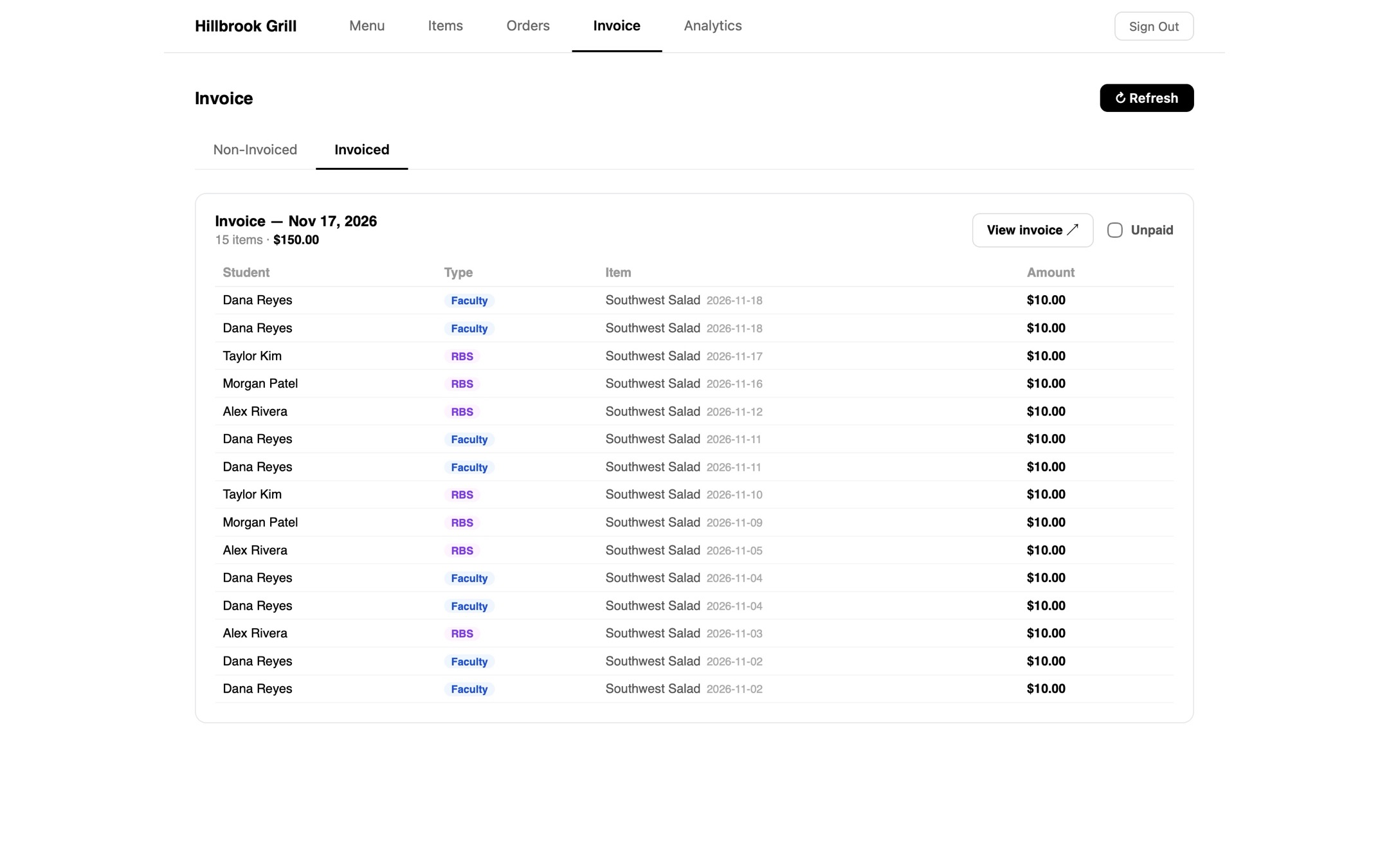
school sponsored lunch!
We finally figured out how to pay for school sponsored lunches!
Jul 20, 2026
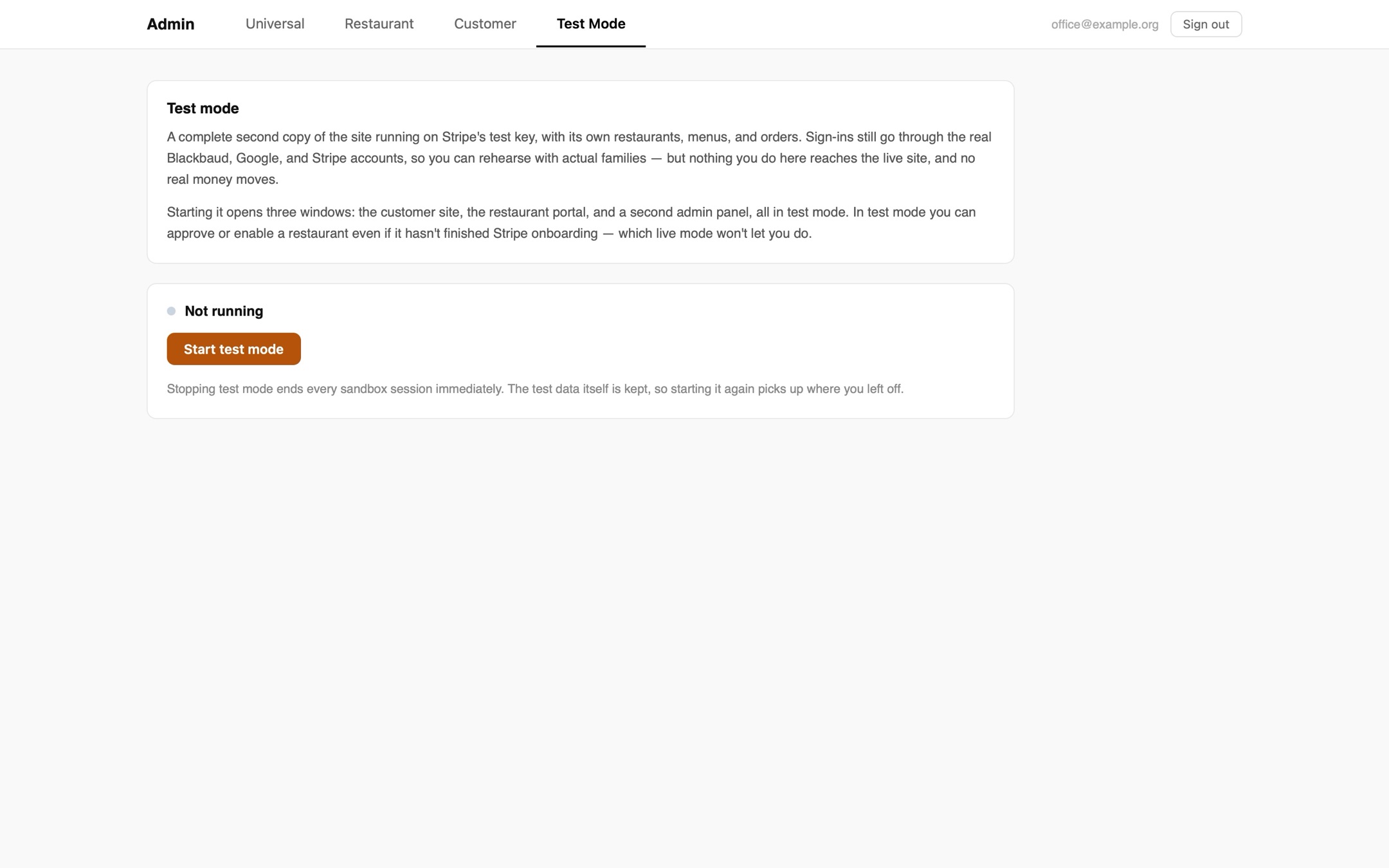
Test mode
Now we were preparing for our first test of the system.
Jul 23, 2026
Holidays
Holidays let the restaurant know when school is on break!
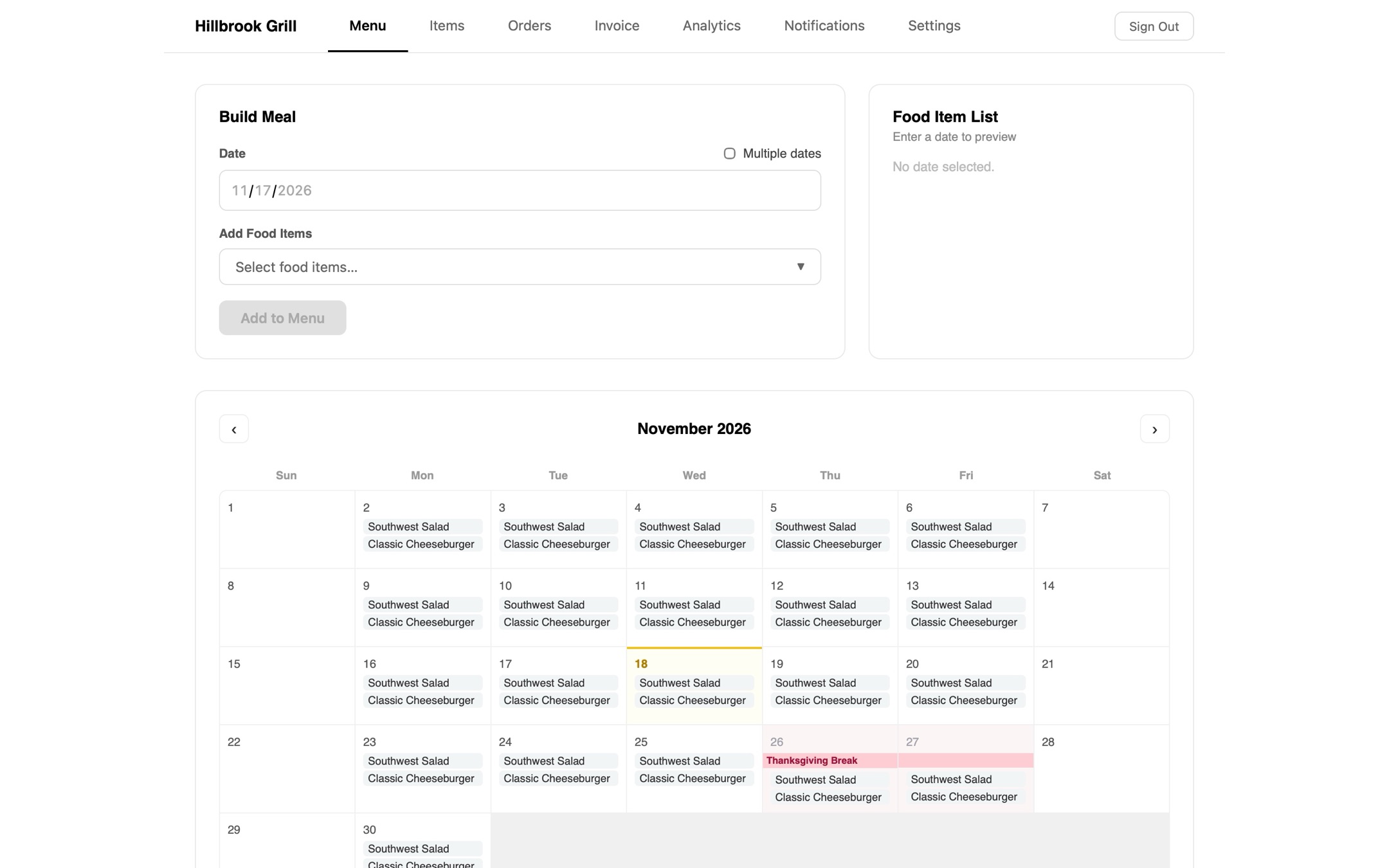
At first, restaurants could still add meals on holidays. However, we eventually patched it so that when adding repeating meals to the calendar, the holiday dates are automatically skipped. This makes it so that the restaurant never has to worry about putting meals on a holiday by accident.
Jul 23, 2026
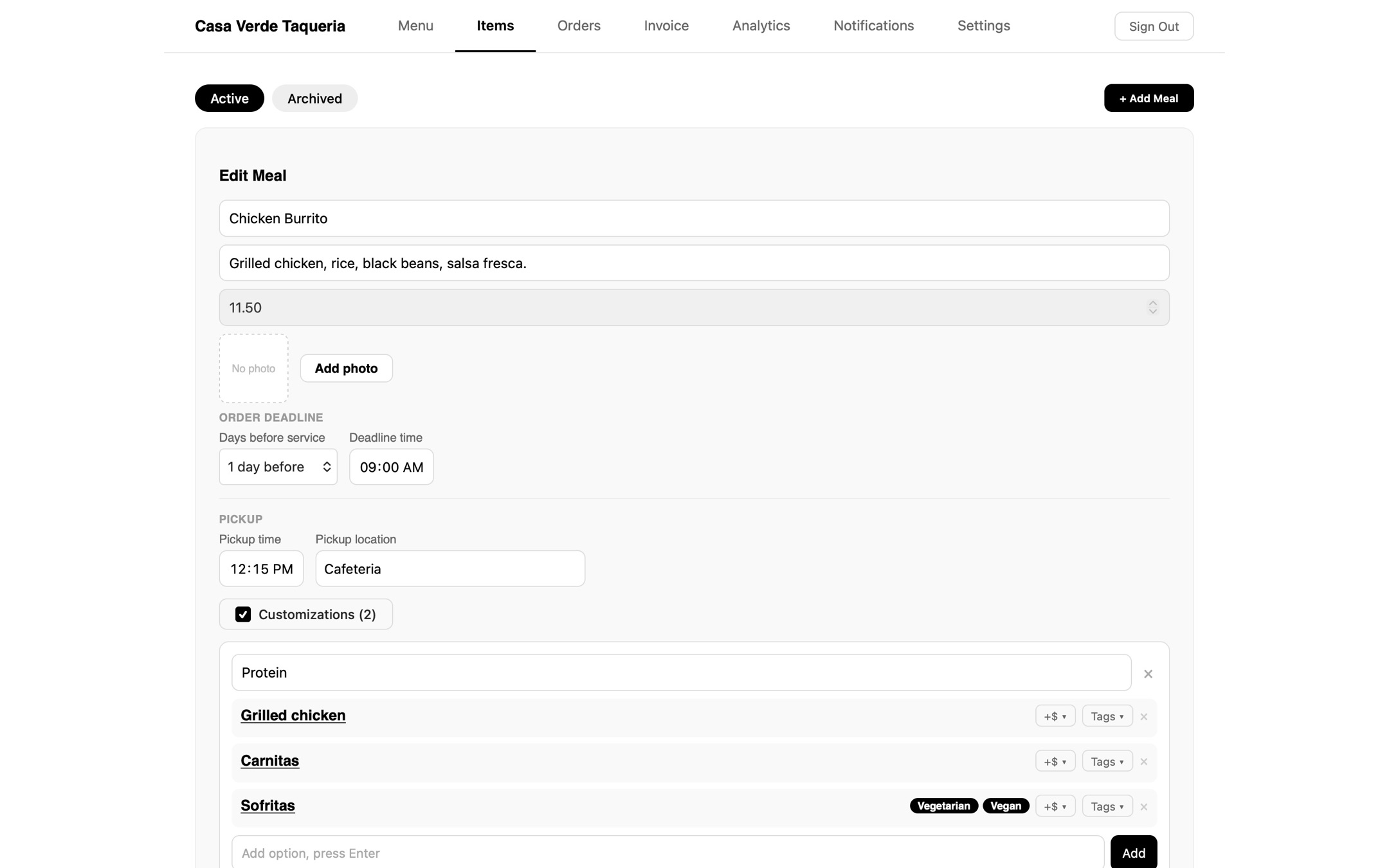
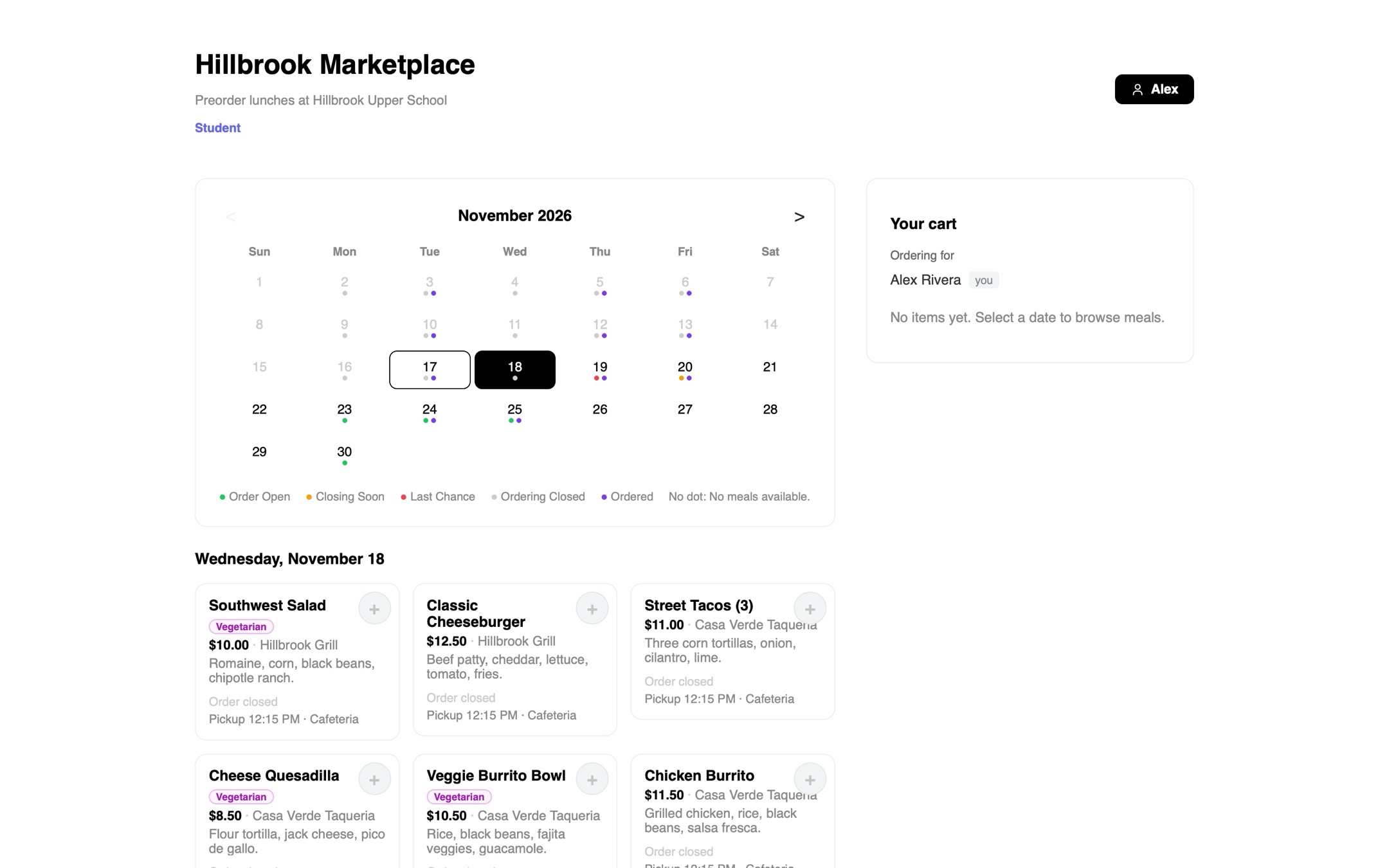
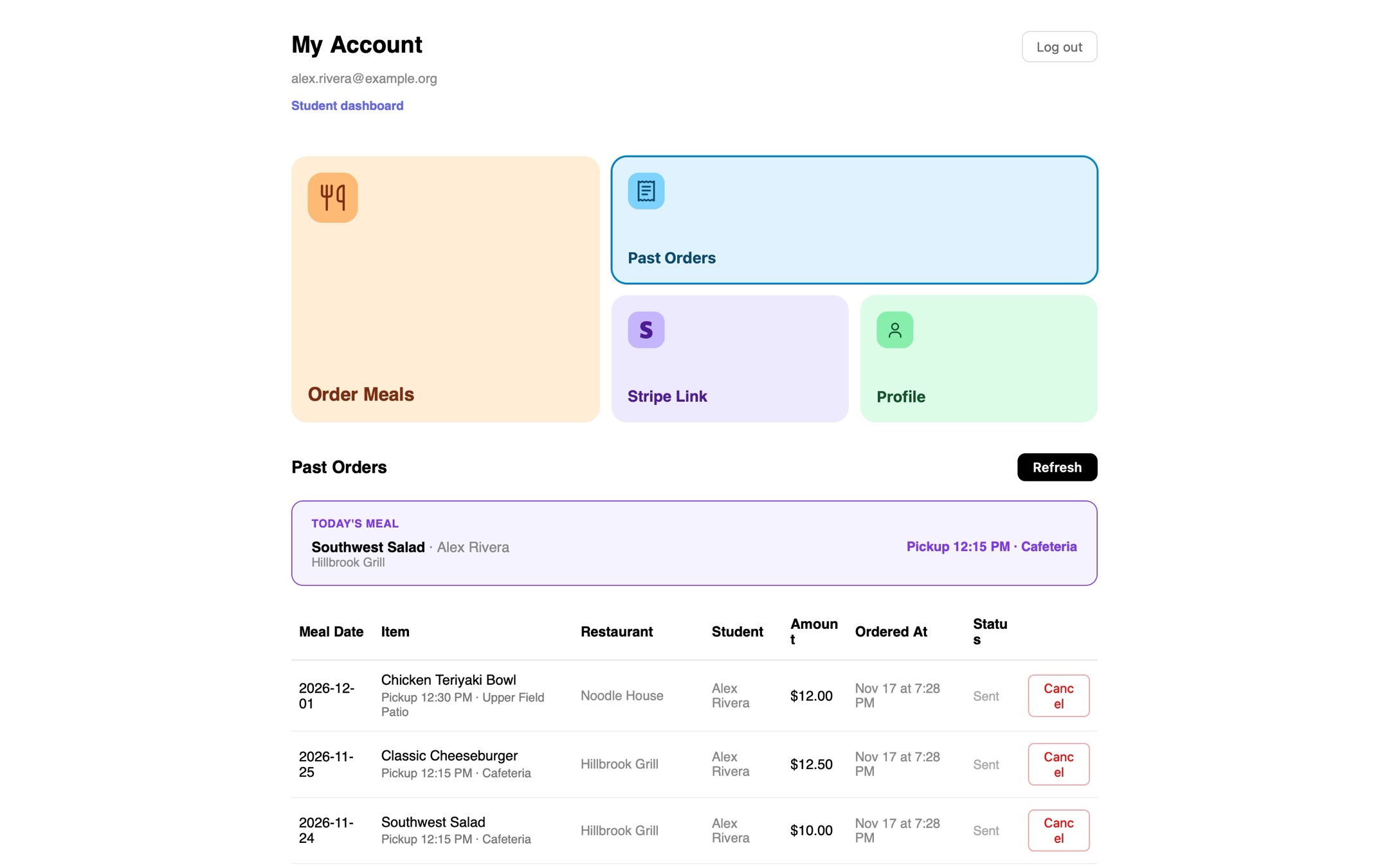
Pickup locations and times
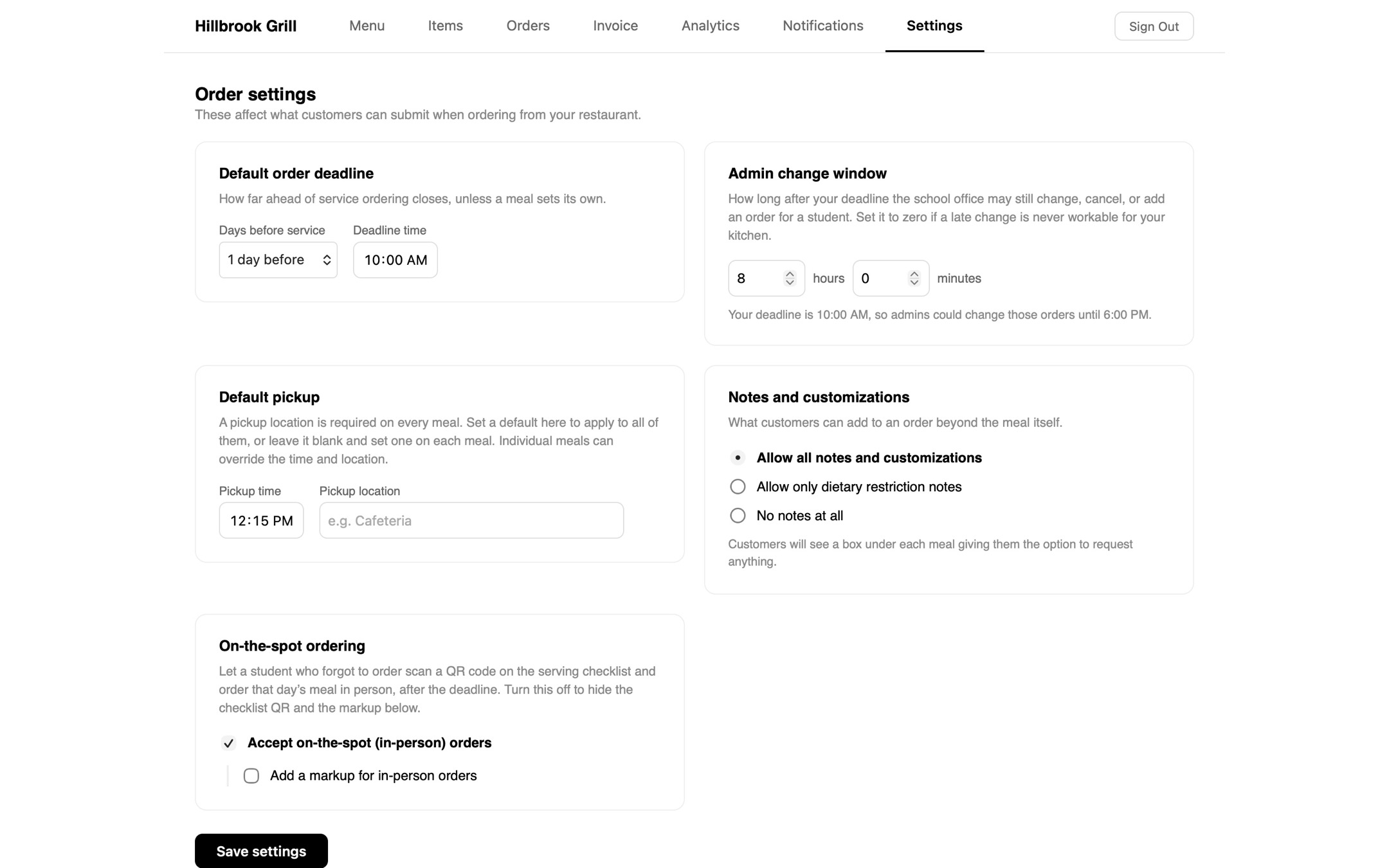
It’s surprising that it took us this long to add this feature but we finally added pickup locations and pickup times!
Jul 24, 2026
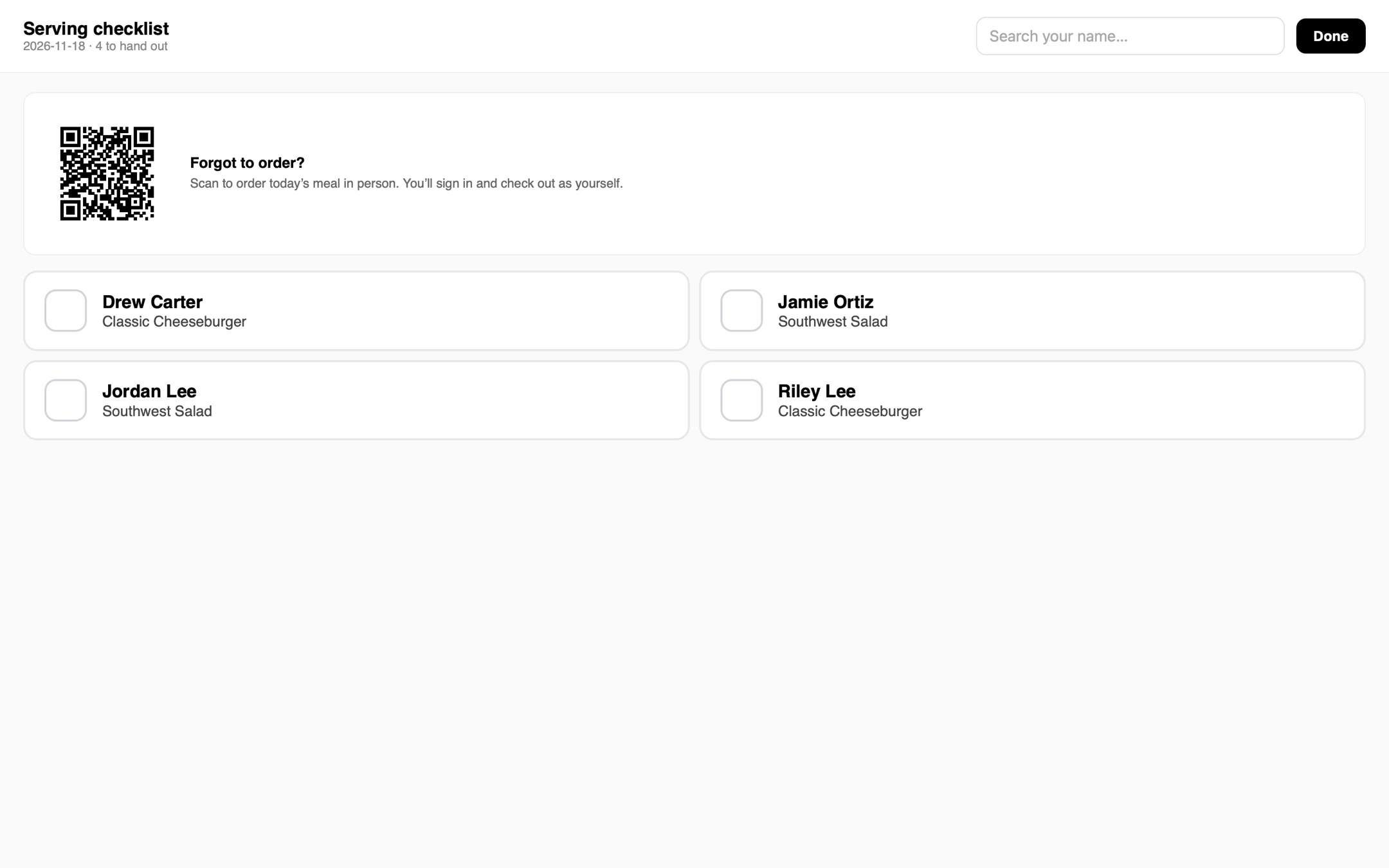
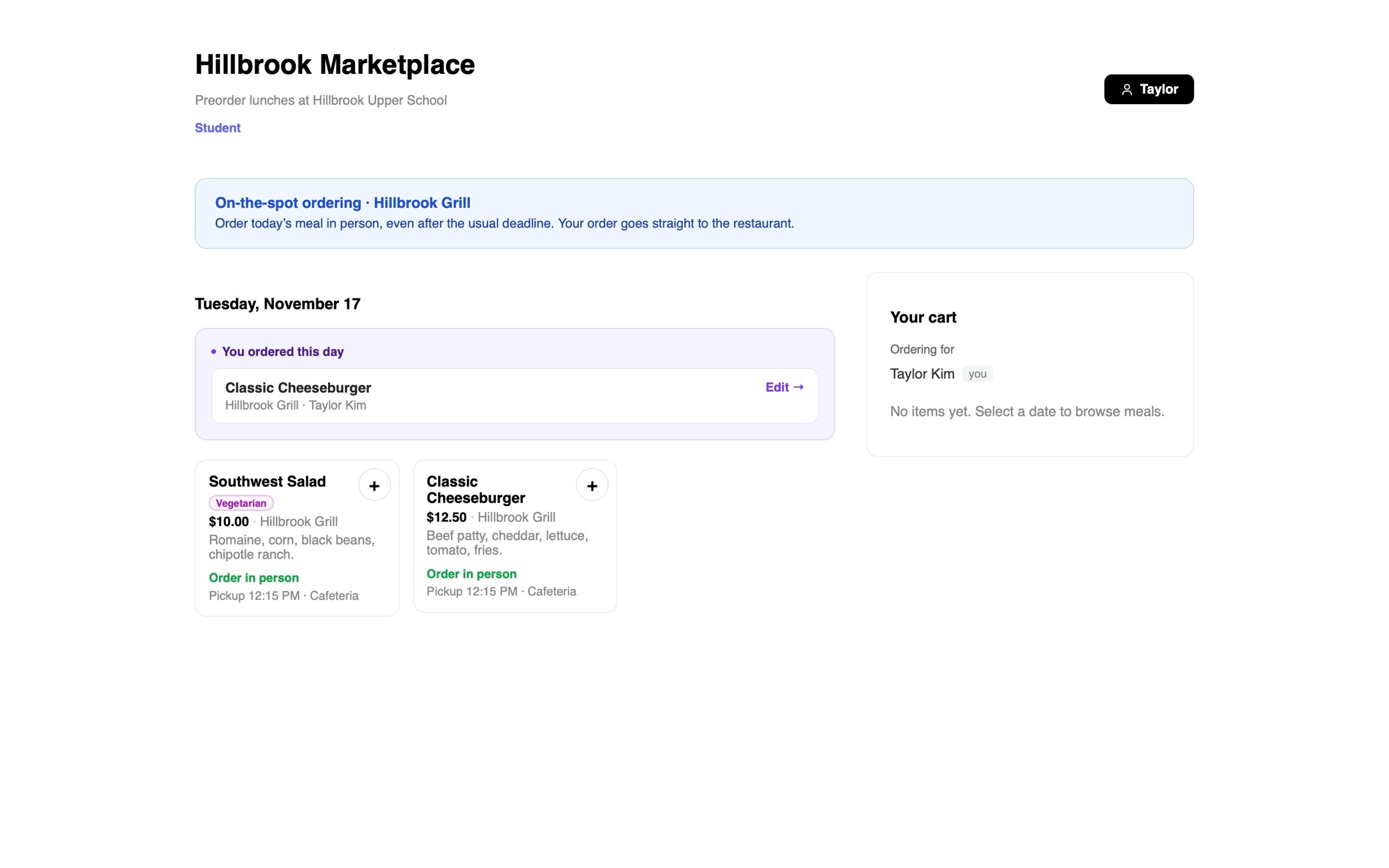
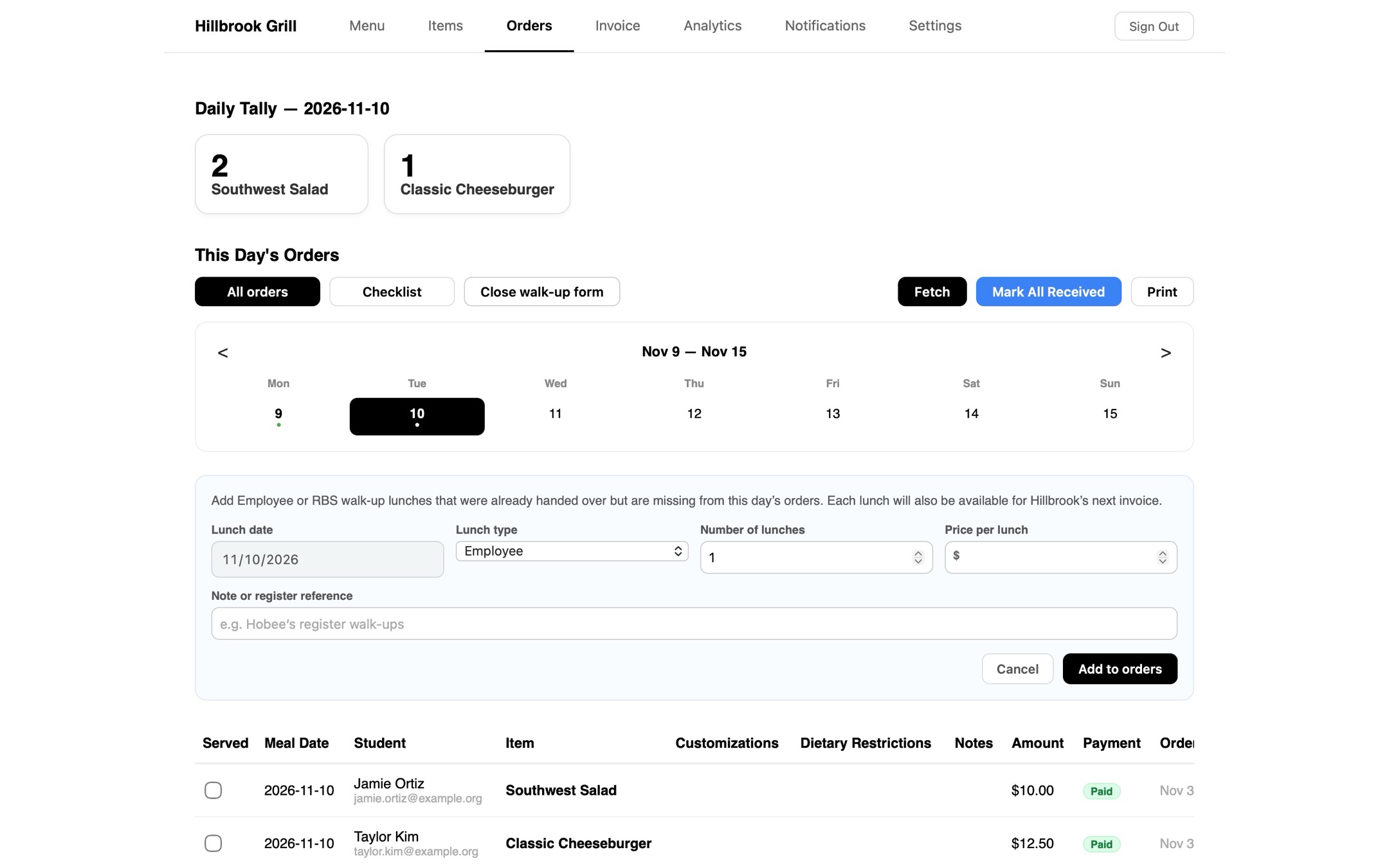
Walk up ordering
We added walk up ordering!
Jul 24, 2026
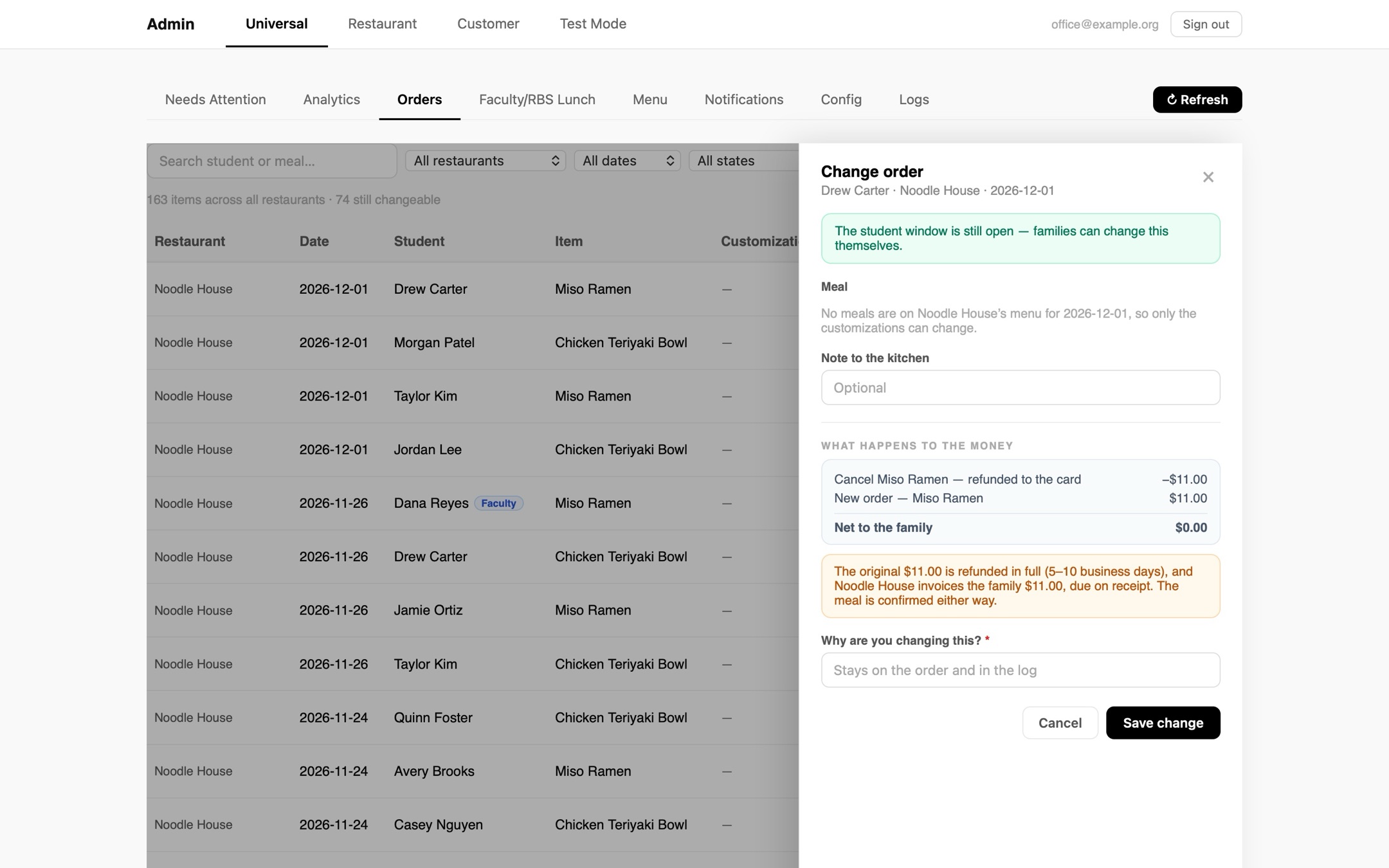
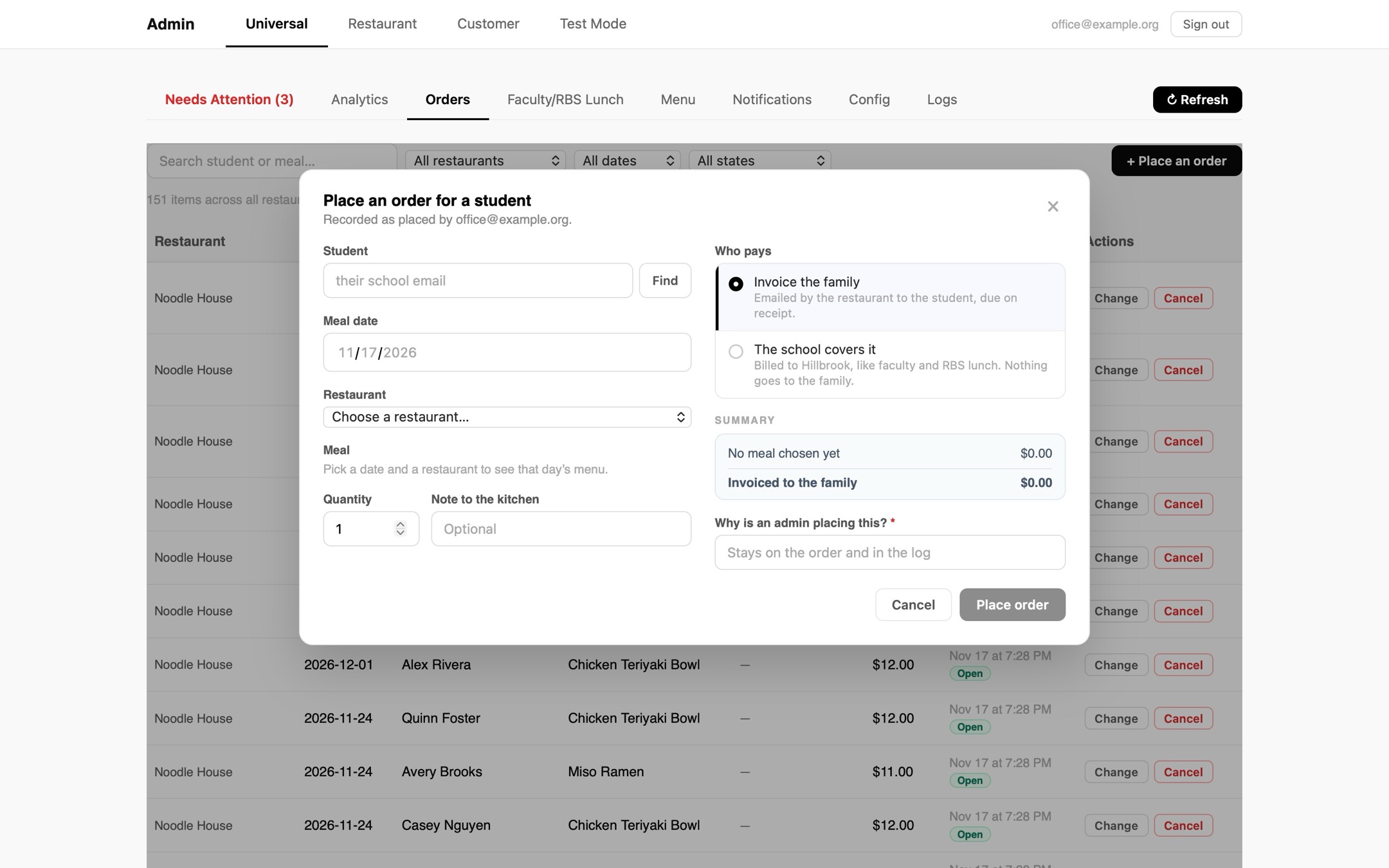
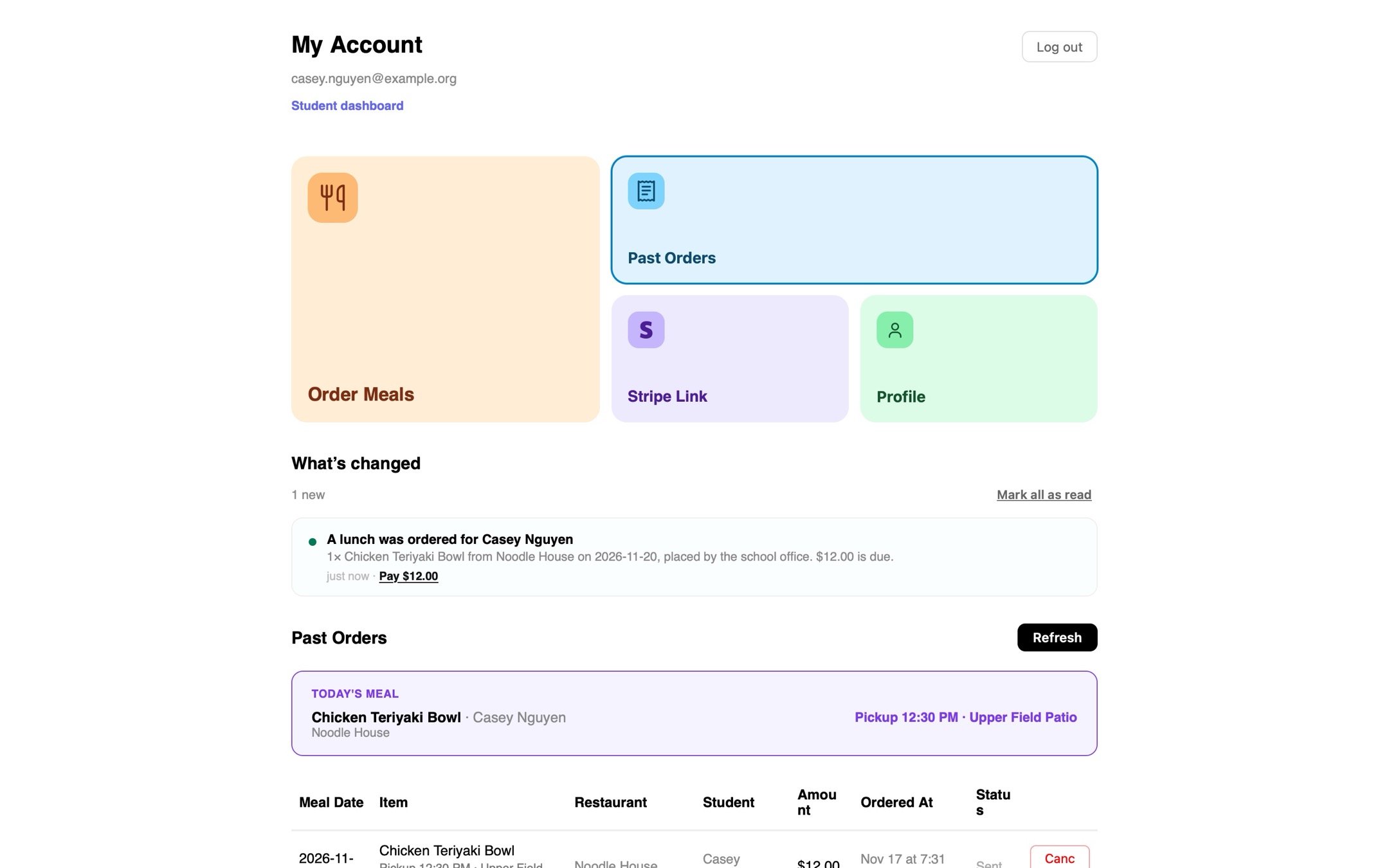
Admin order changes
We added a feature for admins to order meals for students and change and cancel student orders.
Aug 4, 2026
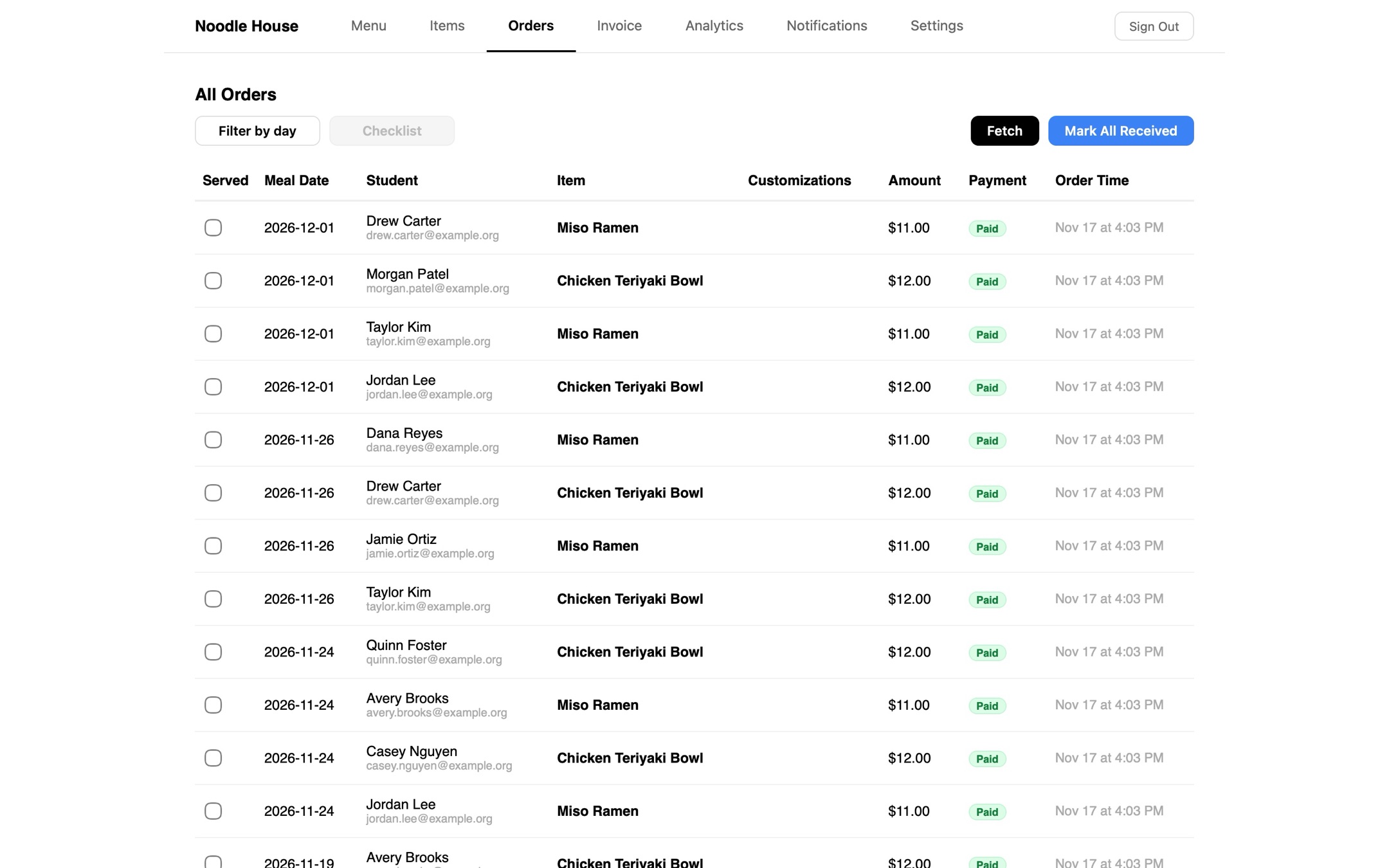
Paid status
We added a chip so that restaurants could easily see which meals were paid for, and which ones weren’t paid for.
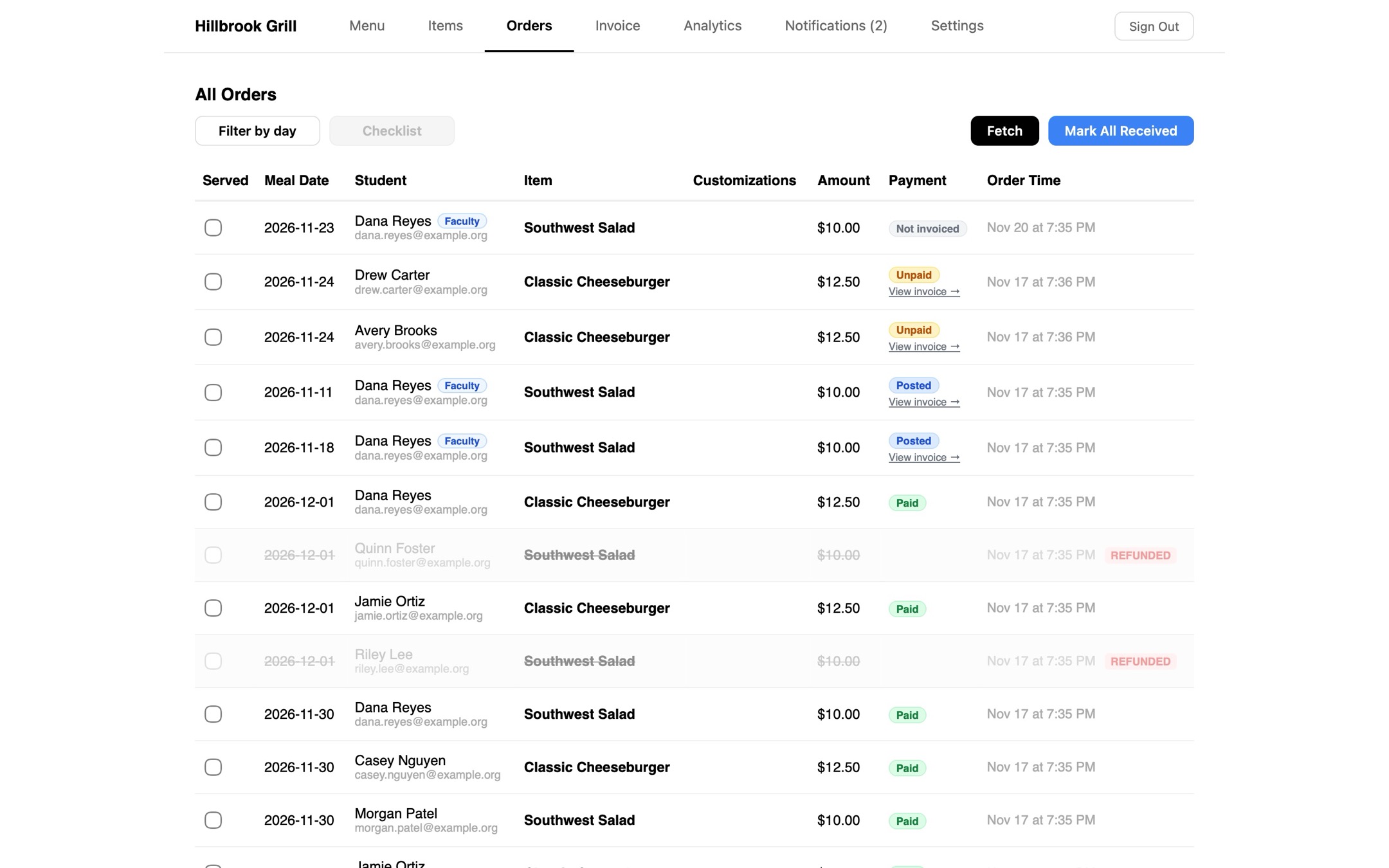
Paid, Unpaid, Posted, Not invoiced, Disputed, Refunded, Cancelled, Written off, Unknown, Declined, Later paid
We eventually added more:
Available
Paid, Unpaid, Posted, Not invoiced, Disputed, Refunded, Cancelled, Written off, Unknown, Declined, Later paid
We eventually added more:
Available
Aug 9, 2026
Tutorial center
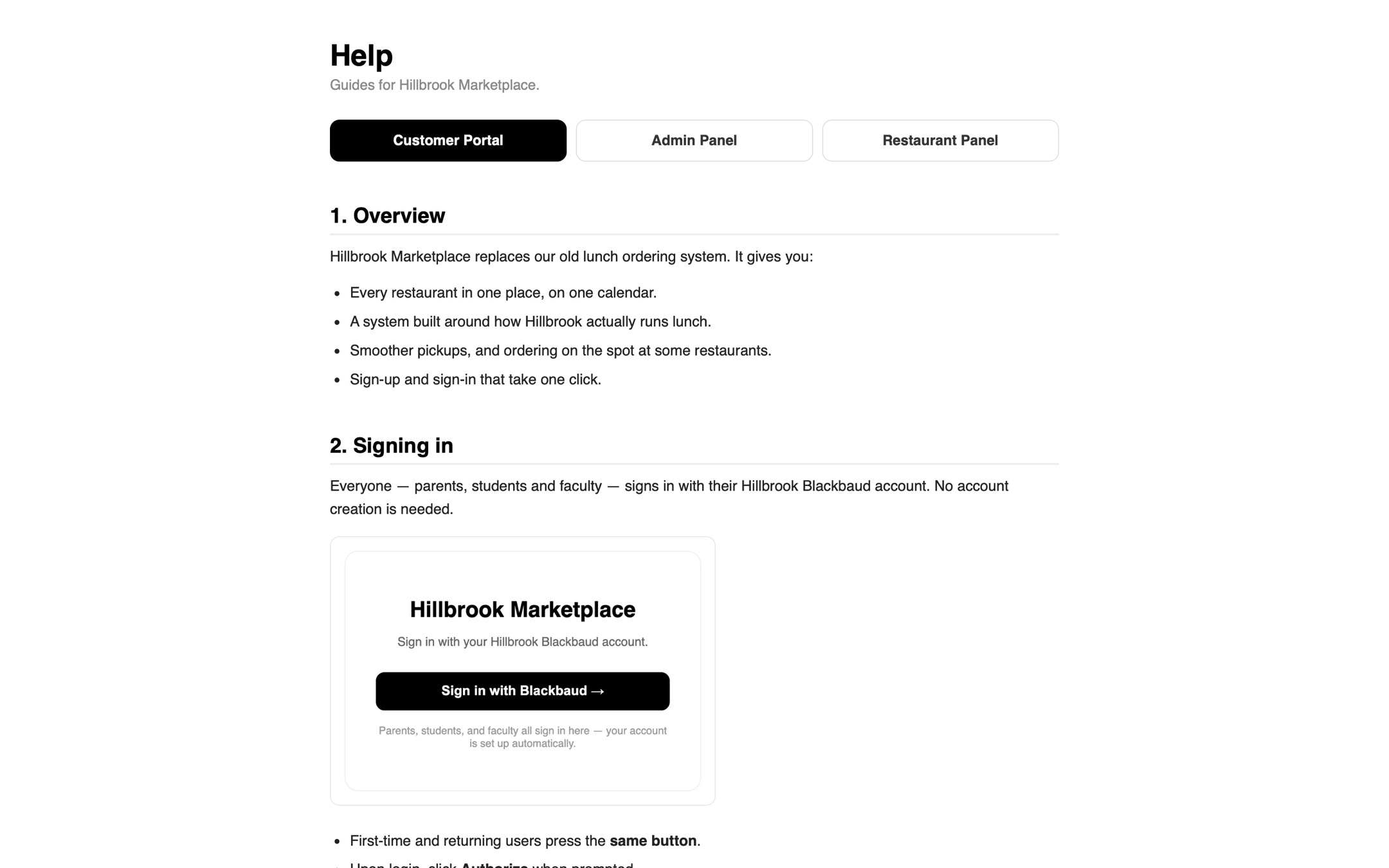
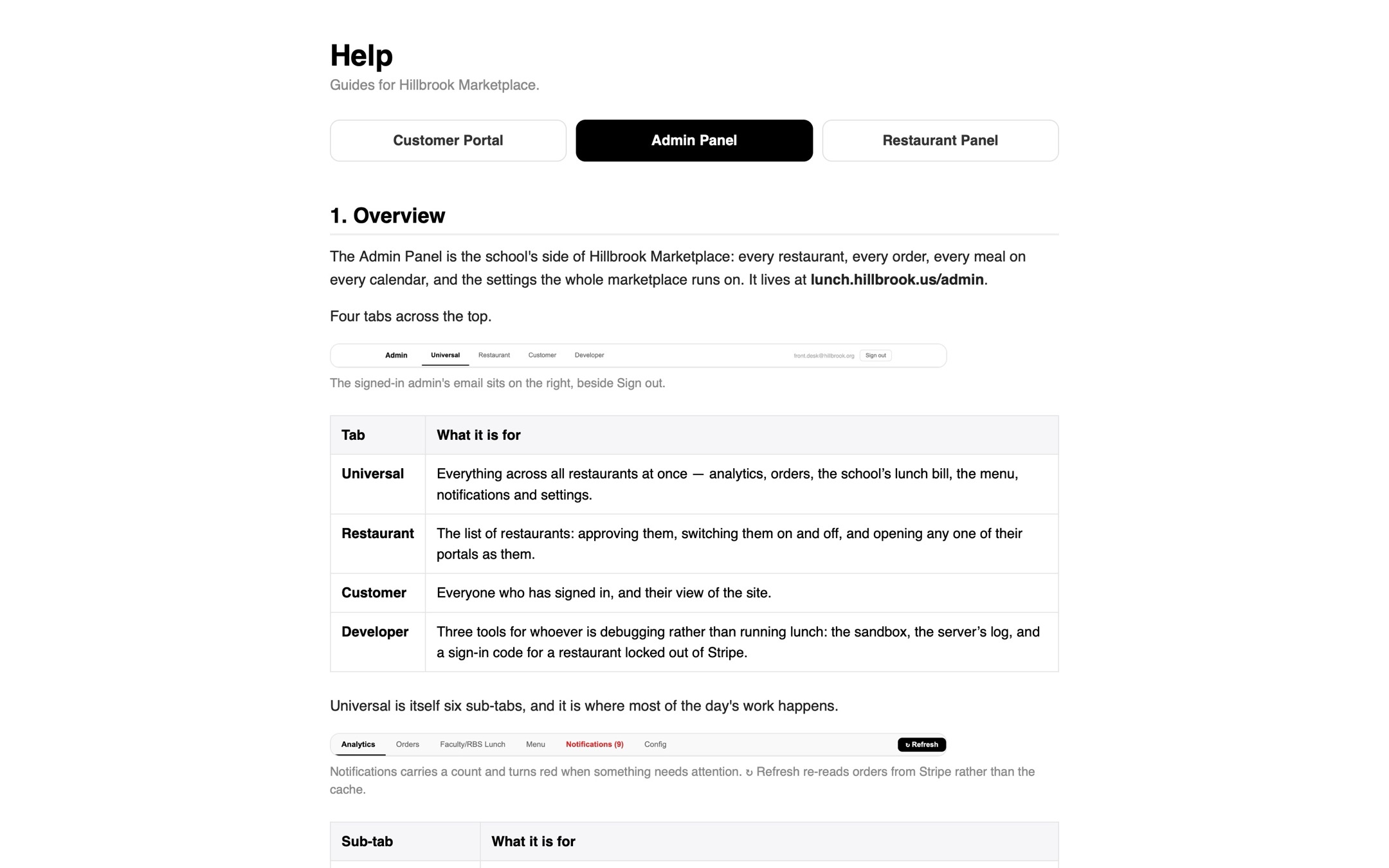
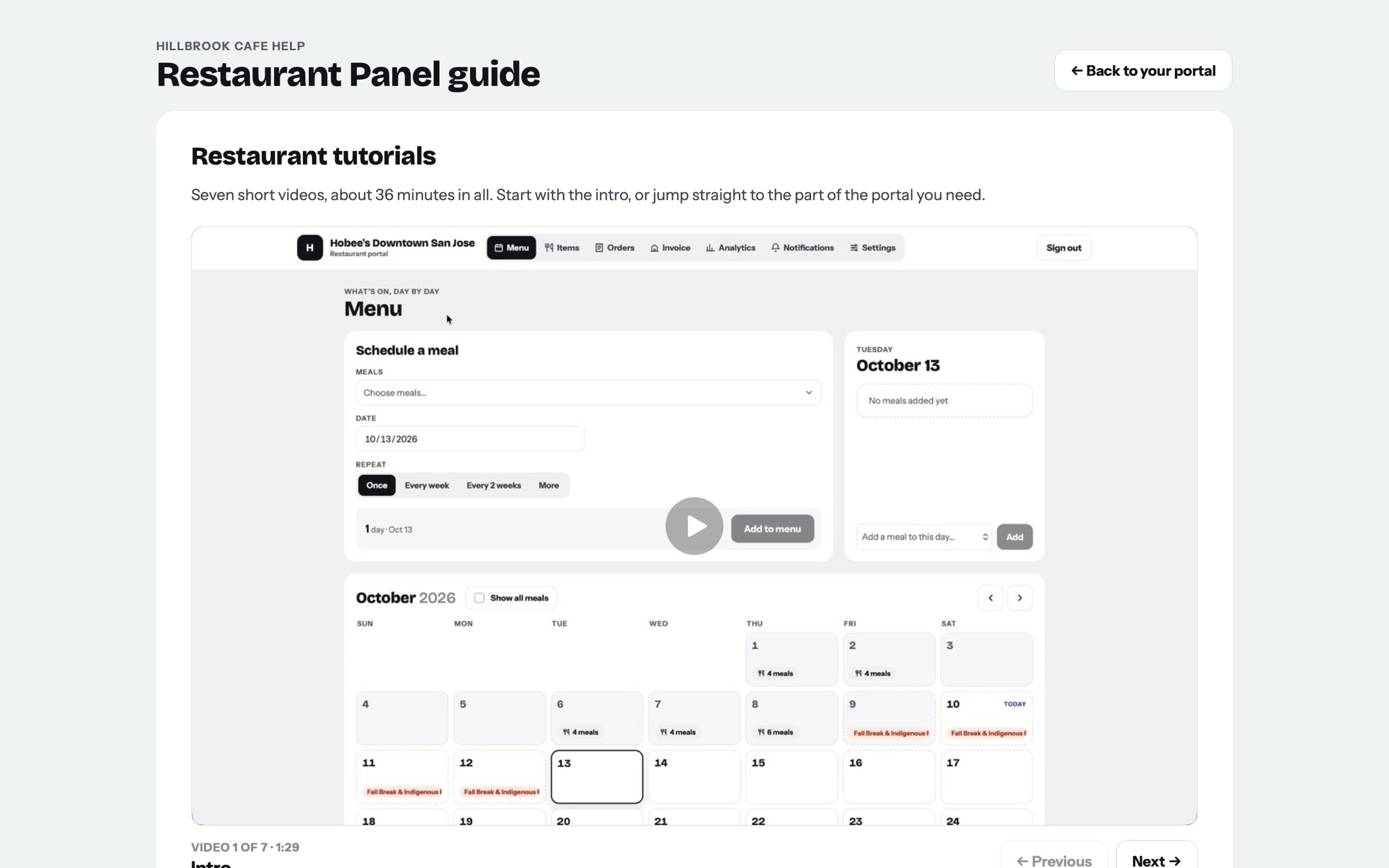
We added a tutorial panel with videos recorded by Vikram!
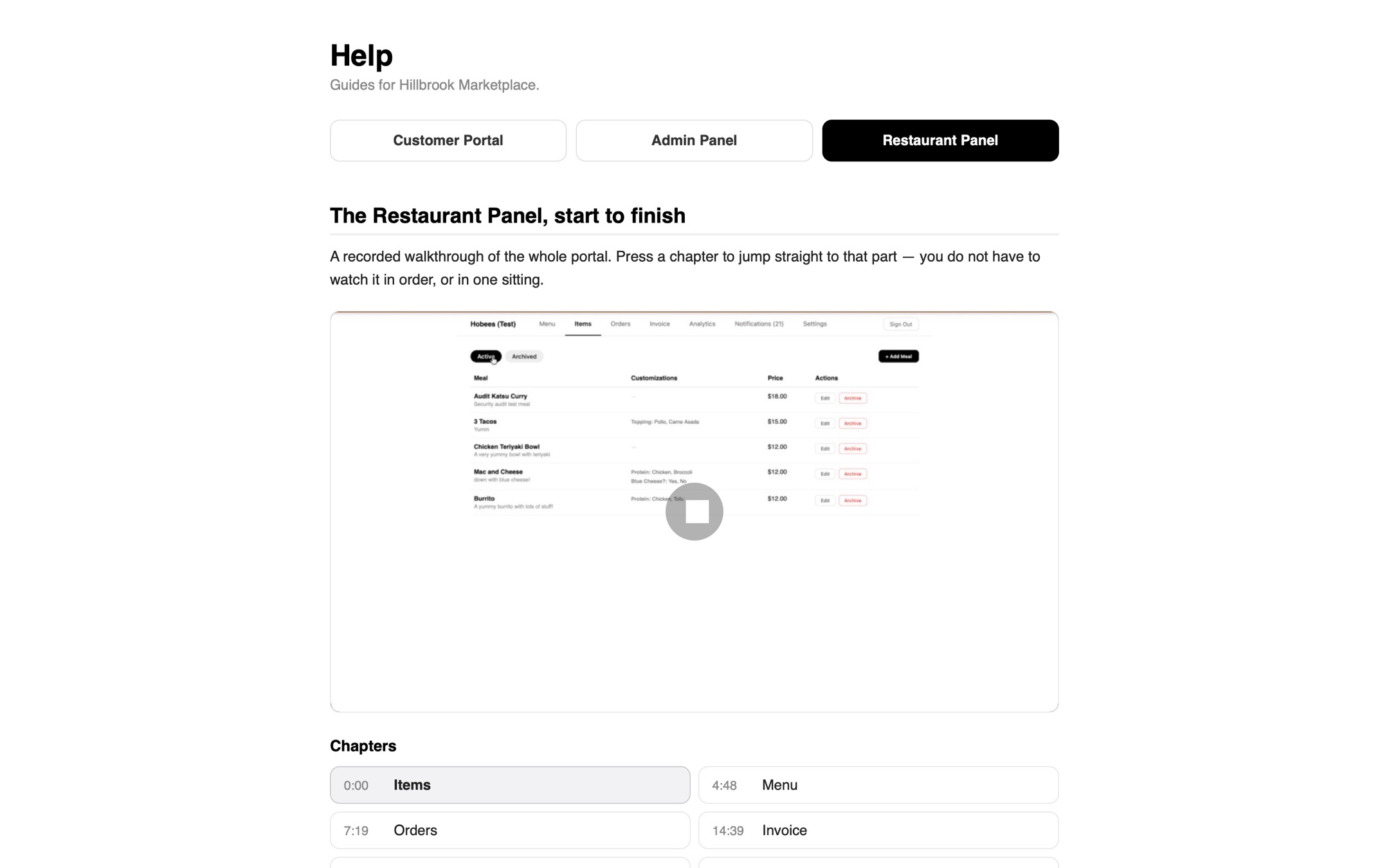
This tutorial panel was updated multiple times (especially through the major redesign).
At this point, everyone could access all the tutorial videos (customers could see the restaurant and admin videos too). However, we changed it so that customers could only see their videos and restaurants could only see their tutorial videos.
This tutorial panel was updated multiple times (especially through the major redesign).
At this point, everyone could access all the tutorial videos (customers could see the restaurant and admin videos too). However, we changed it so that customers could only see their videos and restaurants could only see their tutorial videos.
This tutorial panel was updated multiple times (especially through the major redesign).
At this point, everyone could access all the tutorial videos (customers could see the restaurant and admin videos too). However, we changed it so that customers could only see their videos and restaurants could only see their tutorial videos.
This tutorial panel was updated multiple times (especially through the major redesign).
At this point, everyone could access all the tutorial videos (customers could see the restaurant and admin videos too). However, we changed it so that customers could only see their videos and restaurants could only see their tutorial videos.
Oct 9, 2026
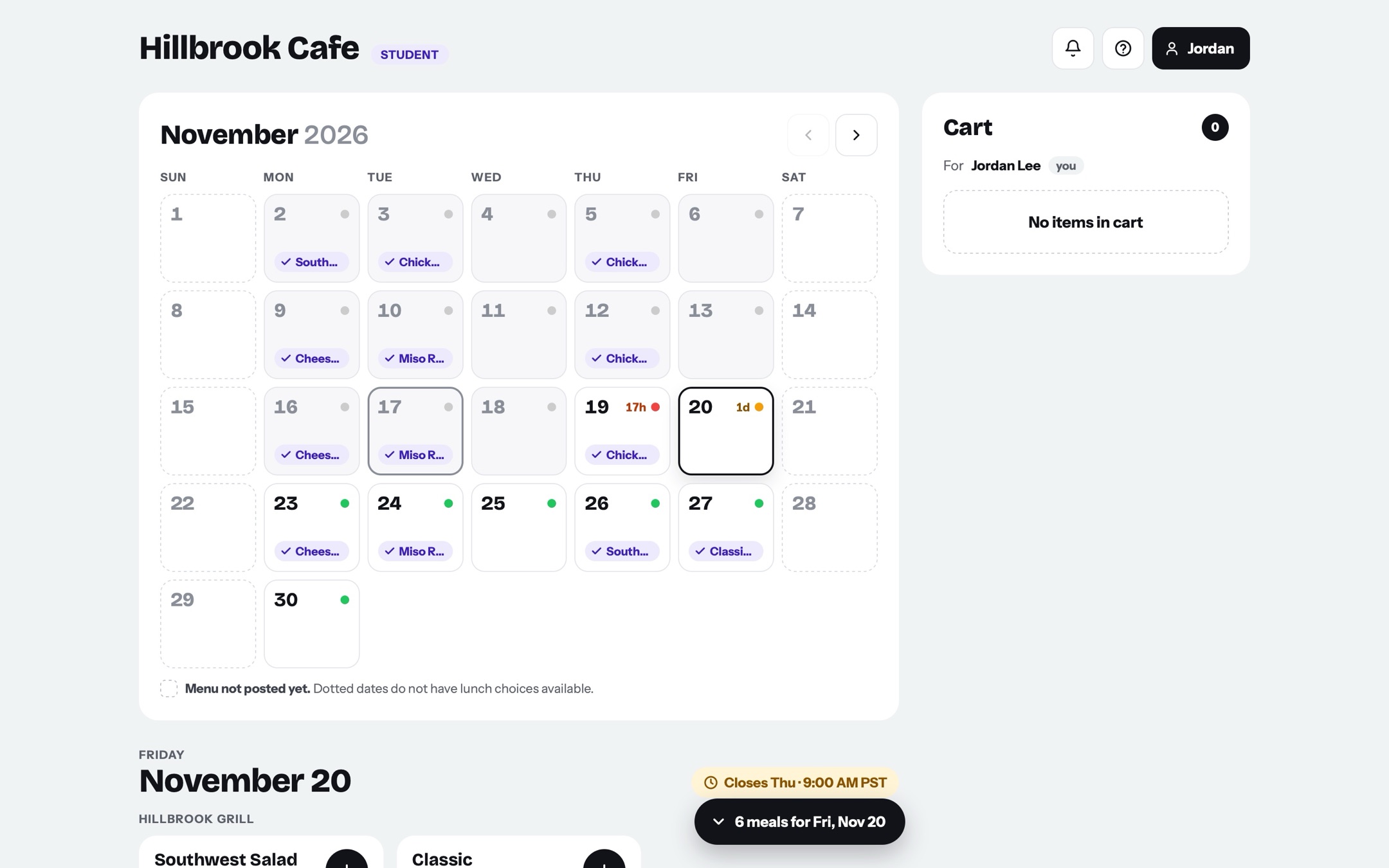
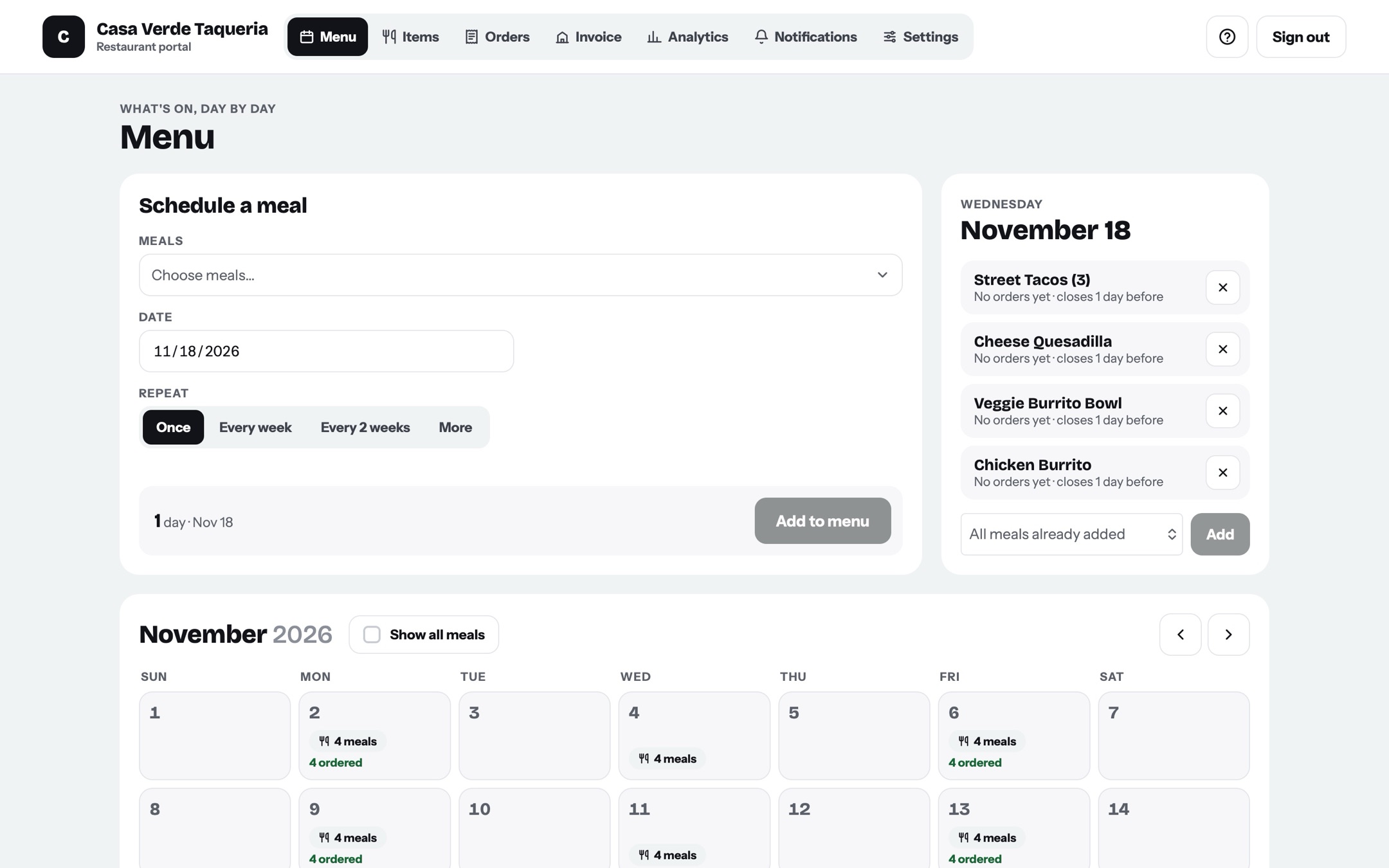
UI REDESIGN!
Kevin led this redesign.
Oct 10, 2026
Analytics Update!
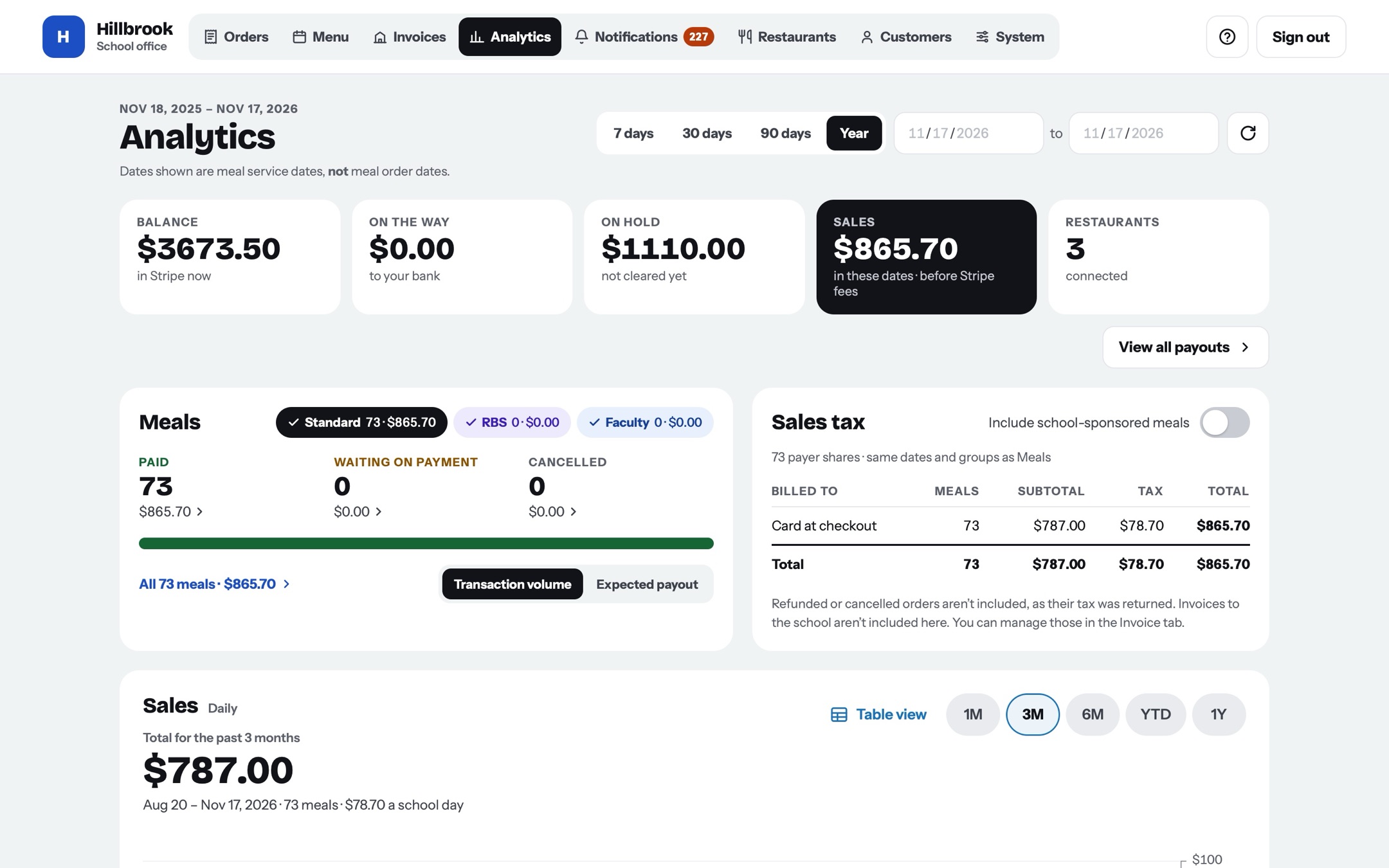
At this point we worked for a long time with Hobee’s to get the analytics to how they wanted it to be!
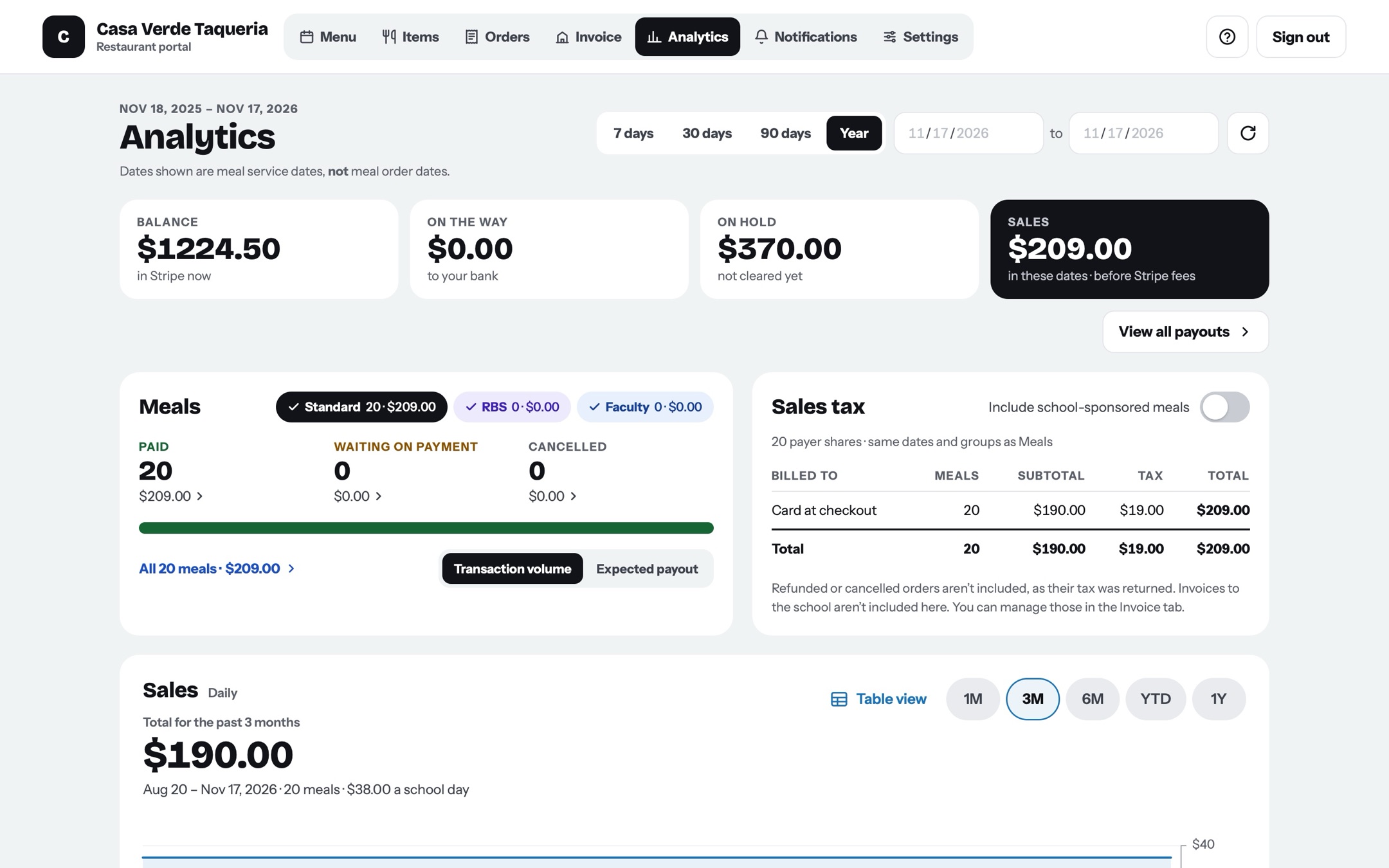
We added toggles so they could turn on and off processing fees and/or tax. We included a bar that showed which orders were standard and which ones were sponsored. We also added a graph to show at a glance how many meals had or hadn’t been paid and which meals were available to be paid out from Stripe.
More importantly, we added the option for them to view their Stripe invoices directly from within hillbrook.cafe!
Oct 11, 2026
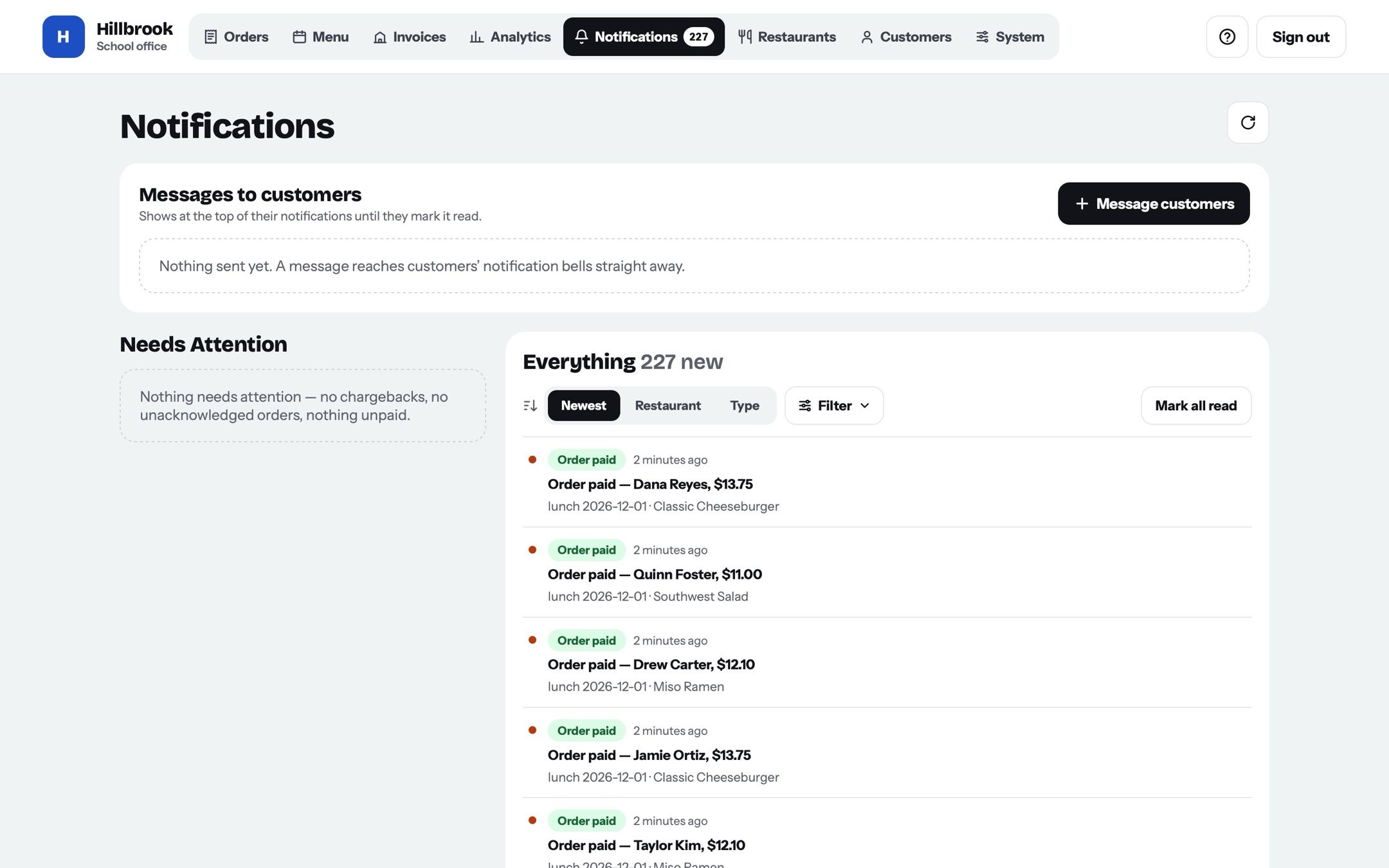
Office messages
We added the option to let the office send messages.
Oct 30, 2026
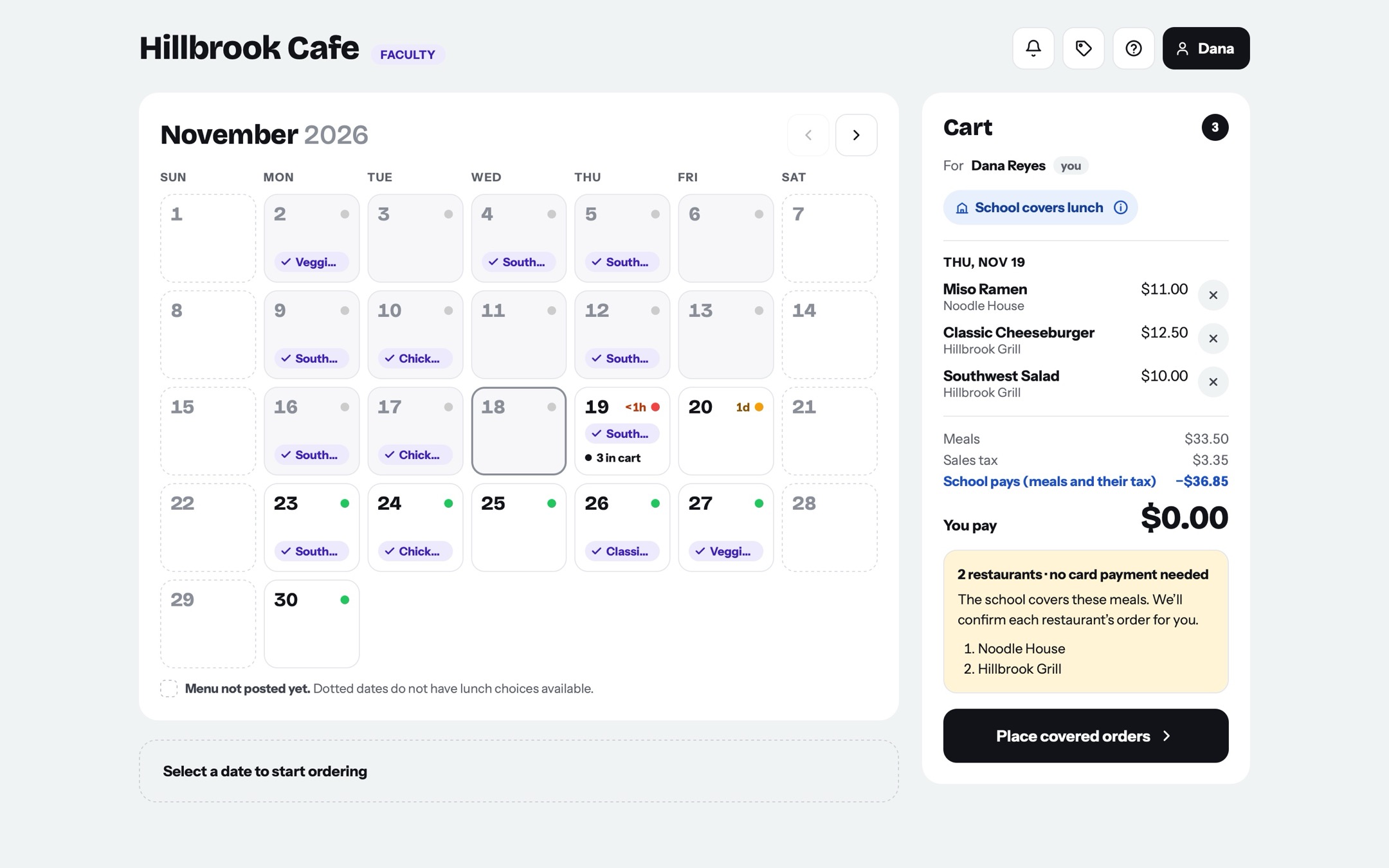
Multiple checkouts update!
Students must complete checkouts multiple times: one checkout for each restaurant.
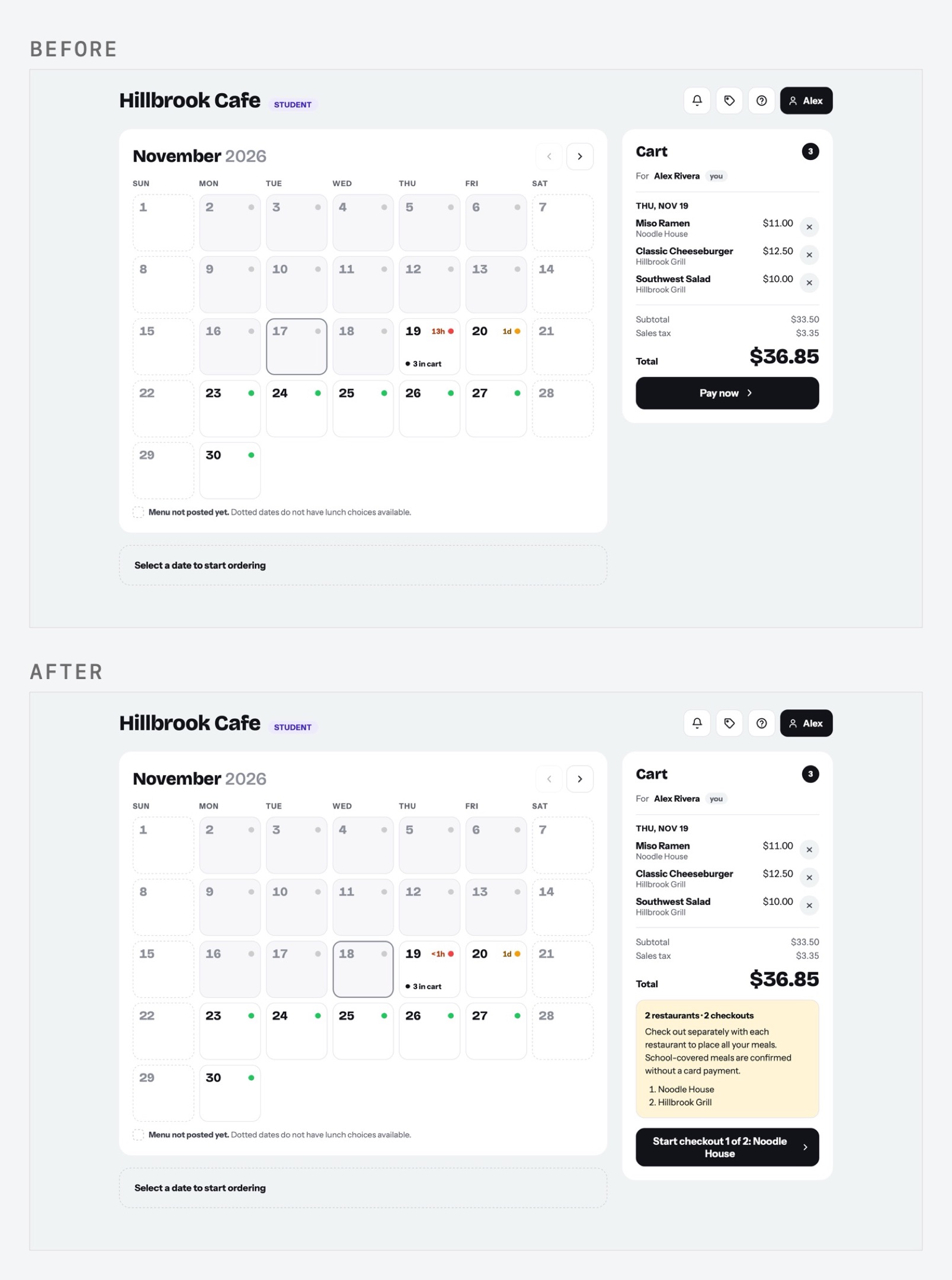
So, we completely reworked the checkout page! In fact, for basically the entire lifespan of hillbrook.cafe until here, the checkout layout had been pretty much the same (even during the redesign) so it was somewhat sad to see it go away (though the new design is much better).
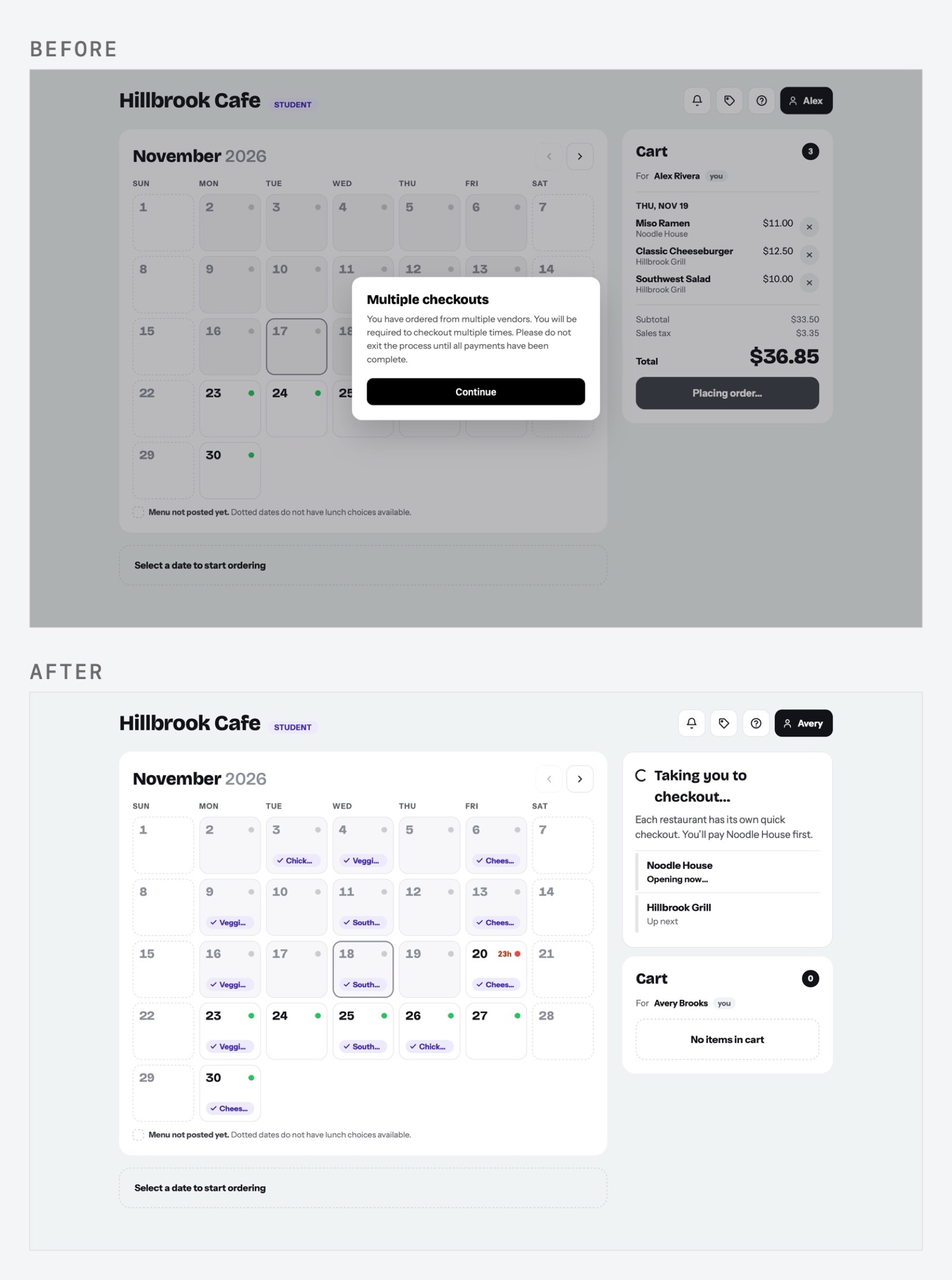
So, we completely reworked the checkout page! In fact, for basically the entire lifespan of hillbrook.cafe until here, the checkout layout had been pretty much the same (even during the redesign) so it was somewhat sad to see it go away (though the new design is much better).
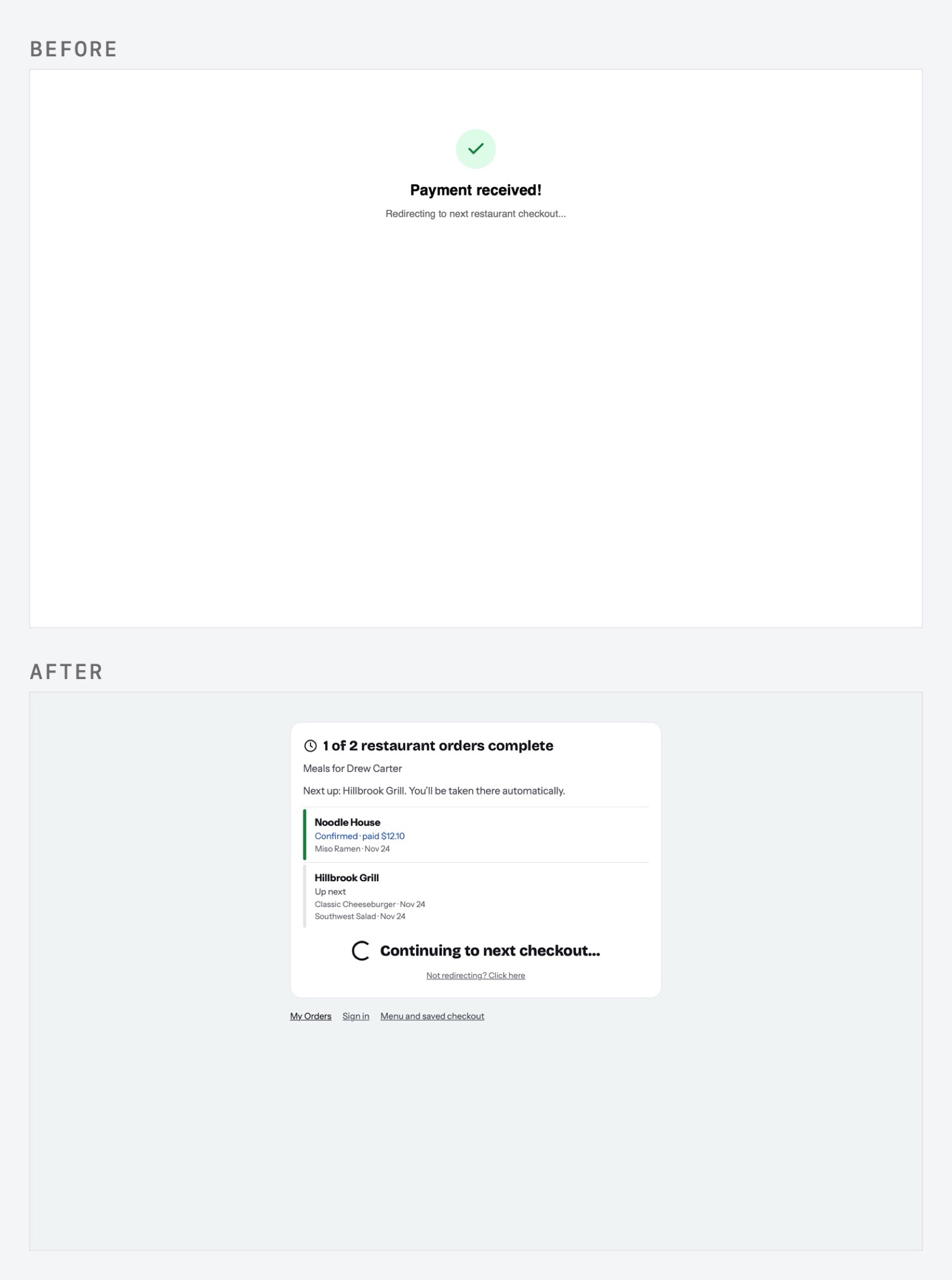
So, we completely reworked the checkout page! In fact, for basically the entire lifespan of hillbrook.cafe until here, the checkout layout had been pretty much the same (even during the redesign) so it was somewhat sad to see it go away (though the new design is much better).
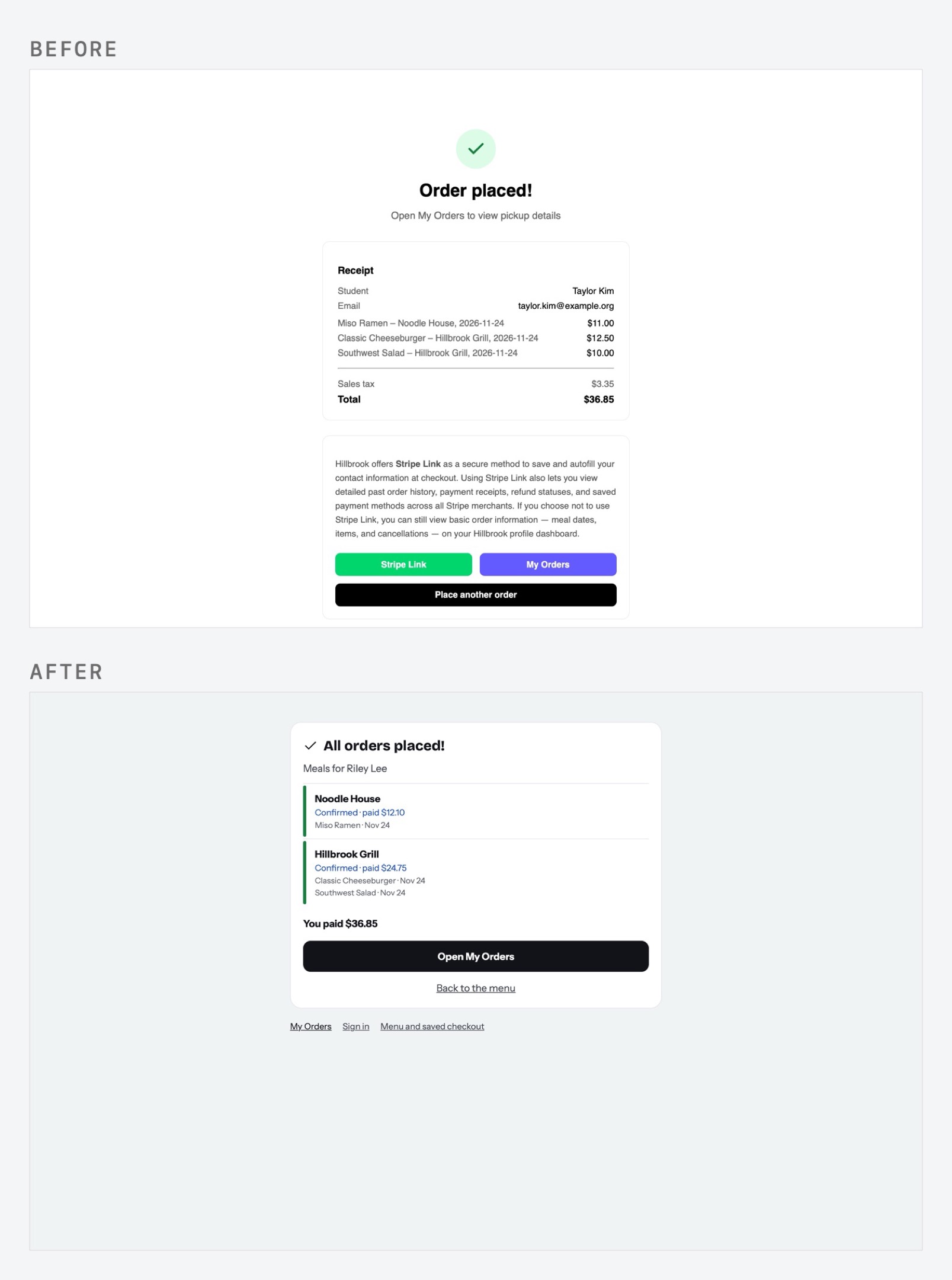
So, we completely reworked the checkout page! In fact, for basically the entire lifespan of hillbrook.cafe until here, the checkout layout had been pretty much the same (even during the redesign) so it was somewhat sad to see it go away (though the new design is much better).
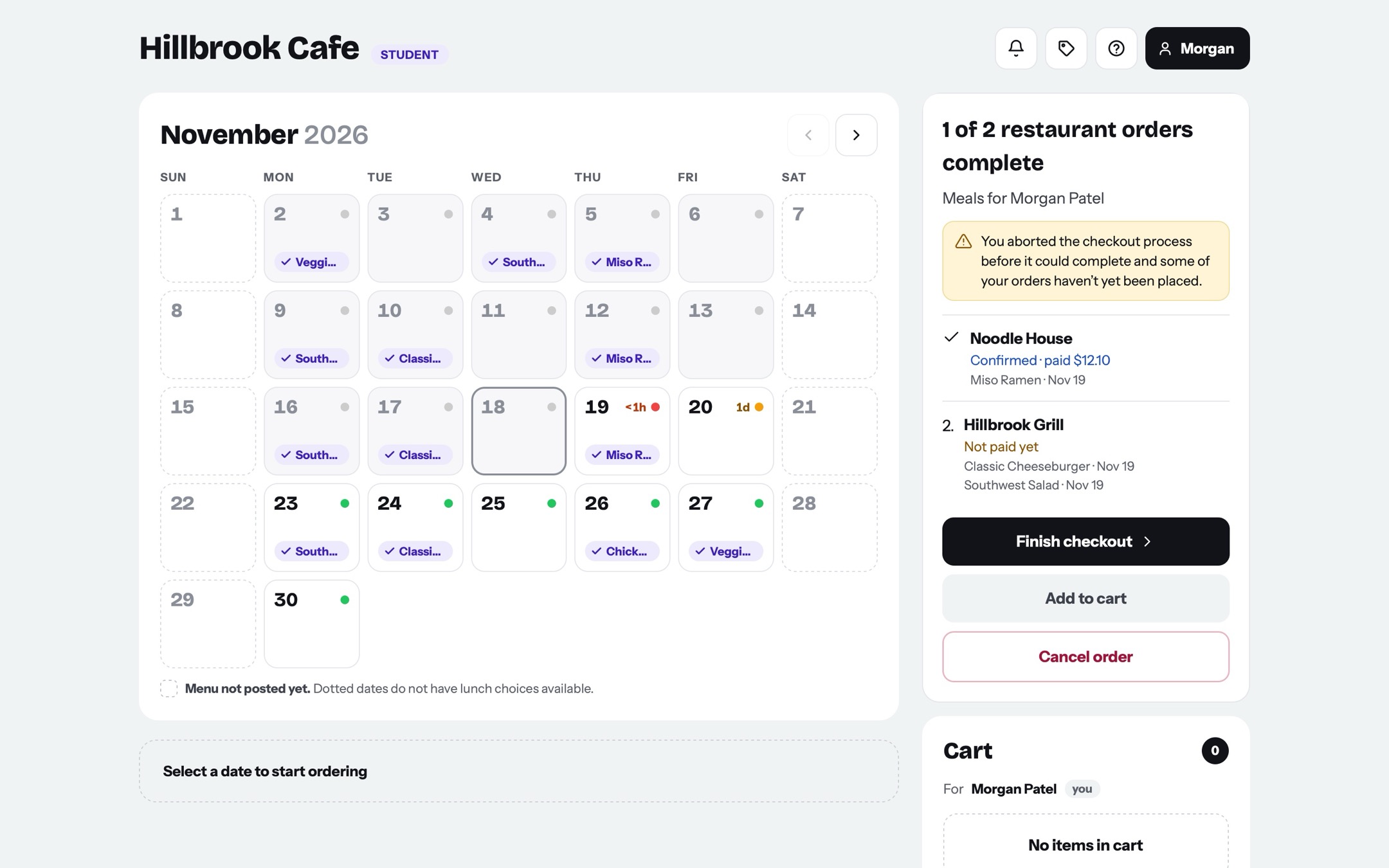
So, we completely reworked the checkout page! In fact, for basically the entire lifespan of hillbrook.cafe until here, the checkout layout had been pretty much the same (even during the redesign) so it was somewhat sad to see it go away (though the new design is much better).
So, we completely reworked the checkout page! In fact, for basically the entire lifespan of hillbrook.cafe until here, the checkout layout had been pretty much the same (even during the redesign) so it was somewhat sad to see it go away (though the new design is much better).
Oct 19, 2026
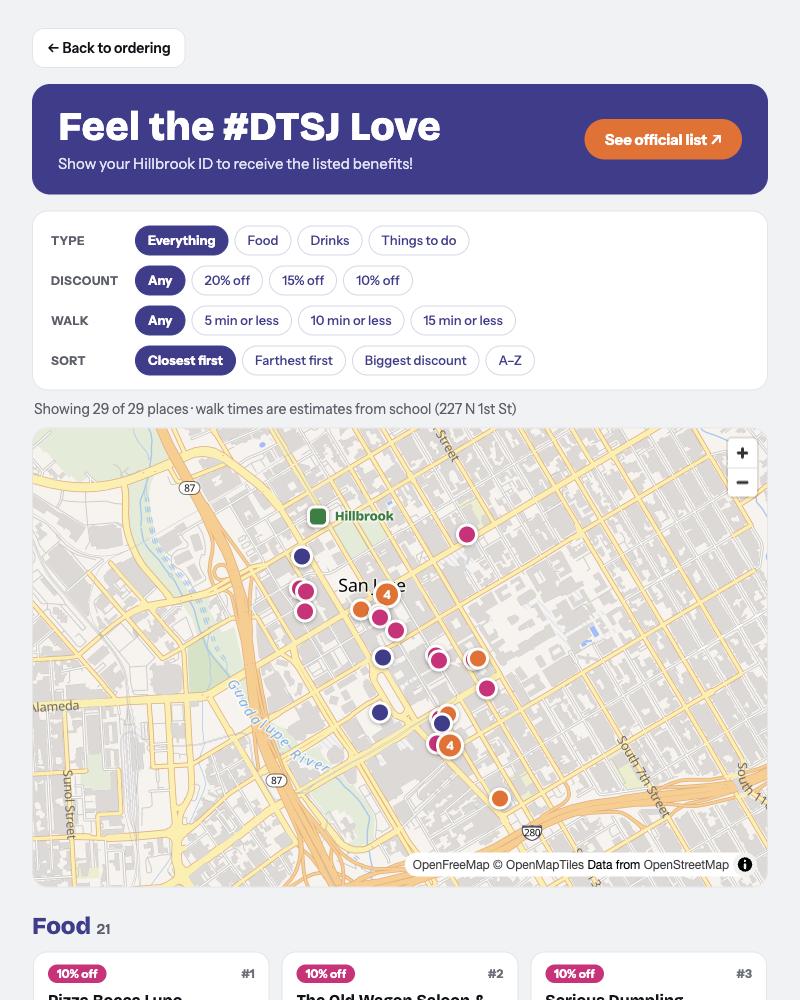
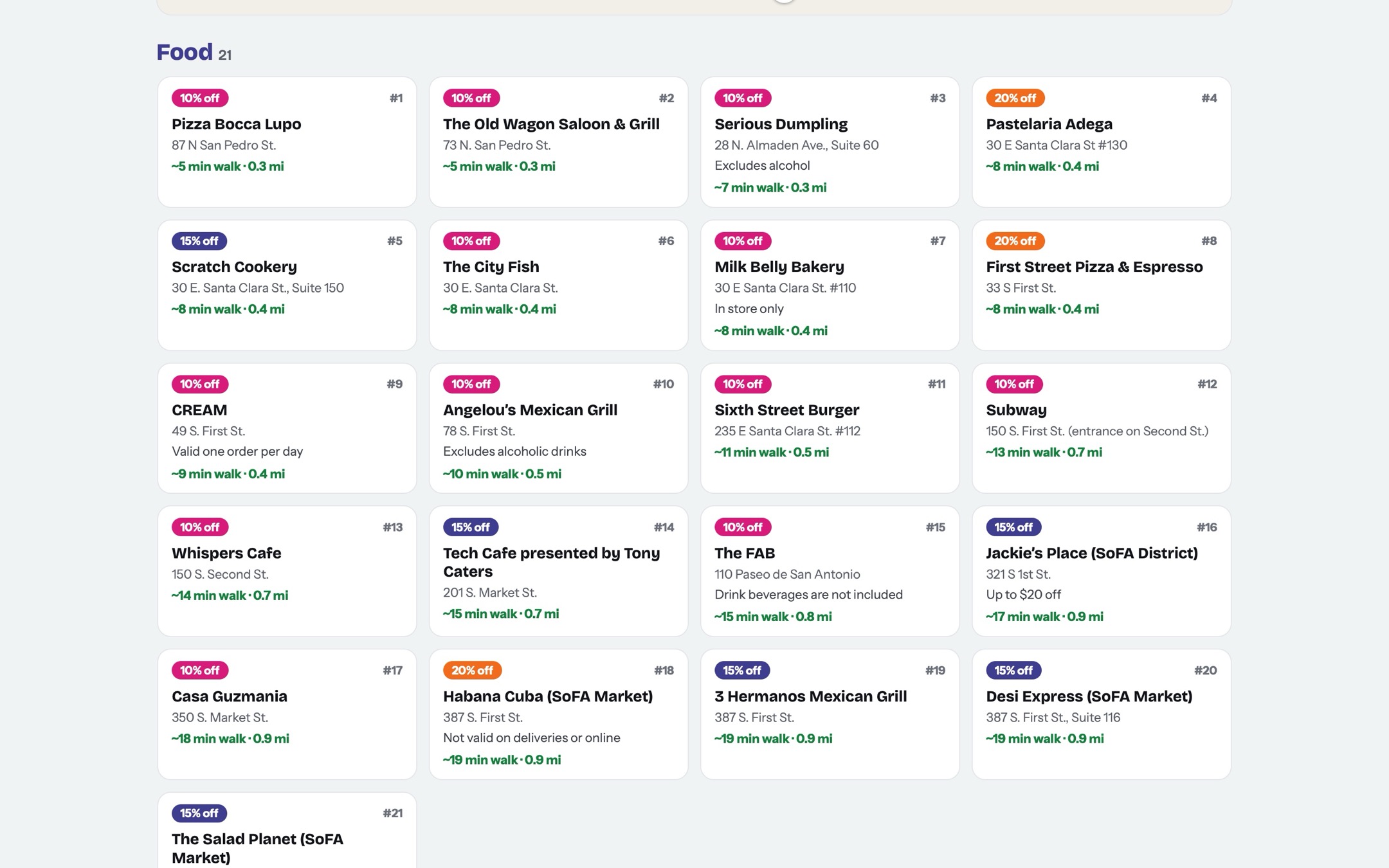
Restaurant discount map!
Our local community partner SJ Downtown Association found restaurants in DTSJ that were willing to give students a discount!
NOV 18, 2026
Thanks for reading through! These are all of the major updates for the site. We are still, however, constantly adding new features and tweaking the site =)
06
Key features
Signing in
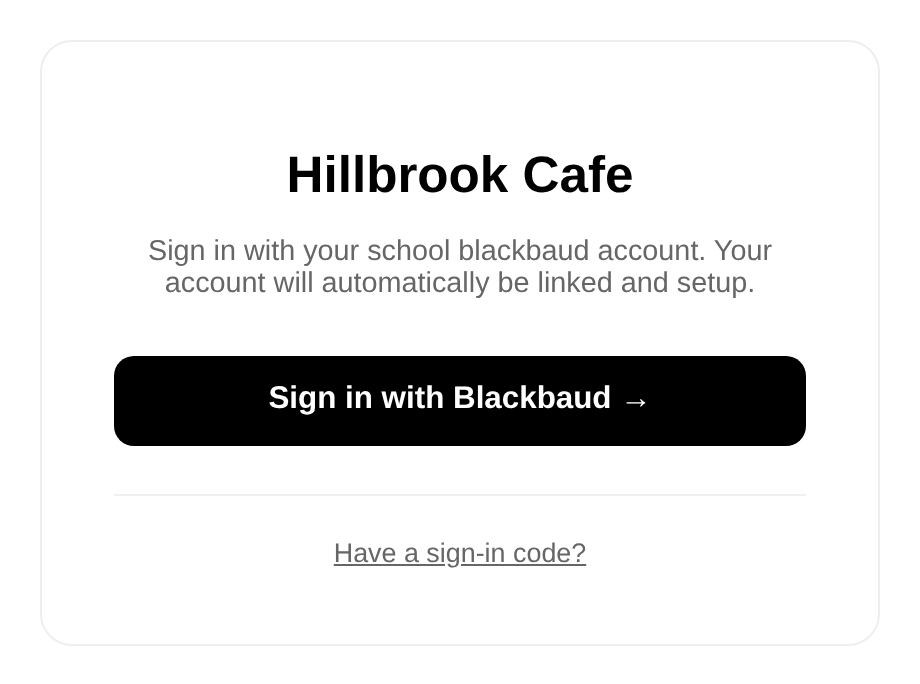
Everyone can just use their existing blackbaud account to sign in! Automatically pulls RBS data, grade, and parent relationships! That way parents can control student spending, view student orders, and place student orders. This also made it so that we wouldn’t have to design our own encrypted way of storing logins.
Ordering a meal
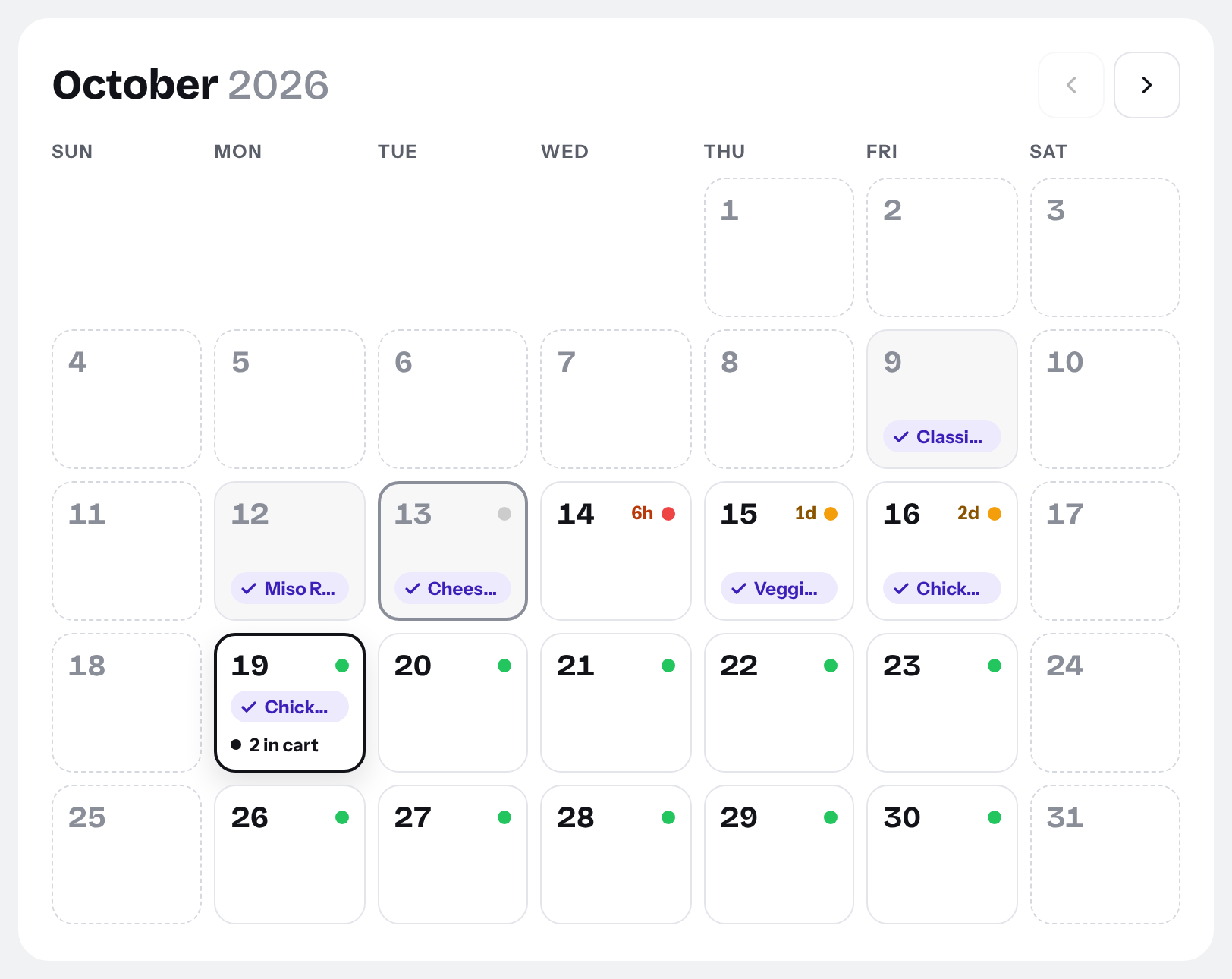
Meals are ordered from a calendar covering every restaurant serving Hillbrook! Because we have multiple restaurants on the same day, the order that they are displayed on is shuffled. Dots indicate at a glance when ordering closes, and purple buttons let you see when you ordered!
Dietary restrictions
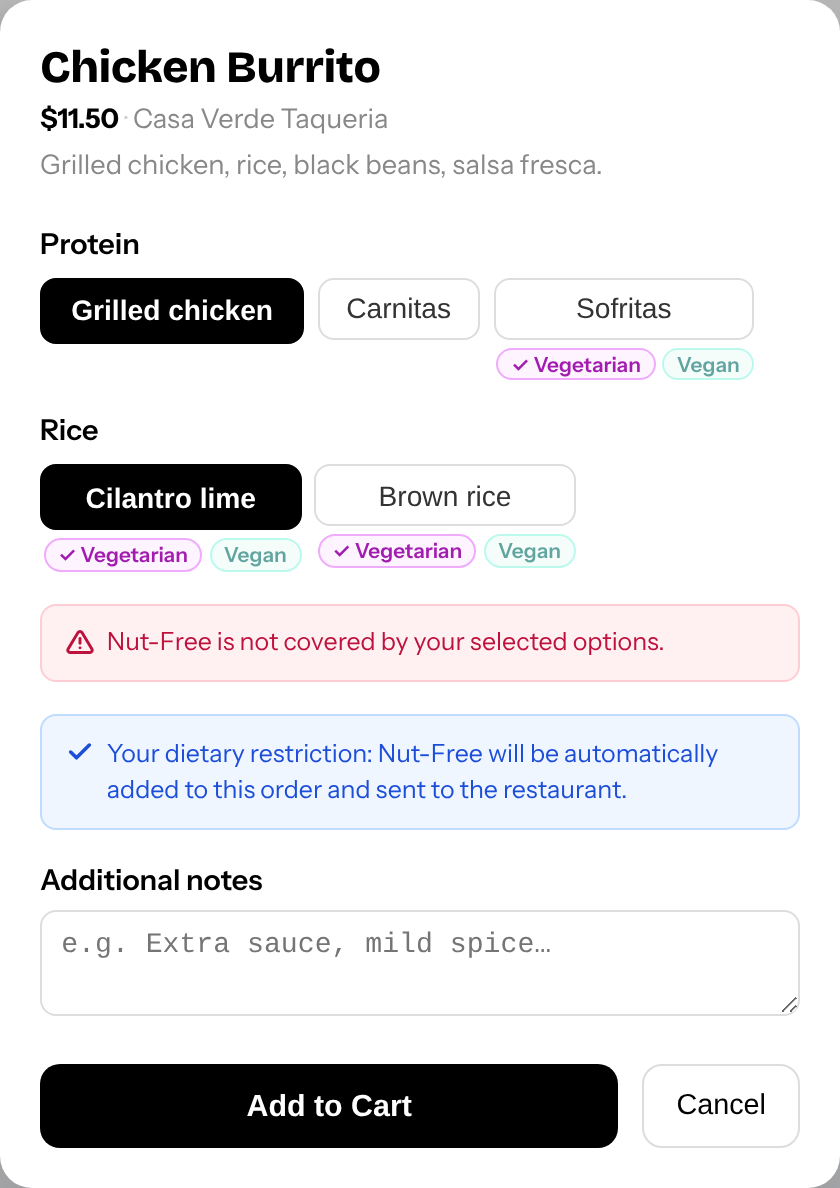
Admins will set a list of dietary restrictions. Restaurants then add those tags to their meals. Students can also add those same tags to their profiles. Dietary restriction tags will automatically be added to all orders. If a chosen meal already meets your restriction, that tag will not be added. There are also warnings that let you know if a restaurant doesn’t accept dietary restrictions. Restaurants can accept these tags w/o accepting any customizations.
School-sponsored lunches
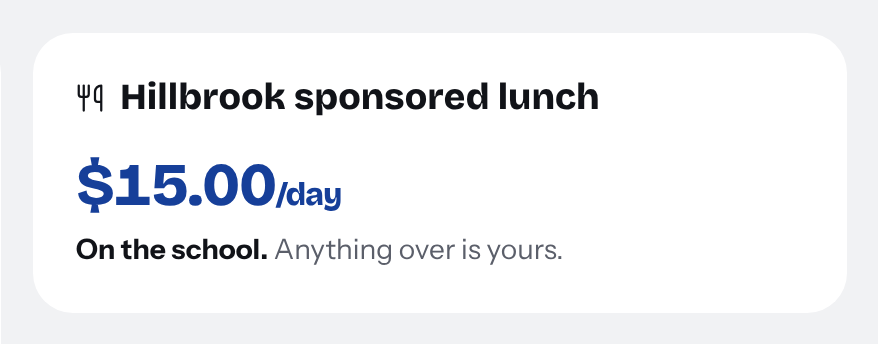
If you are faculty or RBS, eligible meals are discounted in the cart automatically. Anything above what the school covers is charged to you. Restaurants can see all sponsored meals and can download a pdf to email to the school. This fits with the previous method of invoices!
In-person ordering
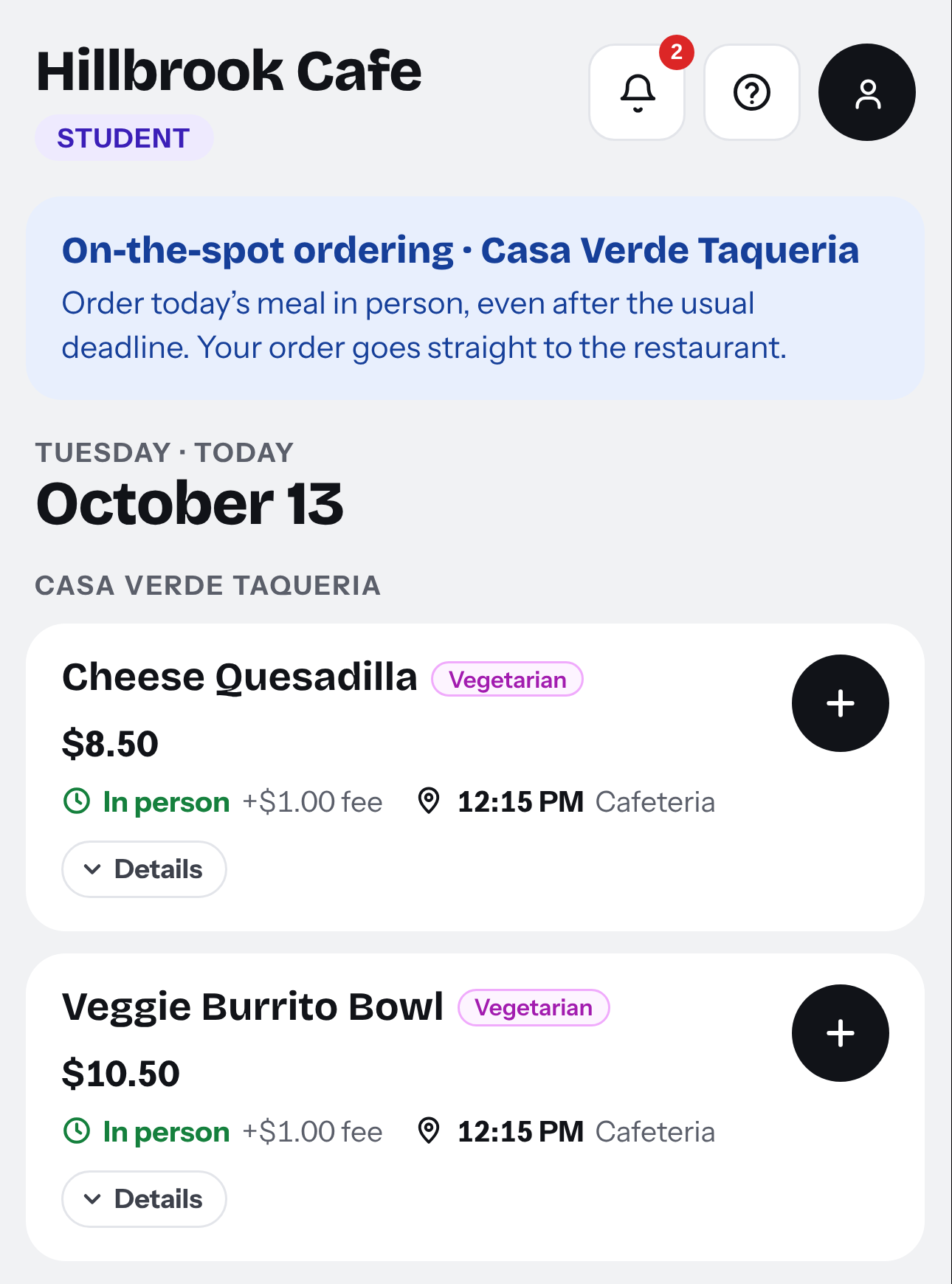
Some restaurants let you order at the counter on the day, even after ordering has closed. We have a QR code that students can scan that takes them to a page for them to sign in on!
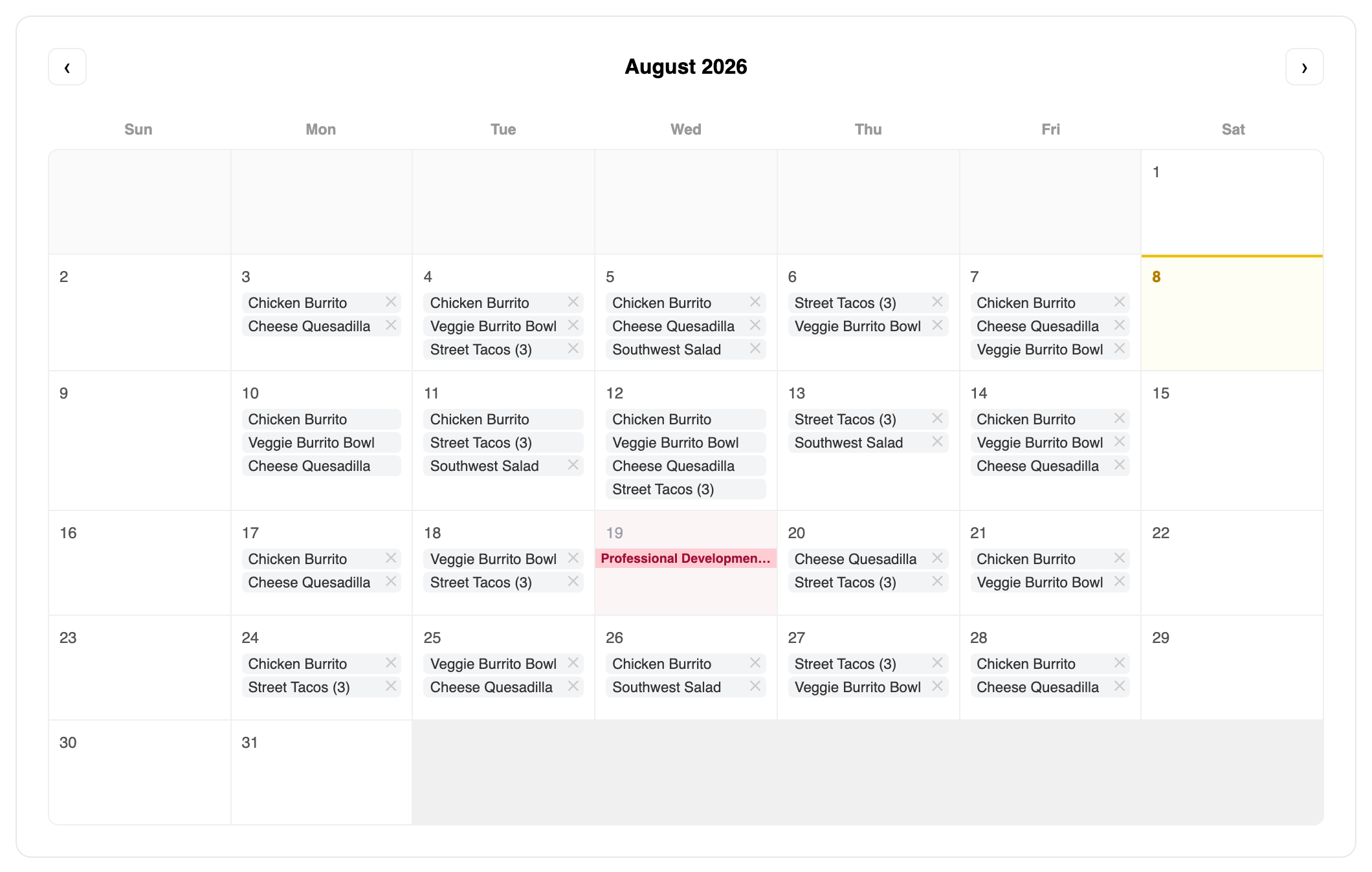
For Restaurants
We modeled our system off of Easy School Apps as that was what our primary partner, Hobee’s was most used to. We added many more quality of life features as well!
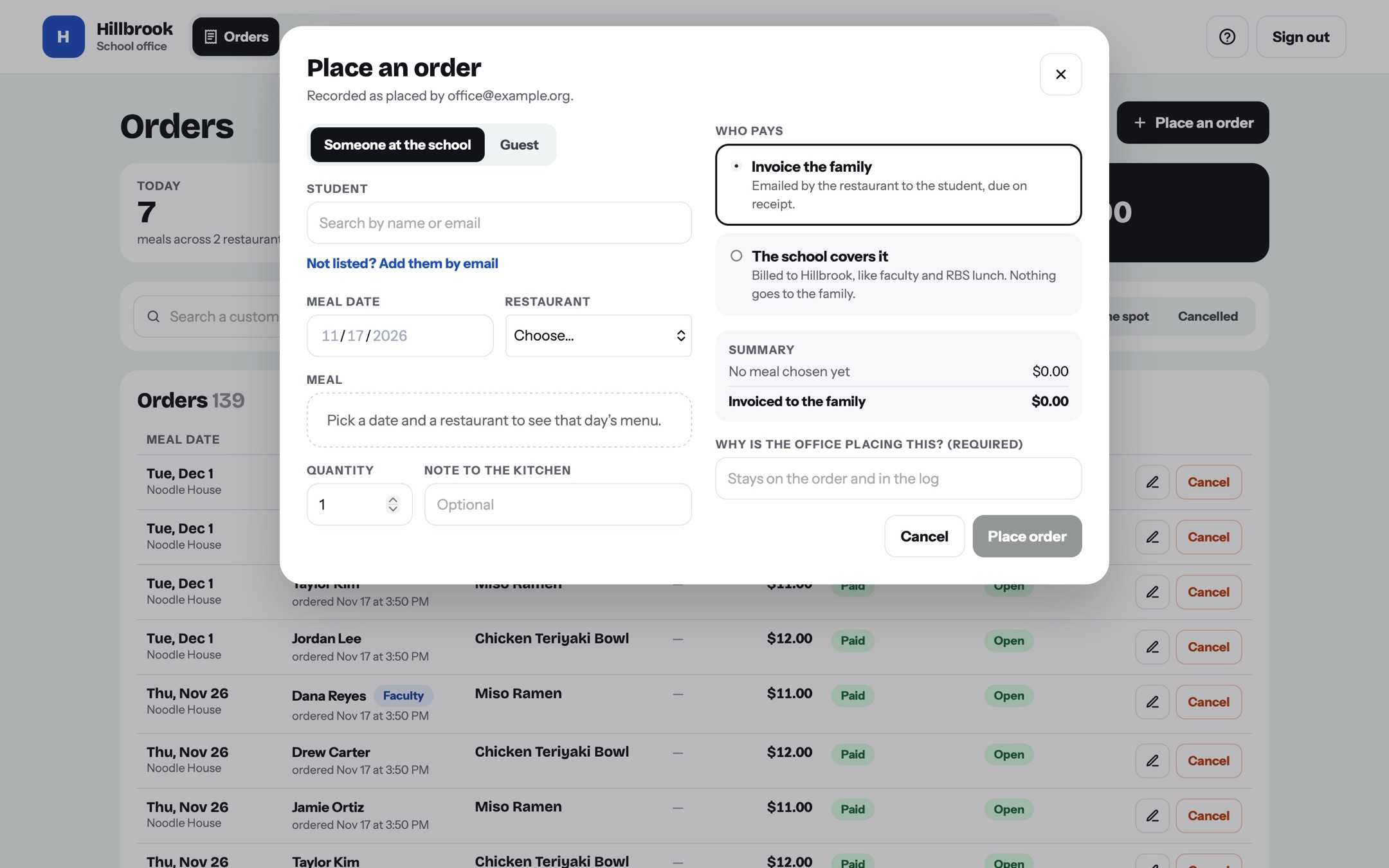
Admin Ordering
Admins can sign in with an approved google account and order for students or any guests! Admins have a later deadline than students (varies per restaurant but usually admins can edit one hour later).
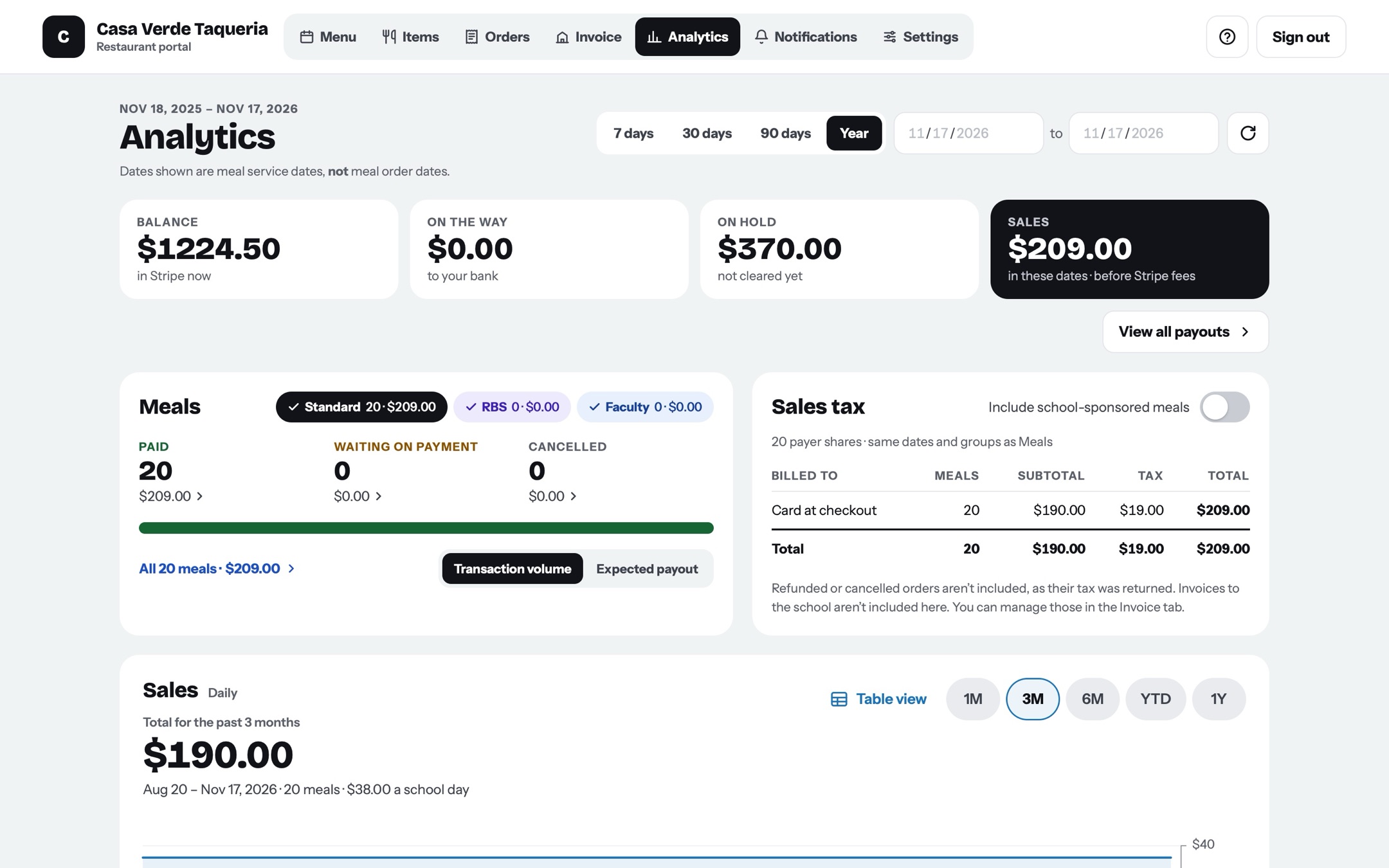
Analytics
Restaurants and administrators can view stats on how many total orders were placed. Restaurants can choose to include tax or processing fees if needed as well. Instead of relying on stripe, we also made it so that restaurants can view payouts directly within stripe!
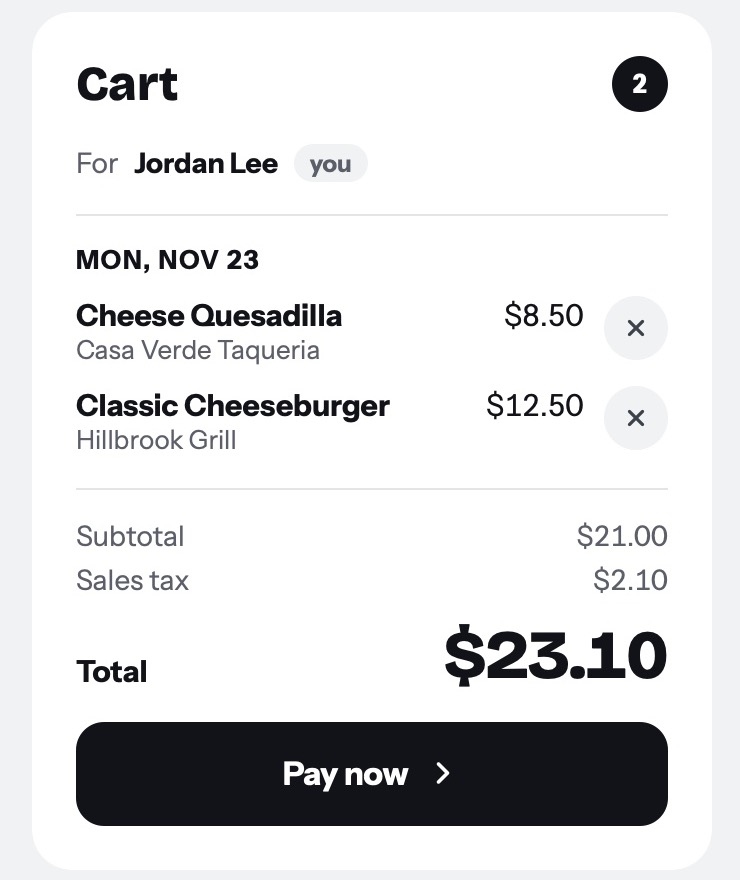
Stripe Link
Checkouts are NOT hosted on hillbrook.cafe. They go through stripe meaning that every checkout is secure! All customers can save their payment details using stripe link to autofill their payment information (after a verification code). Apple Pay also works!!
07
Our working process
VM setup & Collaboration
We host the website on Blue Ocean. We can ssh onto the VM to deploy the code by running a script. We can ssh as well to update node.js, view the live GitHub version, edit API keys, and edit the admin allowlist.
Code is pushed to GitHub! We create a new branch for all new code and merge with a PR whenever complete. The VM always deploys based on the most recent version on main.
CODING + TESTING
We use Claude to help with a lot of coding. It has been key to being able to prototype and create new features as quickly as we are able to! Kevin and I know coding basics, but definitely are not skilled enough to have coded this entire site.
We ALWAYS test what Claude has outputted, and all ideas are guided by us! We tell Claude what we want to make and it makes it. We also do a TON of testing. Claude UI always has errors and the text is awkward and not clear or concise. Much of our time is spent giving exact instructions to Claude as to what to change.
feedback!
All of our linked restaurants can email Kevin and I at any time if there are any issues. We also have an email which students can email at any time to get help or submit feedback.
Many parts of our website were made in close partnership with our restaurant. The analytics page is probably the best example of close partnership with the restaurants as the entire page was dictated by what they needed!
08
Summary
hillbrook.cafe now processes over $5,000 of orders each week. I truly never thought that any of this was possible! What started as a simple goal of improving lunch at Hillbrook has grown into something so much more impactful! I unfortunately don’t have the bandwidth to update this page as I update hillbrook.cafe, but I do think this is an excellent summary of the site. hillbrook.cafe will always continue to grow and shift and change, so, if you would like to explore the live site, you can go to hillbrook.cafe/demo. As I graduate in 2028 and ultimately hand off the site to HB admin, I am both sad, and grateful for where this site has brought me and am excited to continue to follow lunch at Hillbrook as the school expands! (That sounds very cliche, but it’s alright =))
09
AI Disclosure
As stated previously, hillbrook.cafe is almost entirely vibe coded (Claude Code primarily). Vikram and Kevin have fundamental understandings of code, but cannot actually code. That being so, we did still both put a tremendous amount of work into it! AI is excellent at following instructions, but still struggles to come up with ideas itself. Throughout the entire creation of hillbrook.cafe, Kevin and I constantly pored over the site and looked for any points of friction that the site may have had that the AI overlooked. Some very common ones were: button inconsistency, bad layout, and bad text descriptions. Fixing these was not as simple as saying: “this is bad, fix it.” We had to give Claude step by step instructions on what to do. I believe that this is what made hillbrook.cafe a masterpiece as opposed to vibe coded slop. We spent tons of time making sure that hillbrook.cafe was something people would want to use and would enjoy using, rather than an app that people could use, and probably had no complaints about, but still had small imperfections that limited its full potential.
10
Acknowledgements
Vikram
That’s me! This was my project since 9th grade and I spent a long time on this project and did a lot of ideation for new features!
I spent a lot of my time testing the ideas and making sure they worked. Even though I was using Claude, I didn’t want the site to seem like a shoddy half working half quirky site (like robolyst…) I went through each feature myself to make sure that it made intuitive sense!
I also connected with other restaurants to see if we could add them to the site. I emailed other restaurants and set up meetings to try to improve the site and see how we could make it fit to their needs!
Kevin
Kevin also spent a TON of time on this project. He and I basically co-developed the app together. When I was busy and couldn’t quite fix issues, he took the GitHub issues I posted and fixed them =) Halfway through the project, he did a comprehensive security check of the entire site (which was amazing) and patched up many holes. He also constantly came up with new ideas to improve the site. One of his most significant contributions was the redesign! It isn’t simple to come up with a new UI theme for a website and I think he did it perfectly! (Not as simple as just asking Claude – you need to revise it too!) Truly could not have done this without him!
Bill Selak
Director of technology at Hillbrook, he really supported the development of hillbrook.cafe. At many points during the project, I was unsure if we could ever get this approved by the administrators. He was super supportive in that he never said no to helping on the project. Whenever we needed a new feature to be built that needed some admin help, he was there to build it. Even though, over the entire summer, I hadn’t had much communication with admins on our first test at the beginning of the school year, he kept on helping to build it, and so, we were 100% ready when we suddenly needed to launch into testing. He also really helped communicate with other admins (Ms. Randazzo (CFO) and Mr. Silver (Head of School)) to figure out more technical parts of this project. Especially when I went on my trip to India during testing, he was monumental in coordinating logistics and making sure everything went smoothly.
Mike Maccarone
Head of Upper School, he was super helpful in first trying to figure out a path for hillbrook.cafe. I remember how at first, when we were trying to find a replacement for Easy School App, you kept on saying “just build an app!” While I thought you were joking, (and you may have been), we did eventually build an app! Thank you for helping to set up the initial meetings with Mr. Silver and Mrs. Randazzo and helping us figure out what to do next after each meeting, and what we needed to do to be prepared for the next meeting where we presented this idea.
Margaret Randazzo
CFO at Hillbrook, she was one of my other faculty points of contact especially when figuring out payment systems! Thank you for always being so responsive and so patient as we tried to figure out how to route the money.
Kathy Chan, Mark Silver, and Stephanie Seto
Kathy is our administrative assistant, Mark Silver was the head of school, and Stephanie is our dean of students. Thanks Kathy for helping to set up meetings, and Stephanie for being an excellent person to talk to to reach admin through! Thank you Mr. Silver for ultimately, trusting in Kevin and I enough to use this at Hillbrook!